CHAPTER 2: Checking Out Your Gateway Notebook www.gateway.com
32
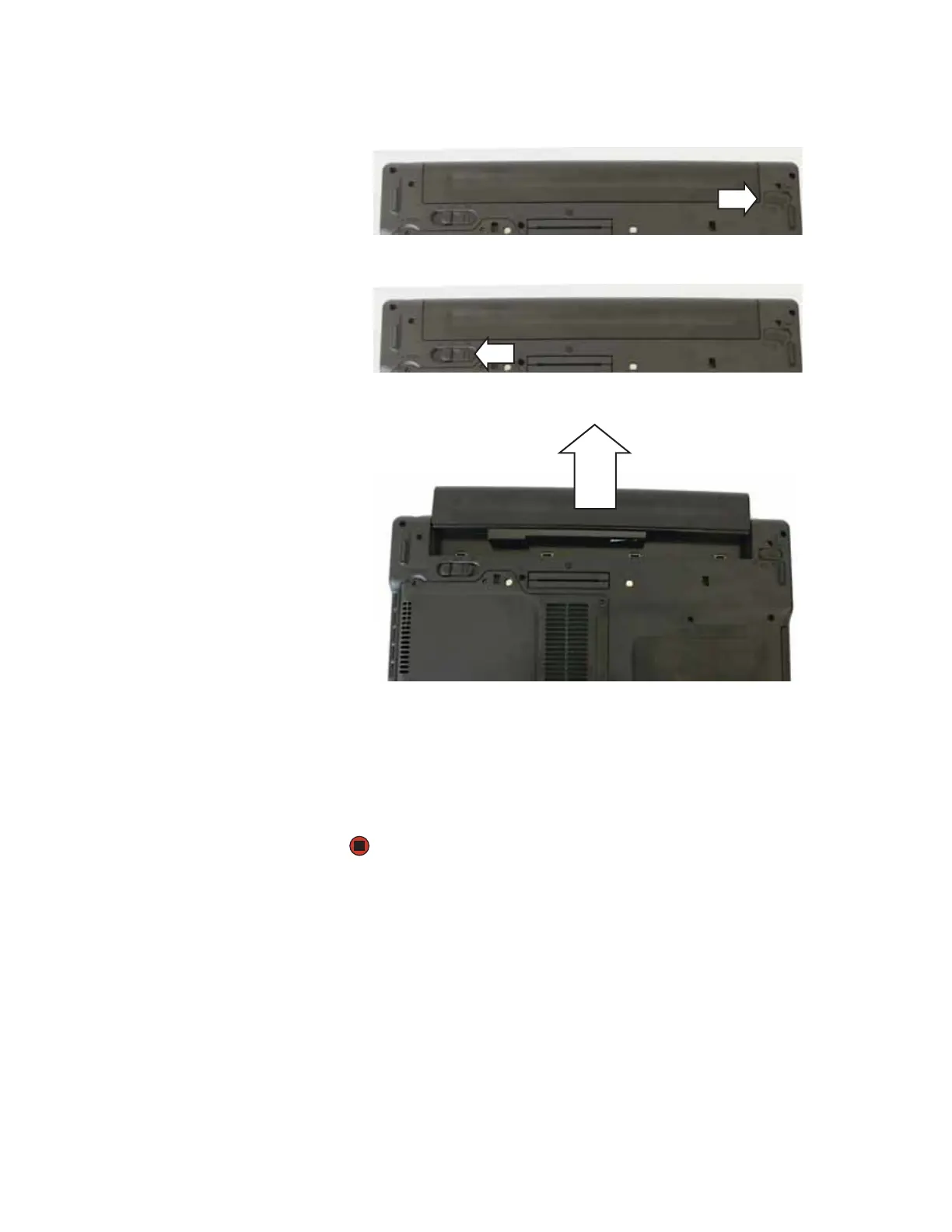
5 Slide the battery lock to the unlocked position.
6 Slide the battery release latch.
7 Slide the battery out of the notebook.
8 Slide a recharged battery into the notebook until it snaps into place.
9 Slide the battery lock to the locked position.
10 Turn your notebook over.
11 Reattach the optional port replicator.
12 Open the LCD panel and press the power button.













 To Next Page