CHAPTER 3: Maintaining and Upgrading Your Notebook www.gateway.com
48
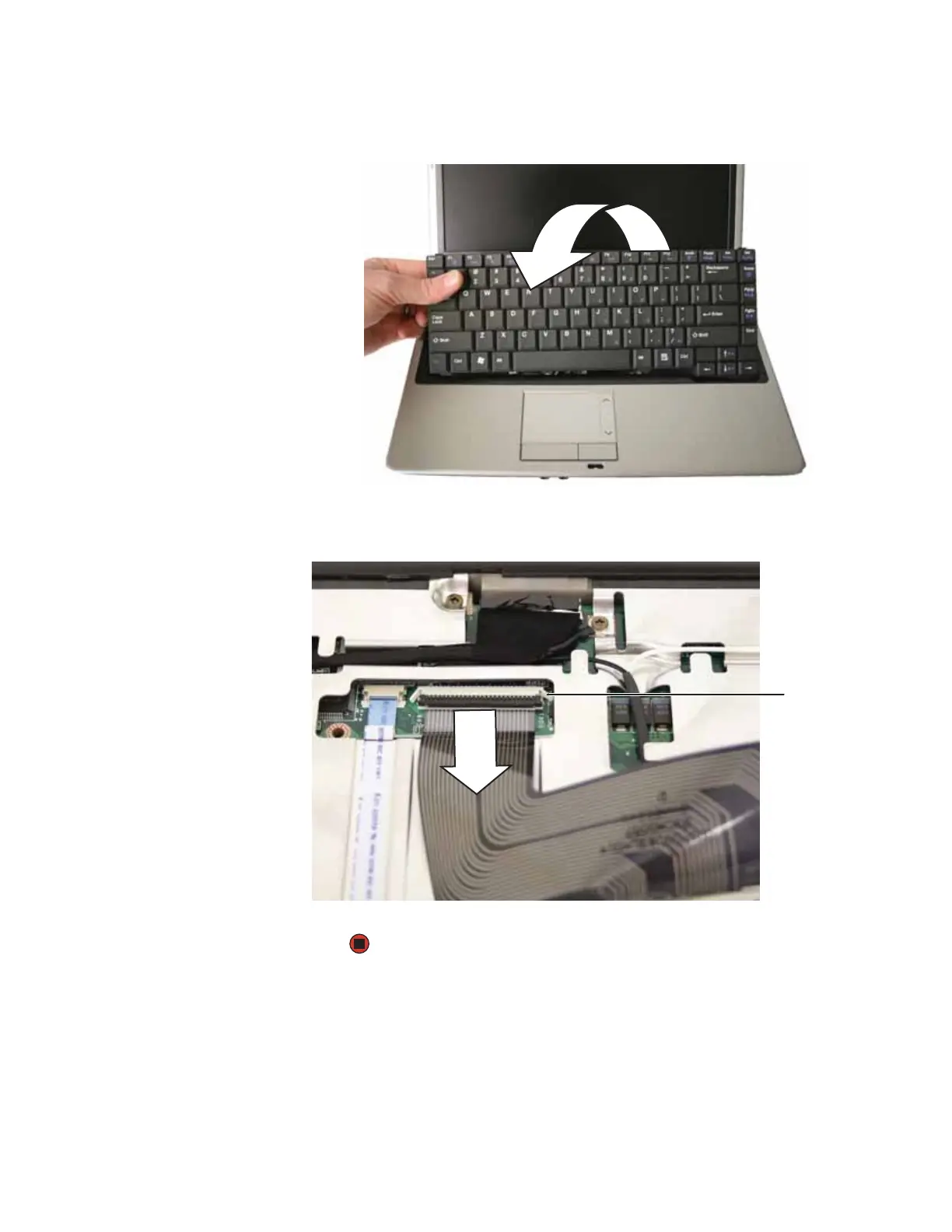
14 Rotate the keyboard toward you so it lies keys-down on top of your
notebook.
15 Lift the black connector clip, then remove the cable. Be careful not to touch
or damage any other components.
16 Lift the old keyboard away from the notebook.
Connector













 To Next Page