EasyManua.ls Logo

GCC Technologies LaserPro X252RX - Page 55

GCC Technologies LaserPro X252RX
115 pages
Print Icon
To Next Page IconTo Next Page
To Previous Page IconTo Previous Page
Loading...
- 44 -
232001240G(08)
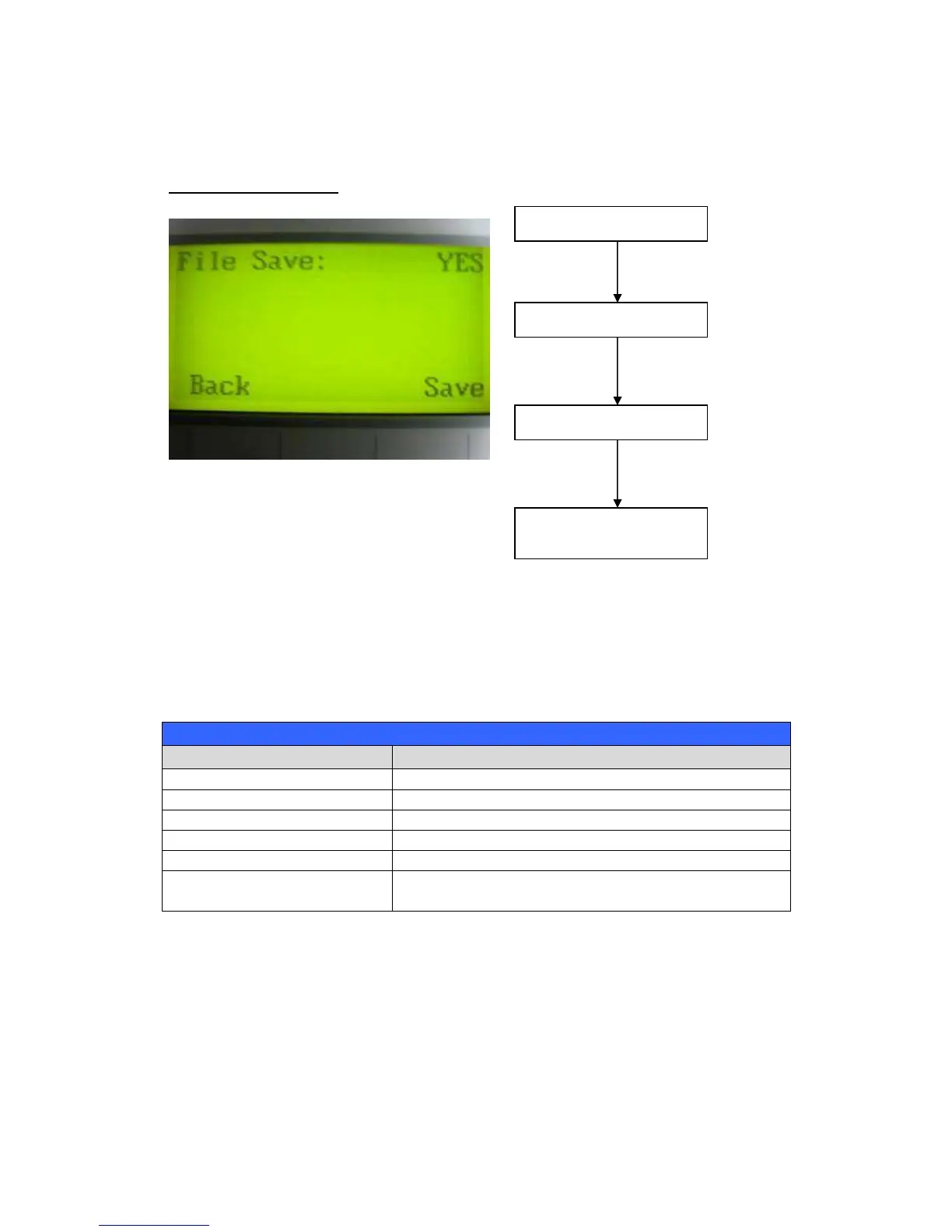
File Save Mode Page
The Set File Save Mode Page allows you to set whether or not the LaserPro X252RX & X380RX
automatically deletes each job file after processing. Setting File Save to <NO> will automatically
and immediately delete each job file from the LaserPro X252RX & X380RX after the cutting
process. Setting File Save to <YES> will retain all job files on the LaserPro X252RX & X380RX,
even after each job has been processed.
File Save: YES / NO
File Save Mode Page
Relevant Buttons
Function
F1 (Back) Back to previous page
F4 (Save)
Save your current settings
/
Directional
Cycle File Save between YES / NO
Start / Stop Back to Main Work Page
Auto Focus Initiate the auto focus function

/
Manual Focus
Buttons
Manually adjust the height of the work table (Z-
axis)
Main Work Page
Press
F4
Navigating to this page:
Functions Page
Select <
Machine Setting
>
from the menu
Machine Setting Page
Select <
File Save Mode
>
from the menu
Set File Save Mode
Page

Table of Contents

Related product manuals