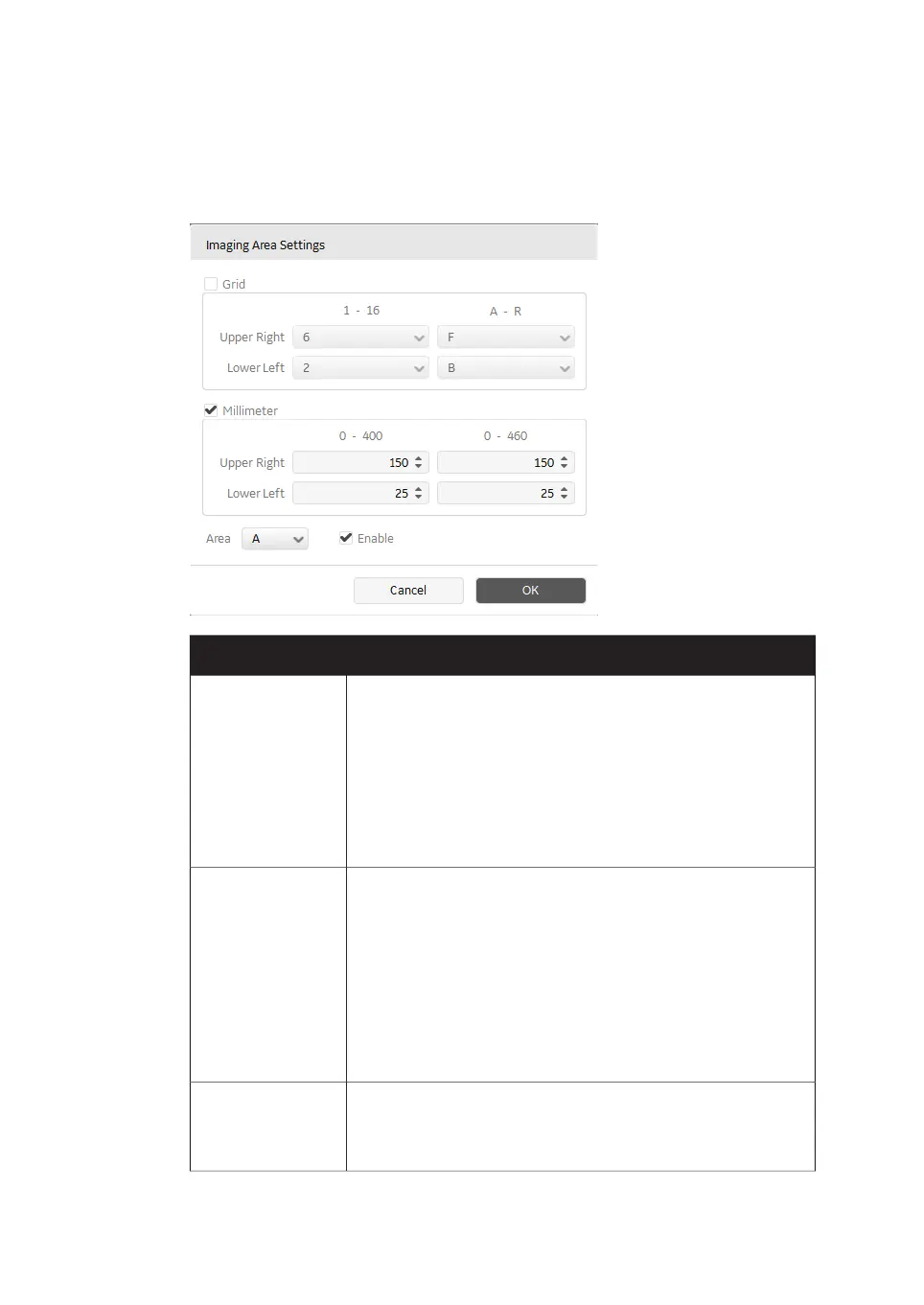
Image Area Settings dialog
To open the Image Area Settings dialog, right-click on a scan area and select Setting....
FunctionField
Defines the scan area based on the grid on the stage. The
maximum and minimum values are displayed above the list
boxes.
Grid
•
Lower Left sets the position of the lower left corner of the
scan area.
•
Upper Right sets the position of the upper right corner of
the scan area.
Defines the scan area based on the position on the stage, based
on the distance from the front left corner of the total scanning
surface (mm). The maximum and minimum values are displayed
above the list boxes.
Millimeter
•
Lower Left sets the position of the lower left corner of the
scan area.
•
Upper Right sets the position of the upper right corner of
the scan area.
Assigns a name (A, B, C, ...) to the scan area.Area
When the name of one scan area is changed, all other scan
areas will be renamed as well.
74 Amersham Typhoon Operating Instructions 29193226 AC
4 Amersham Typhoon Control Software
4.4 Scan area functions



 To Next Page