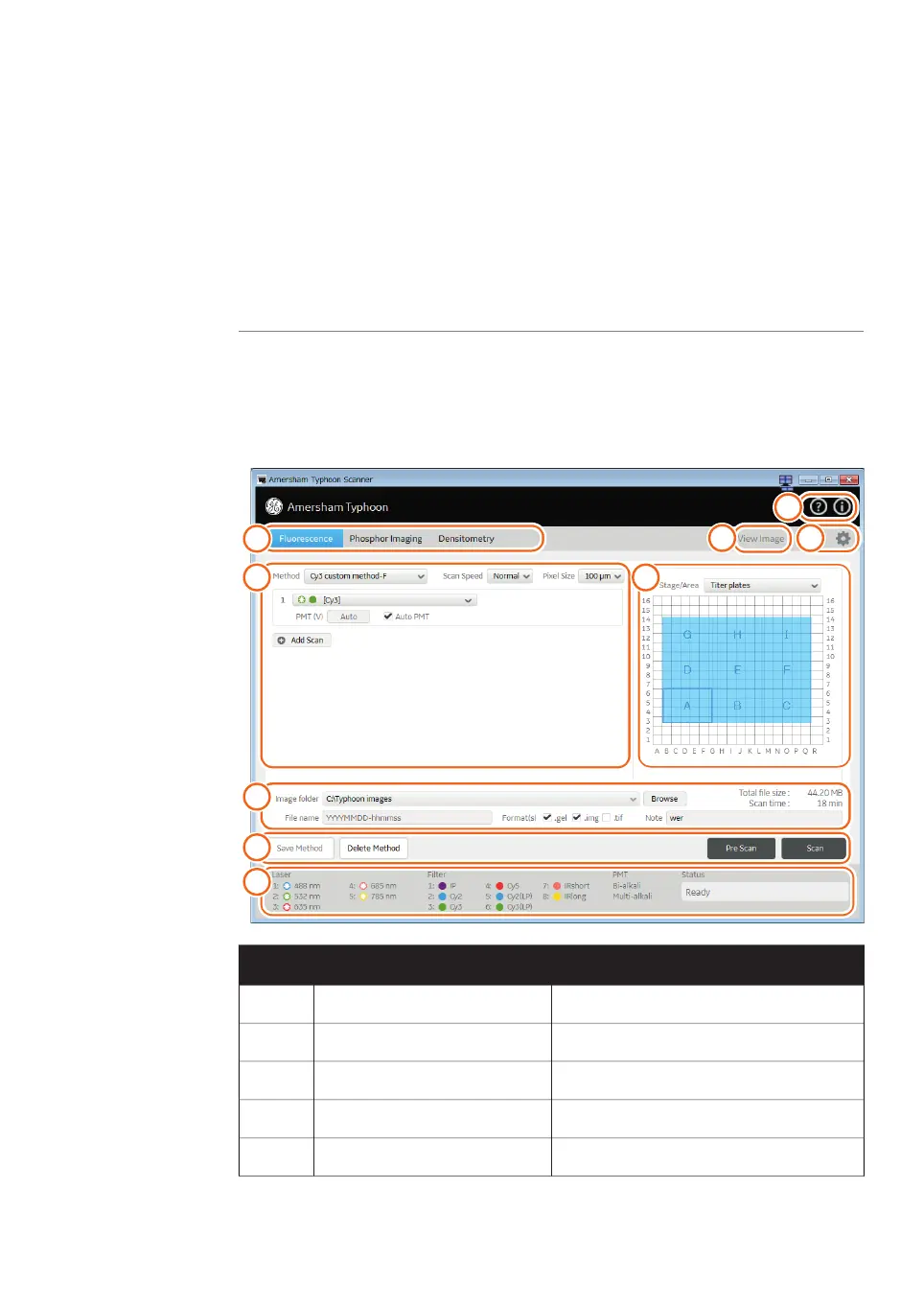
4.1 Main window
Introduction
This section gives an overview of the main window and describes the settings that can
be made.
Example of the main window
When the Amersham Typhoon Control Software is started, the main window appears.
The main window contains the following panes and fields.
Reference/DescriptionFunctionPart
See Scanning mode tabs, on page 60Scanning mode tabs1
See Scan settings, on page 60Scan settings2
See Stage/Area settings, on page 62Stage/Area settings3
See Image file settings, on page 63Image file settings4
See Method and scanning, on page 63Method and scanning5
Amersham Typhoon Operating Instructions 29193226 AC 59
4 Amersham Typhoon Control Software
4.1 Main window



 To Next Page