4.6 View Image mode
View Image window
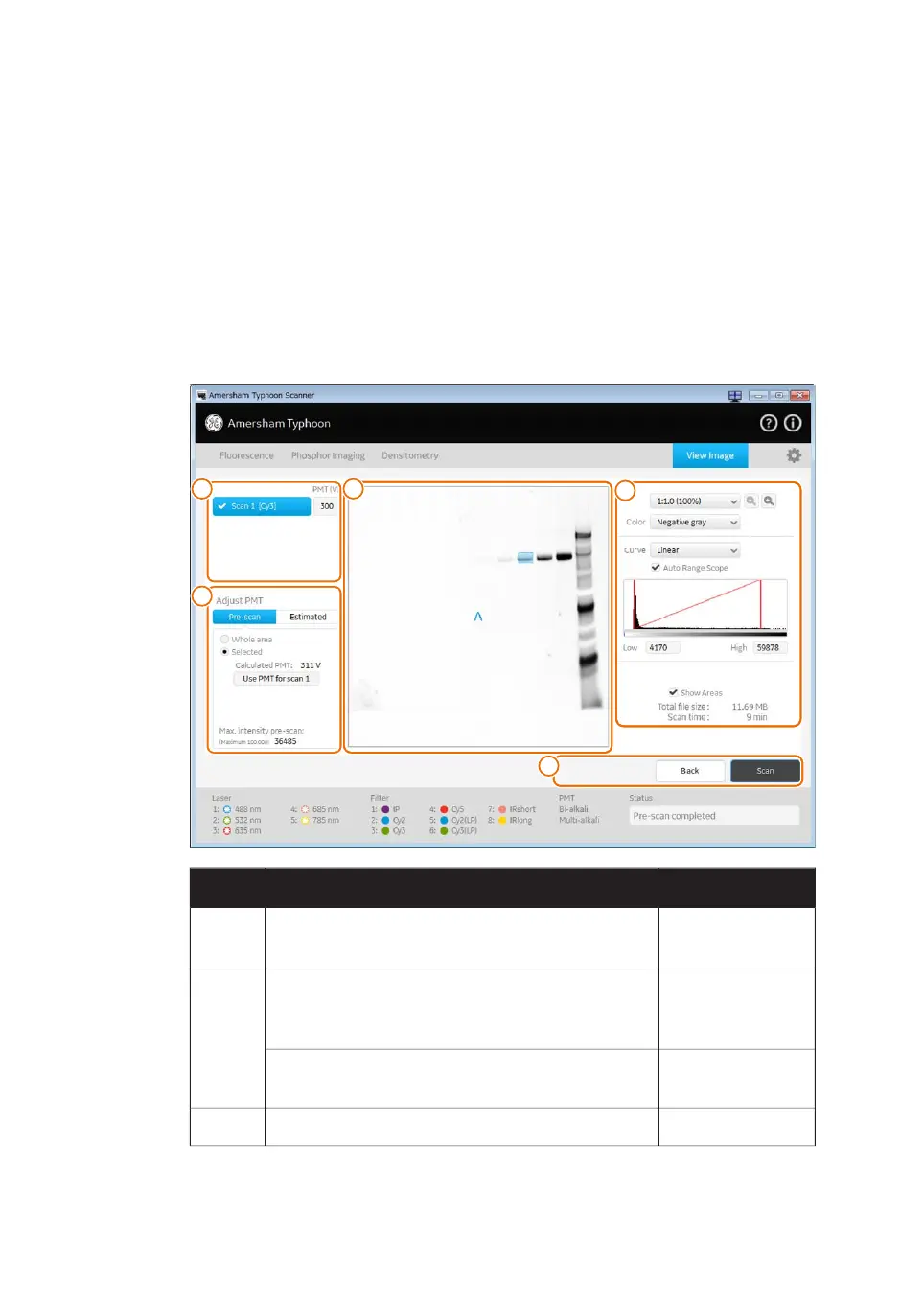
During and after a pre-scan or a scan, the image can be viewed in the View Image mode.
The View Image window is automatically opened during a scan. The following illustration
gives an example of the View Image window and its possible functions. The actual
functions displayed in the View Image window will vary depending on whether the image
is viewed during or after a pre-scan or a scan.
AvailabilityFunctionPart
Pre-scan and scanClick to select the scan that is displayed or adjust
the PMT.
1
Pre-scanIn the Pre-scan tab of the Adjust PMT field, select
the area and calculate an estimated PMT that gives
a non-saturated image.
2
Pre-scanUse the Estimated tab of the Adjust PMT field to
simulate images using different PMT settings.
Pre-scan and scanScanned image.3
78 Amersham Typhoon Operating Instructions 29193226 AC
4 Amersham Typhoon Control Software
4.6 View Image mode



 To Next Page