GE Energy
D20/D200
Installation and Operations Guide
General 994-0078-2.00-7
Full
29
Familiarization, continued
I/O Peripheral
Module
Assembly
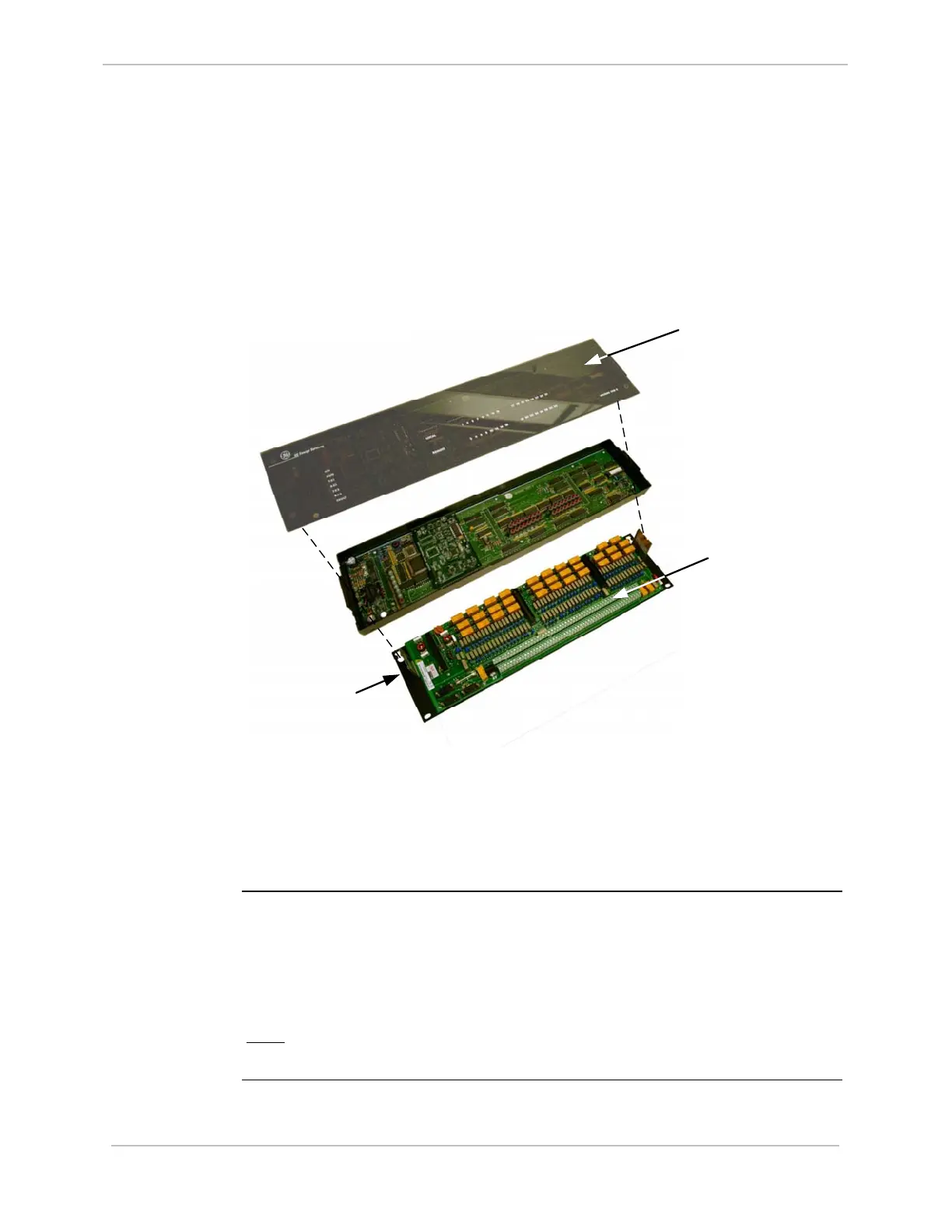
Each D20 peripheral I/O module consists of two separate assemblies:
• WESDAC logic panel, for Data Acquisition and Control
• WESTERM panel, for field Termination
The logic panel contains the logic circuitry and active components. The termination
panel provides terminations for all field I/O, power, the local WESMAINT port, and
the HDLC port for the D.20 Link.
Acrylic Display
Cover
Terminal Blocks
W
E
S
T
E
R
M
T
e
r
m
i
n
a
t
i
o
n
P
a
n
e
l
W
E
S
D
A
C
L
o
g
i
c
P
a
n
e
l
Metal Mounting
Plate
The logic board sits in a metal enclosure and plugs directly into the termination
panel. The termination panel sits on a 5.25" wide metal panel designed for flat or
rack mounting. The logic panel enclosure is faced with semi-transparent acrylic,
through which the user can monitor LED displays for various peripheral functions
and all field I/O points.
Hot-swap
Peripherals
The WESDAC board can be hot-swapped off the WESTERM board without
disconnecting the power. A module failure is indicated on the LED displays. If a unit
fails, you can unplug the failed WESDAC unit and replace it with a working unit
while the power remains on. Once the new unit is installed, the D20ME/ME II
automatically downloads the appropriate database parameters to the module to make
it operational.
Note:
This can be done without removing power from the peripheral, hence
“hot-swap”.



 To Next Page