12
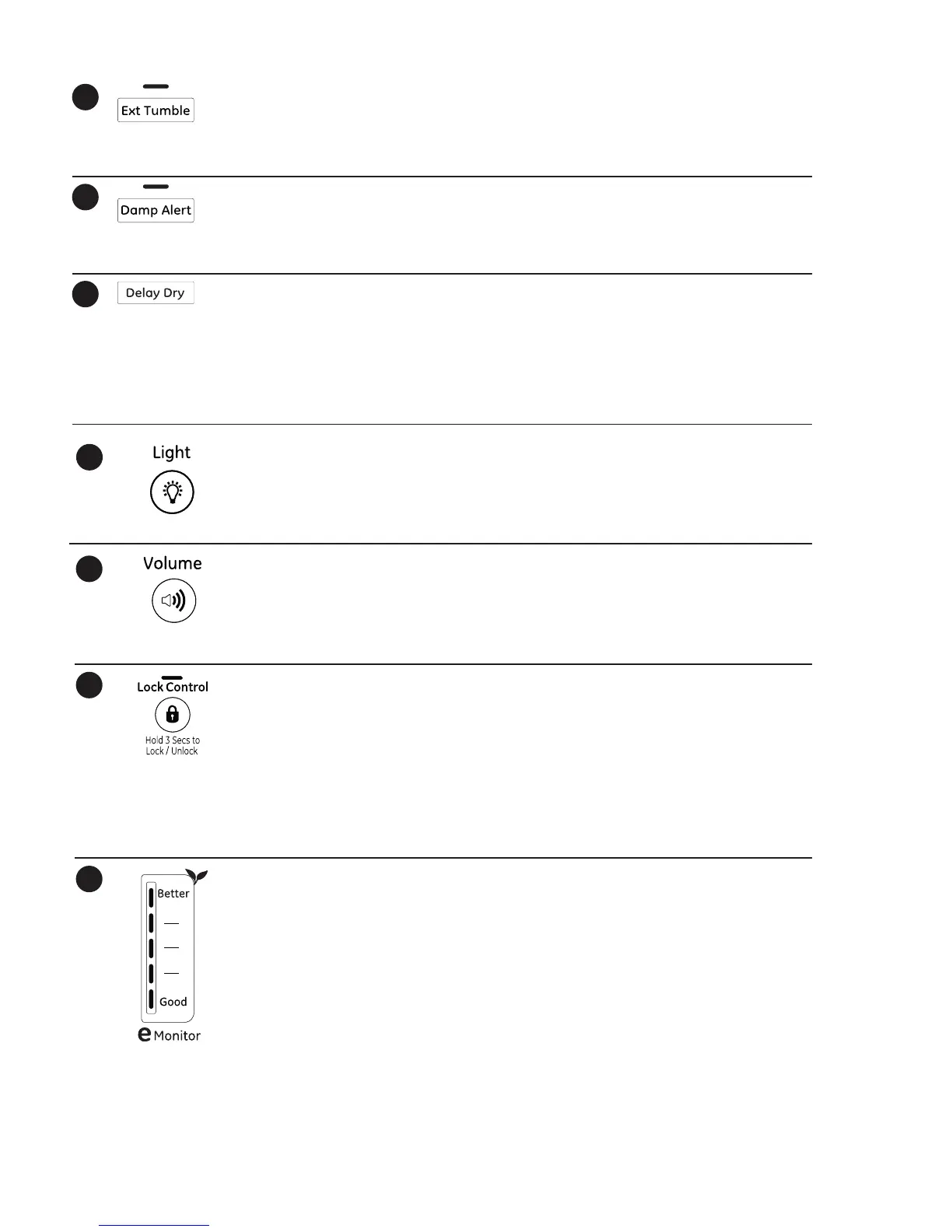
Extended Tumble
Minimizes wrinkles by adding approximately 60
minutes of no-heat tumbling after clothes are
dry. The beeper will sound every five minutes as a
reminder to remove the clothes.
The estimated time remaining display will show
“0:00”.
The extended tumble time does not get added to
the cycle time on the display.
11
Damp Alert
This option causes the dryer to beep when clothes
have dried to a damp level. Remove items that you
wish to hang dry. The Damp Alert will only beep
when this option is selected.
Removing clothes and hanging them when they a
damp can reduce the need to iron some items.
12
Delay Dry
Use to delay the start of your dryer.
1. Choose your dry cycle and any options.
2. Press Delay Dry. You can change the delay time
in 1 hour increments, using the Delay Dry button.
3. Press the Start/Pause button to start the
countdown.
NOTE: If the door is opened while the dryer is in
Delay Dry, the countdown time will not restart
unless the door is closed and Start/Pause butto
has been pressed again.
13
Light (on some models)
Press the button to turn on the light in the
dryer.
Press the button again to turn the light off.
This only controls the light when the door is
shut.
NOTE: The light will turn off by itself after
one minute when the door is shut.
14
Volume
Alerts you that the cycle is complete. The beeper
will continue to sound every minute for the next
5 minutes, until the clothes have been removed.
The clothes should be removed when the beeper
goes off so wrinkles don’t set in.
Press Volume to select low, medium or high
volume, or to turn the beeper off.
Lock Control
You can lock the controls to prevent any
selections from being made. Or you can lock
or unlock the controls after you have started
a cycle.
Children cannot accidentally start the dryer by
touching buttons with this option selected.
To lock the dryer, press and hold the Lock
Control button for 3 seconds.
To unlock the dryer controls, press and hold
the Lock Control button for 3 seconds.
A sound is made to indicate the lock/unlock
status.
The indicator light above the button will
illuminate when the controls are locked.
NOTE: The Power button can still be used
when the machine is locked.
15
16
17
eMonitor (on some models)
The eMonitor lights display the relative
energy use of your selected cycle and options.
They are provided as an energy guide and
range from Good (1 light) to Better (5 lights).
Cycle (time), dryness level, temperature, and
additional tumble options can increase or
decrease your energy efficiency. Some cycles
will not provide a display.



 To Next Page