CHAPTER 3: CONTROL PANEL ENERVISTA MM200 SETUP SOFTWARE
MM200 MOTOR MANAGEMENT SYSTEM – INSTRUCTION MANUAL 3–23
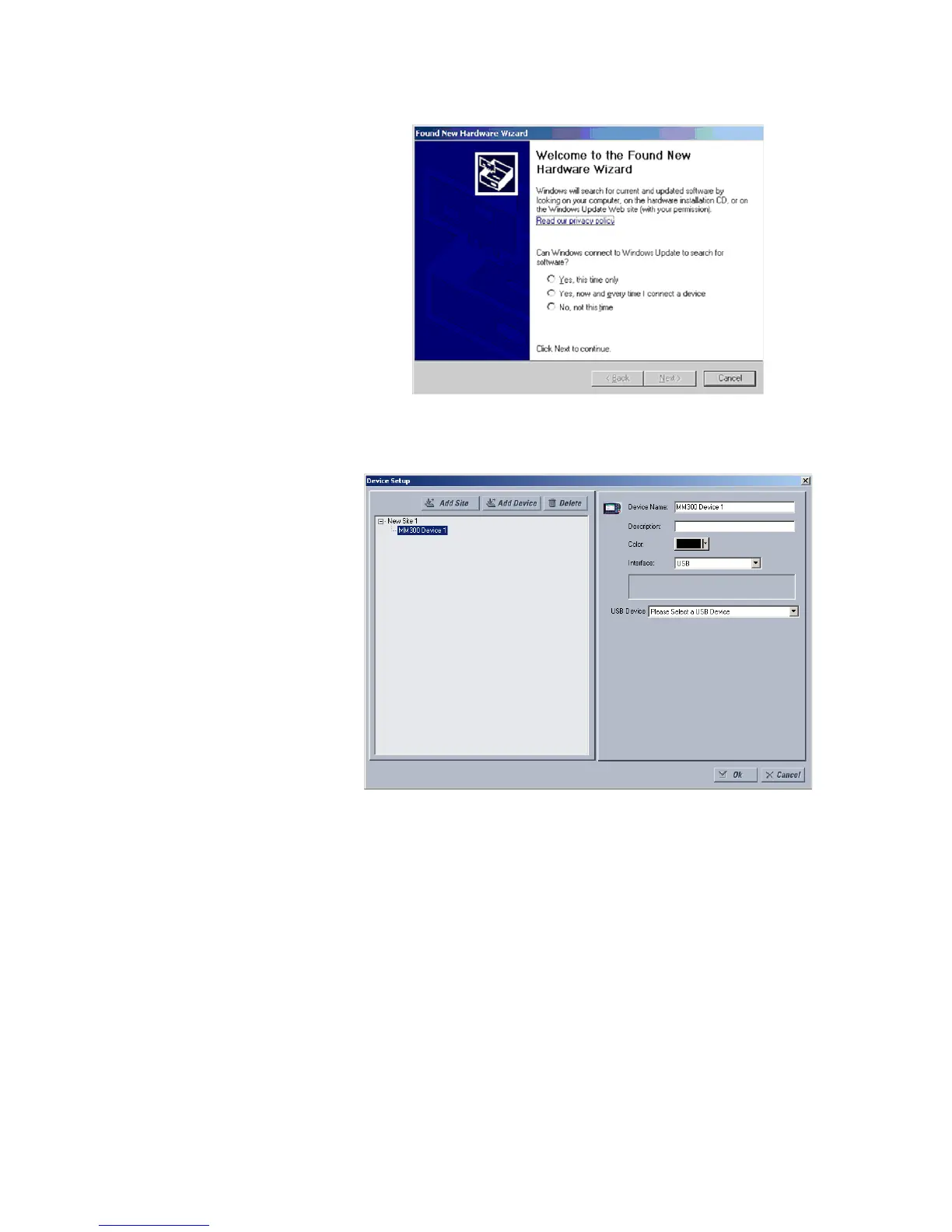
12. Select No, not this time. The Hardware Installation warning screen reappears. Press
the Continue Anyway button.
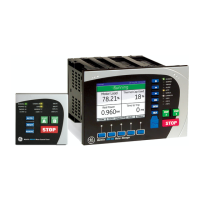
13. In EnerVista > Device Setup:
Select USB as the Interface type.
14. Select the appropriate USB device.




 To Next Page