GE
D
IRECTION GB091046, REVISION 2 VIVID E9 / VIVID E7 BT’13 SERVICE MANUAL
Chapter 8 - Replacement procedures 8 - 239
8-11-2-4 Remove BEP5 Power Supply
Follow these steps to remove the BEP5 Power Supply:
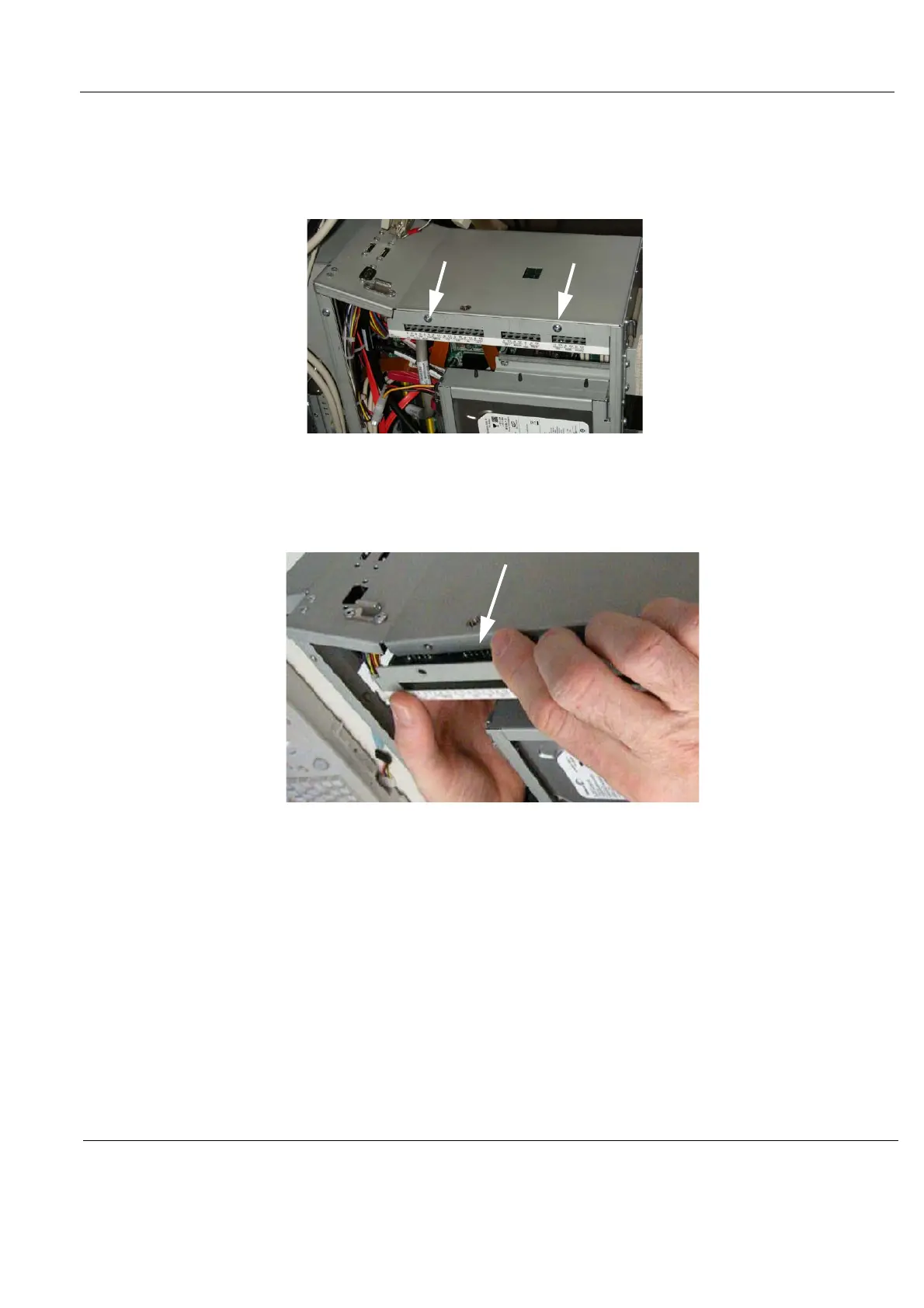
1.) Remove the two screws on the Power Supply.
2.) Gently insert a flat screwdriver between the power supply and the BEP frame to create enough
space to get hold on the power supply.
3.) Pull the Power Supply toward you while gently rocking the board up and down, freeing the 2 pins
connected at the back of the board.
4.) To install the BEP5 Power Supply, go to:
8-11-2-5 "Install BEP5 Power Supply" on page 8-240.
Figure 8-188 BEP Power Supply Fixing Screws
Figure 8-189 BEP Power Supply removal



 To Next Page