GE
D
IRECTION GB091046, REVISION 2 VIVID E9 / VIVID E7 BT’13 SERVICE MANUAL
8 - 280 Section 8-13 - I/O Modules replacement
8-13-2-2 BEP6 Side I/O Board Assembly removal
Follow these steps to remove the BEP6 Side I/O Board Assembly:
1.) Disconnect the cables connected to the face of the BEP6 Side I/O Board Assembly.
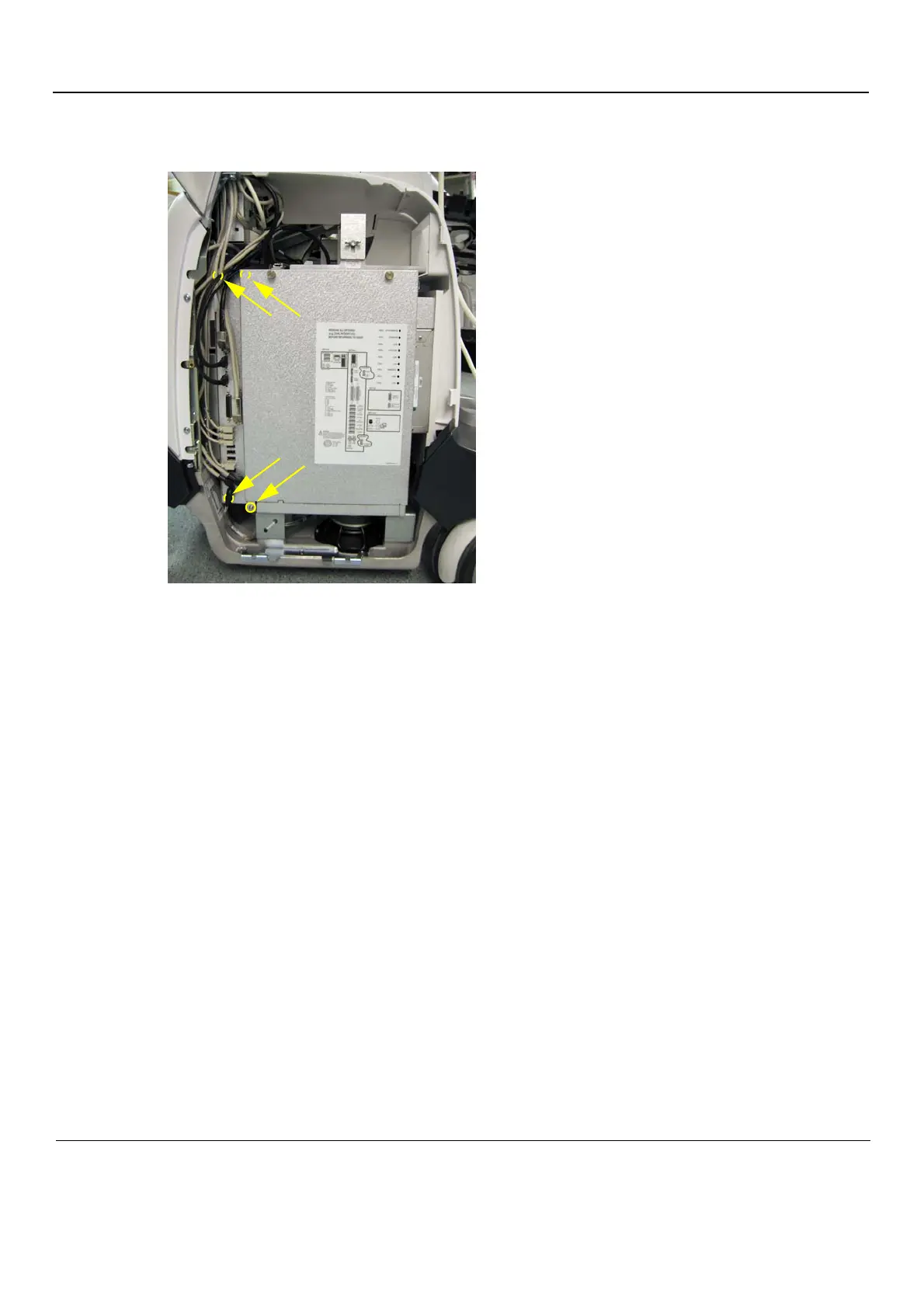
2.) Remove the four screws connecting the BEP6 Side I/O Board Assembly to the BEP.
3.) Pull the BEP6 Side I/O Board Assembly out of the BEP.
Figure 8-203 Position of screws (two are hidden by cables, one is behind the BEP Cover)



 To Next Page