25
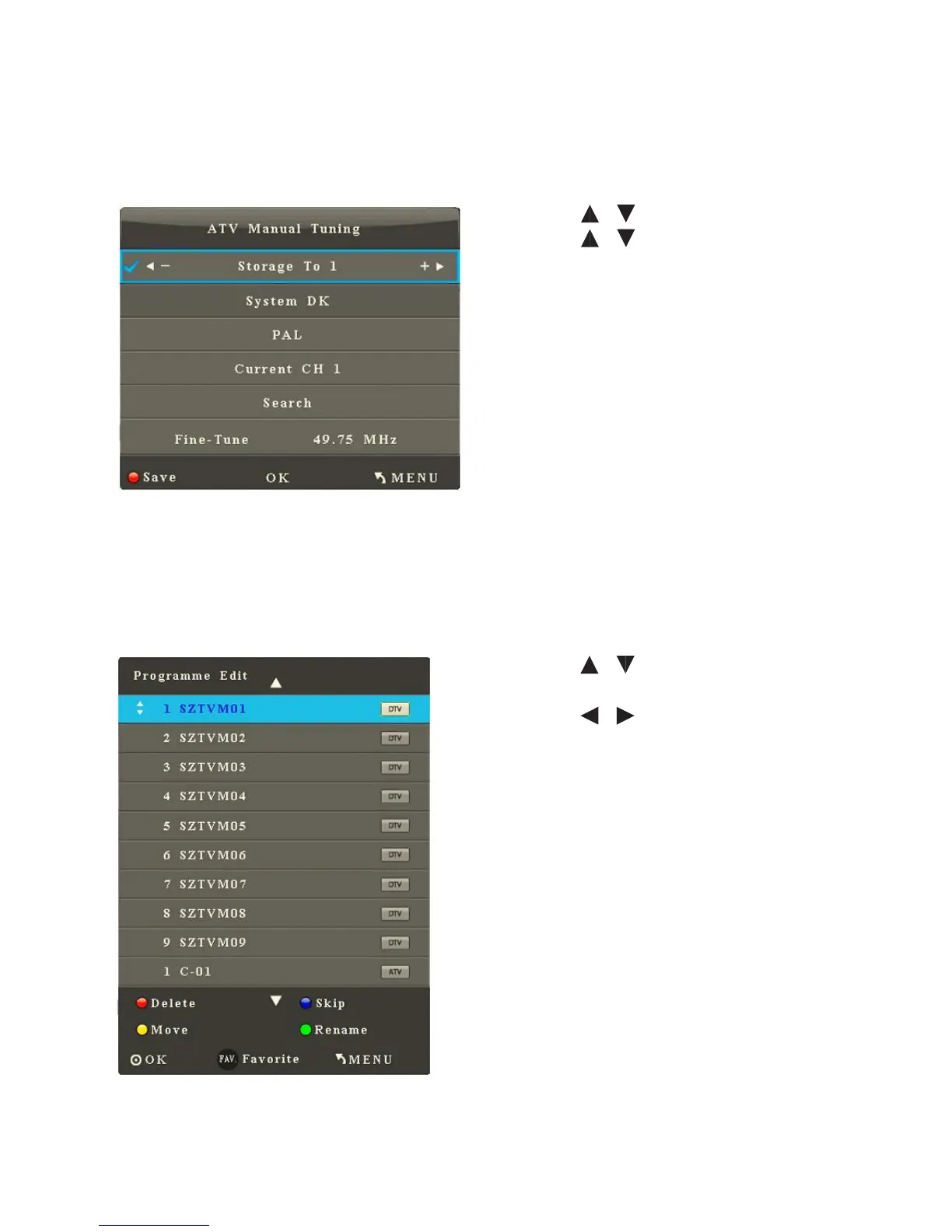
3. Analog Manual Search
After you enter the Analogue Manual Search sub-menu, the interface shows
options including Store to, Audio, Pal (colour system), Current Channel, Search
and Fine-Tune.
• Press / to select an item.
• Press / to adjust the value of
the selected item.
• Press OK to start search.
• Press Menu to return to the parent
menu.
• Press Quit to quit the menu.
4. Channel Edit
After you enter the Channel Edit sub-menu, the interface shows channel
information.
• Press / to select the channel
to be edited .
• Press / to select Delete,
SKIP, Move, Rename or Set current
channel as the favourite.
• Press Menu to return to the parent
menu.
• Press Quit to exit the menu.



 To Next Page