Installation
3.5 Initial Setup and Power-up
Detailed operating instructions for the DTR are provided in Section 4.0 of this
manual. The operator should become familiar with the general operating procedures
before continuing.
NOTE: Prior to powering the DTR, observe the incoming beacon signal
using a spectrum analyzer to ensure proper level (-110 dBm to -40 dBm)
and sufficient Carrier to Noise ratio (C/No) (35 dbHz minimum). Also,
make note of the beacon signal frequency. Then connect the RF input(s)
to the appropriate N-Type connectors and proceed with the following
steps.
1. Set the DTR rear panel POWER switch to ON.
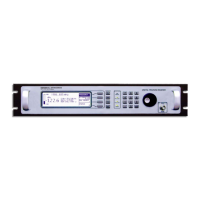
2. Verify that the 240x64-pixel graphical receiver status display shows a normal
operational mode. A default frequency and signal acquisition status should be
displayed.
Figure 3-2 Typical Operational Display
3. Set POL SELECT item to the desired input (on multiple port configurations).
4. If necessary, select FREQUENCY and enter the desired frequency by either
rotating the spin knob, or by using the numeric keys to enter the appropriate
frequency.
5. Once signal acquisition occurs, verify that no faults are indicated.
6. For troubleshooting assistance, navigate to STATUS\TROUBLE-SHOOT. This
menu describes what some of the possible error messages mean and how to fix
them.
CG-1220 DT
R
3-11


 To Next Page