27 WWW.GENESISRESCUE.COM
4.6 Electrical Supply, Using a Combi Tool as an Example
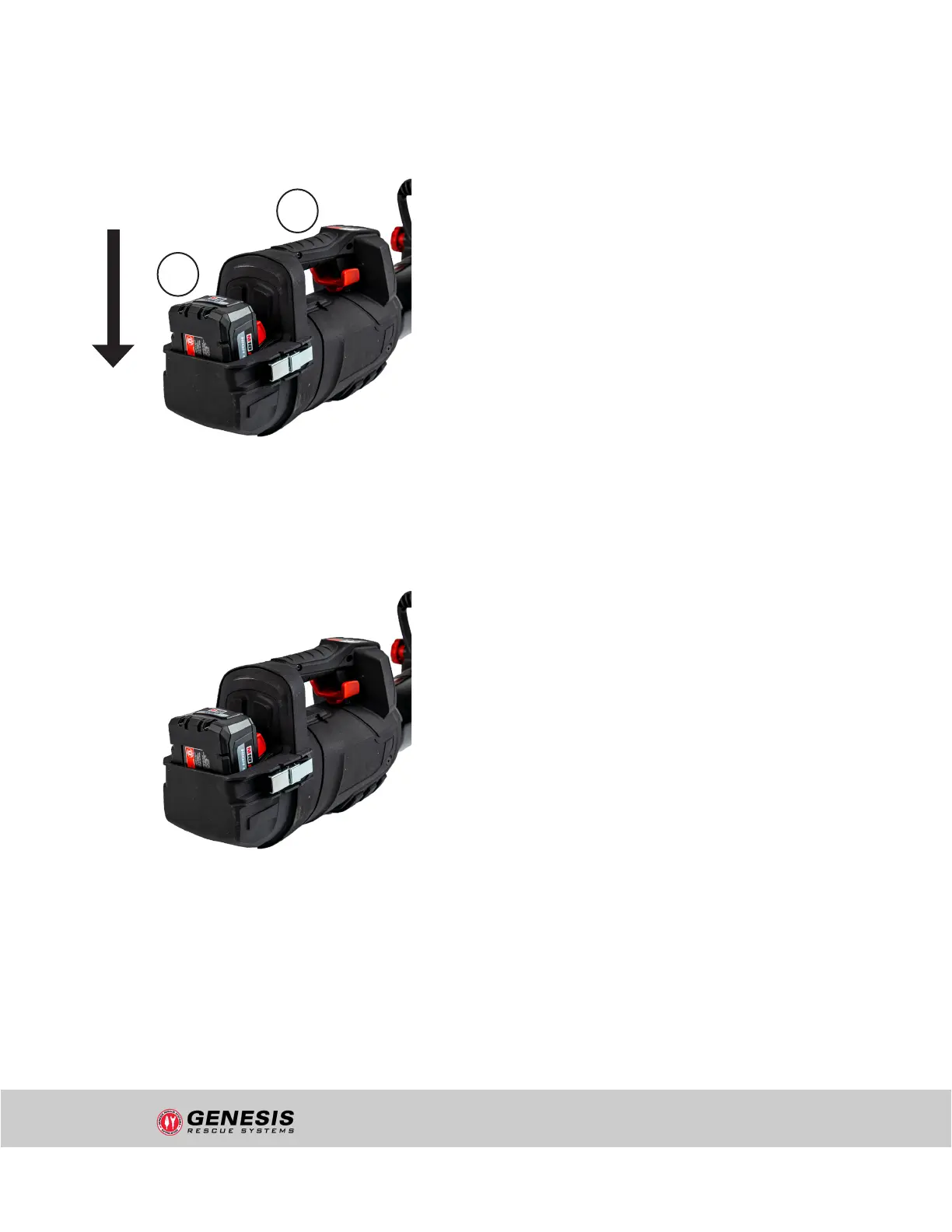
Inserting/removing the battery:
Connect the battery to the rescue tool by
sliding the battery into the battery holder
of the tool. Make sure that the Click On/
Click Off of the battery is correctly seated
and locked.
To remove, press the push-buttons on both
sides of the battery simultaneously and
then pull the battery upwards out of the
battery holder.
Using the IP 54 battery cover:
The IP 54 battery cover is used to protect
the battery from mechanical damage.
Before tting the cover, make sure that
the O-ring seal is correctly seated and that
there is no dirt or damage to the housing in
this area.
First place the IP 54 battery cover on the
upper edge of the housing and then press
it on fully. Close the two latches on the left
and right completely. When using the IP 54
battery cover, the tool achieves protection
class IP 54 = protection against moisture
and splash water. Furthermore, a quick
battery change is possible in regular use
scenarios. To open or remove the IP 54
battery cover, fully open the two latches on
the left and right and then pull the cover
backwards.
2
1
Figure 1: Inserting and removing the battery
Figure 2: Using the half shell IP 54 cover
"uncontrolled if printed"


 To Next Page