28 WWW.GENESISRESCUE.COM
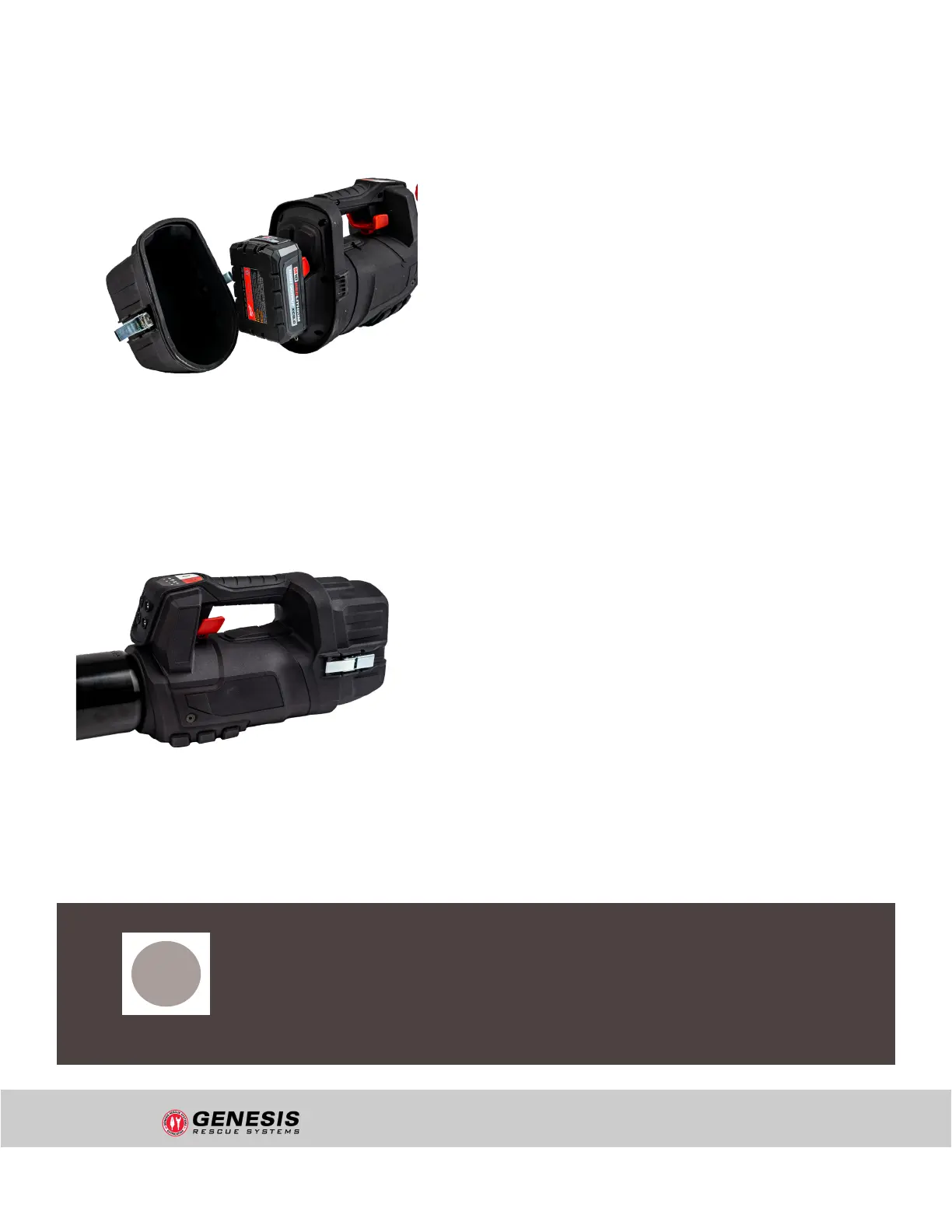
To protect the battery and the electronics, the tool is divided into a wet and dry area. The battery,
drive and electronics are protected in the rear area of the housing by the IP 68 battery cover.
Using the IP 68 battery cover:
For underwater use, replace the IP 54 battery
cover with the IP 68 battery cover supplied.
Before tting the cover, make sure that the O-ring
seal is correctly seated and that there is no dirt or
damage to the housing in this area. First place the
IP 68 battery cover on the upper edge of the
housing and then press it on fully. Close the two
latches on the left and right completely. When
using the IP 68 battery cover, the tool achieves
protection class IP 68. This means that the tool is
approved for use underwater (regardless of fresh,
salt and direty water, mud, algae, silt and other
contamination) to a depth of 9.84 ft. for a
duration of 60 minutes.
Follow-up procedure:
Allow any water that enters the wet area of the
tool to drain out completely and dry the tool before
opening the IP 68 battery cover. To remove, loosen
the fasteners on both sides and pull the cover off
to the rear. When the tool is extended and
retracted, negative or positive pressure can occur
in the housing. If there is a corresponding build-up
of negative pressure, the cover may be rmly
attached to the housing; release the built-up
negative pressure in the cover by moving it
sideways. After opening the cover, carefully check
whether water has penetrated - if this is the case,
contact customer service.For further maintenance
and care instructions after underwater use - see
Chapter 9.2.
Figure 4: Completely close the latches on
both sides of the battery cover
Figure 3: Check the seal and the housing.
First press the IP 68 battery cover on at the
top edge of the housing
i
NOTE!
Underwater radio communication is not possible!
STRUCTURE AND FUNCTION
"uncontrolled if printed"


 To Next Page