1-18
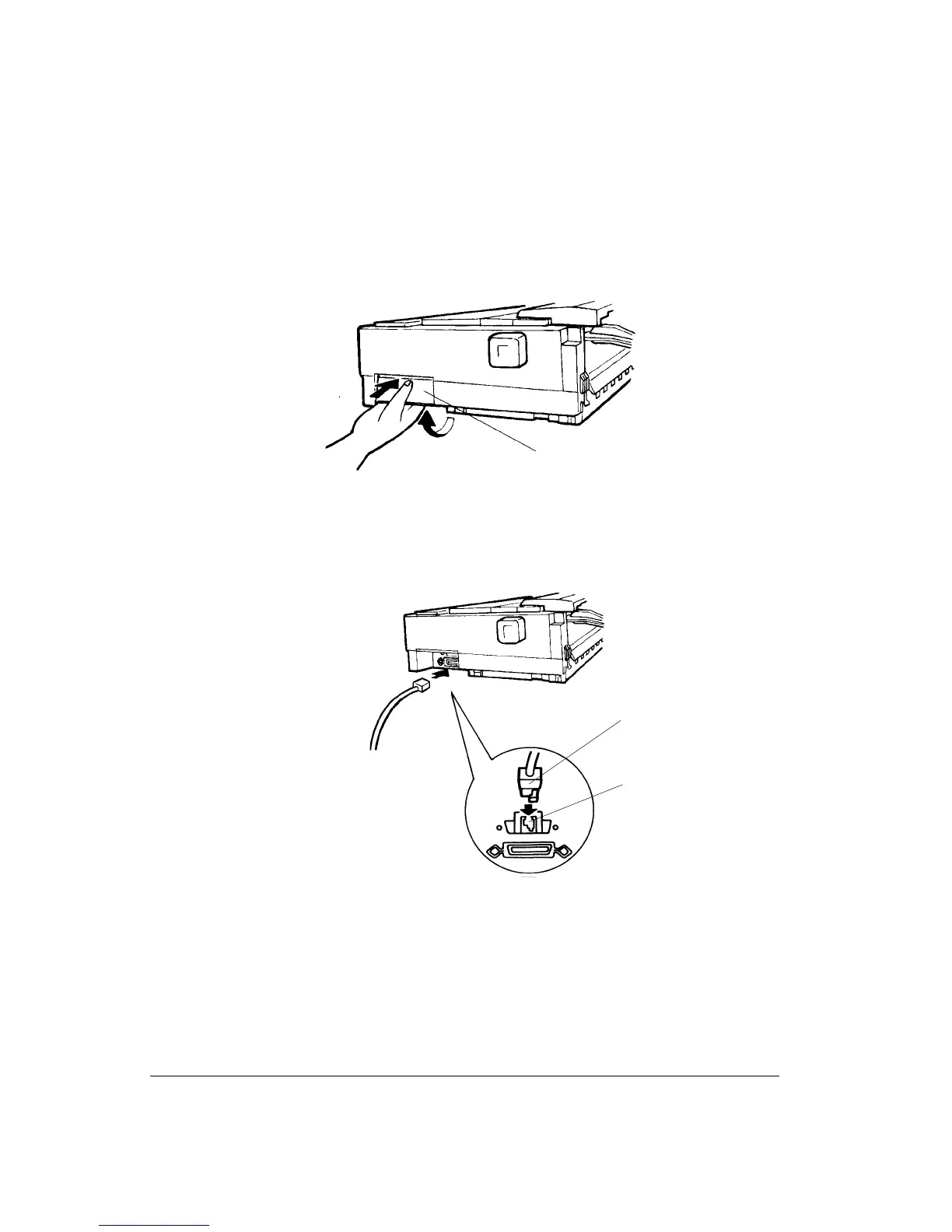
2. While pushing the top of the shutter 1 on the right side of the printer with your thumb,
lift the bottom of the shutter with your fingers until the shutter stays open, allowing
access to the connectors.
Opening the Shutter
3. Insert the serial cable connector 2 into the socket 3, until its stopper clicks into place.
Connecting the Interface Cable
4. Check the cable is secure by gently pulling it.
5. Attach the other end of the interface cable directly in your host computer. If you use an
adapter, first plug the interface cable into the appropriate adapter.
6. Push down the shutter until it clicks locked.
1
3
2



 To Next Page