1-8
q
e
Installing the Ribbon Cartridge
The basic printer uses a black ribbon cartridge.
Note: If you have the color kit option, see Appendix A, “Supplies and Options,” to see
how to install the color ribbon cartridge.
Preparing the Printer
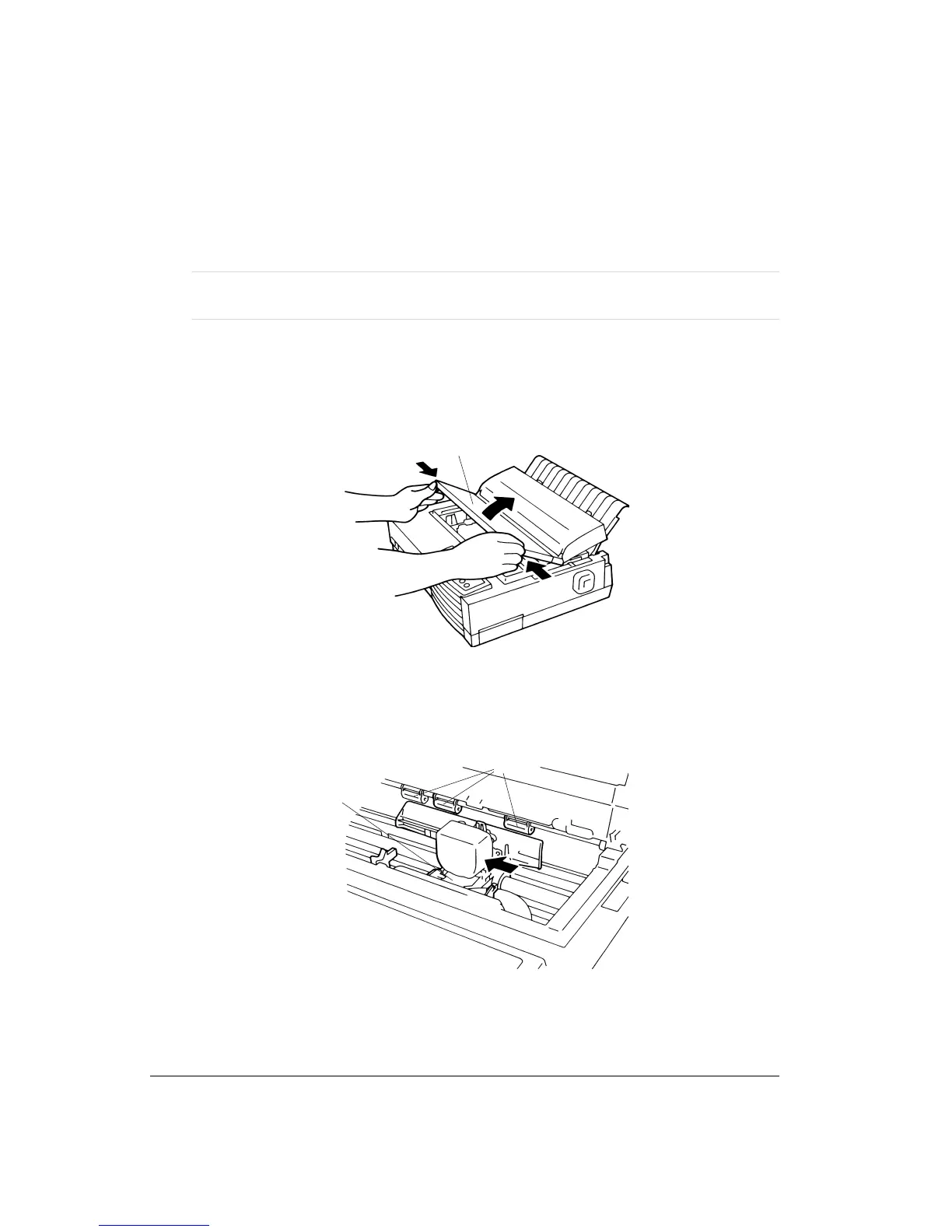
To install the ribbon cartridge:
1. Open the front cover 1 by pushing on both of its sides (where the markings “OPEN” are
engraved).
Opening the Front Cover
2. Slide the print head carriage 2 to the left so that it is positioned between the second and
the third bail rollers 3 (from left to right).
Positioning the Print Head Carriage
1
2
3



 To Next Page