1-4
3. Place the printer where you plan to use it.
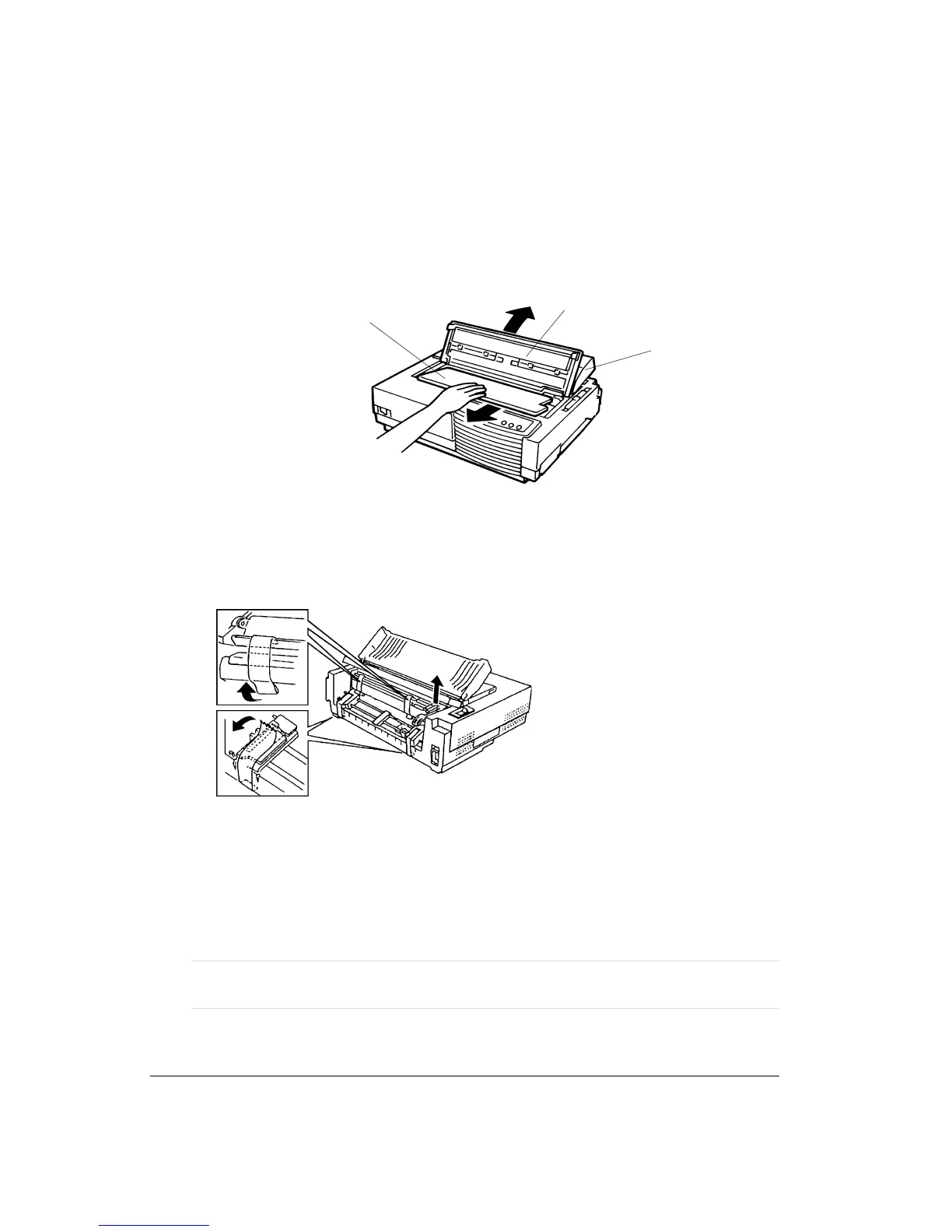
4. Remove the tape securing the acoustic cover 1.
5. Open the front cover 2 and remove the print head shipping restraint (cardboard) 3.
Removing the Print Head Shipping Restraint
6. At the back of the printer, remove the two tractor unit securing tapes (adhesive tapes) 4
and the bail unit shipping restraints (two adhesive tapes 5 and a cardboard 6).
Removing the Shipping Restraints (Back of the Printer)
7. Remove the protective film from the control panel by lifting it up from a corner.
8. Store the original shipping carton and packaging materials for future use. For example,
the original packaging is ideal for use when you move or ship your printer to another
location or return it to your authorized service provider for maintenance.
Note: The parallel interface cable is not part of the shipping package. For specific
information on cables, see Appendix A, “Supplies and Options."
3
2
1
6
5
4



 To Next Page