MPS2000
11
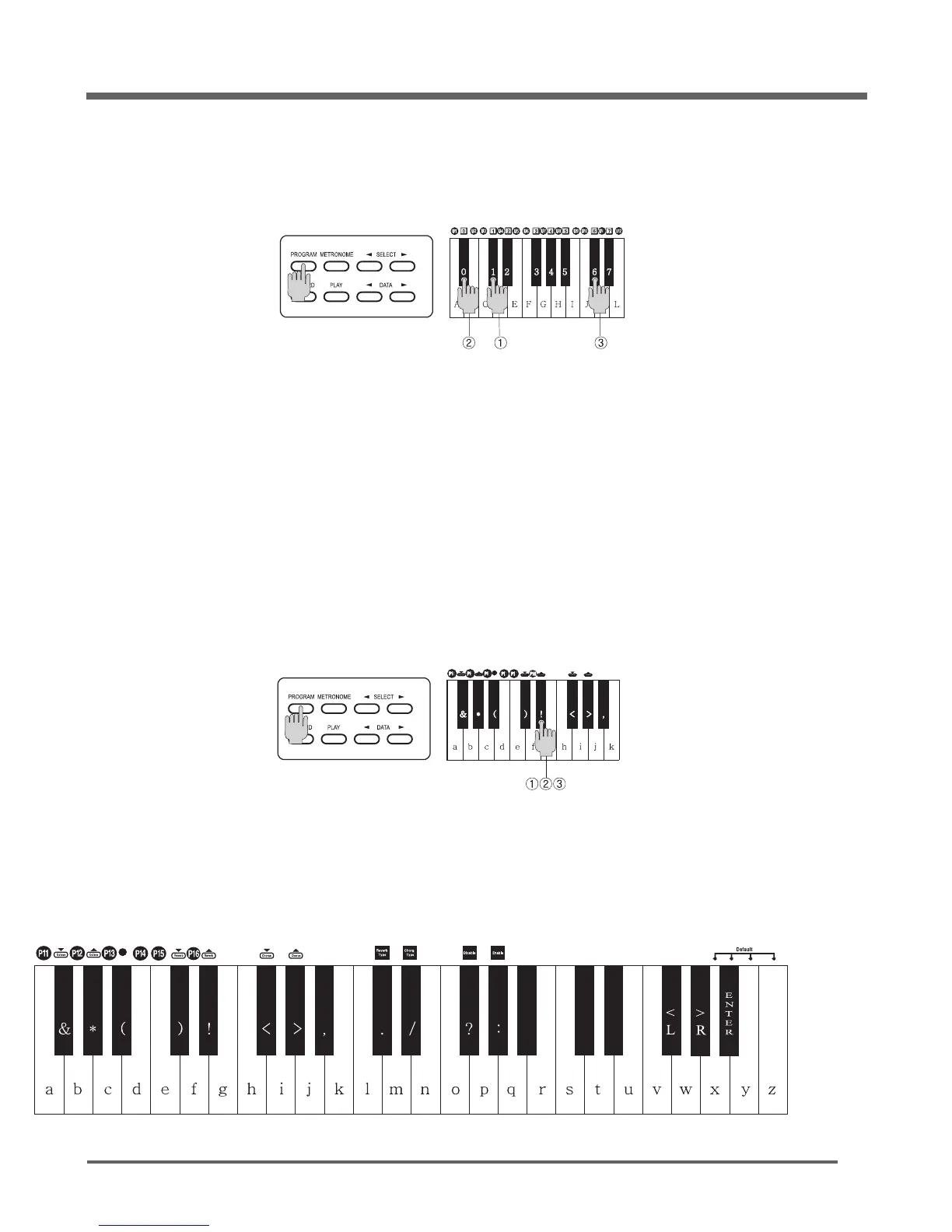
While holding down the [
PROGRAM
] button, press the applicable keys to choose one of the 128 GM
sound number as the chart indicates.
How to Select the 128 GM sounds
While holding down the [
PROGRAM
] button, press the applicable keys to choose or change the
value of effects as the chart below.
Some functions do not work in the Pre-set of User-set mode.
How to Select effects or variable sounds
Release the [
PROGRAM
] button to finish.
Repeat the same procedure as above to select another sound.
In order to select Instrument No.106 sound
While holding down the [
PROGRAM
] button, press the [1], [0], [6] keys in order, then release the
[
PROGRAM
] button.
For Example
In order to add the Reverb amount 30 to selected instrument.
While holding down the [
PROGRAM
] button, press D4#(55) key three times and release the
[
PROGRAM
] button.
For Example


 To Next Page