MPS2000
19
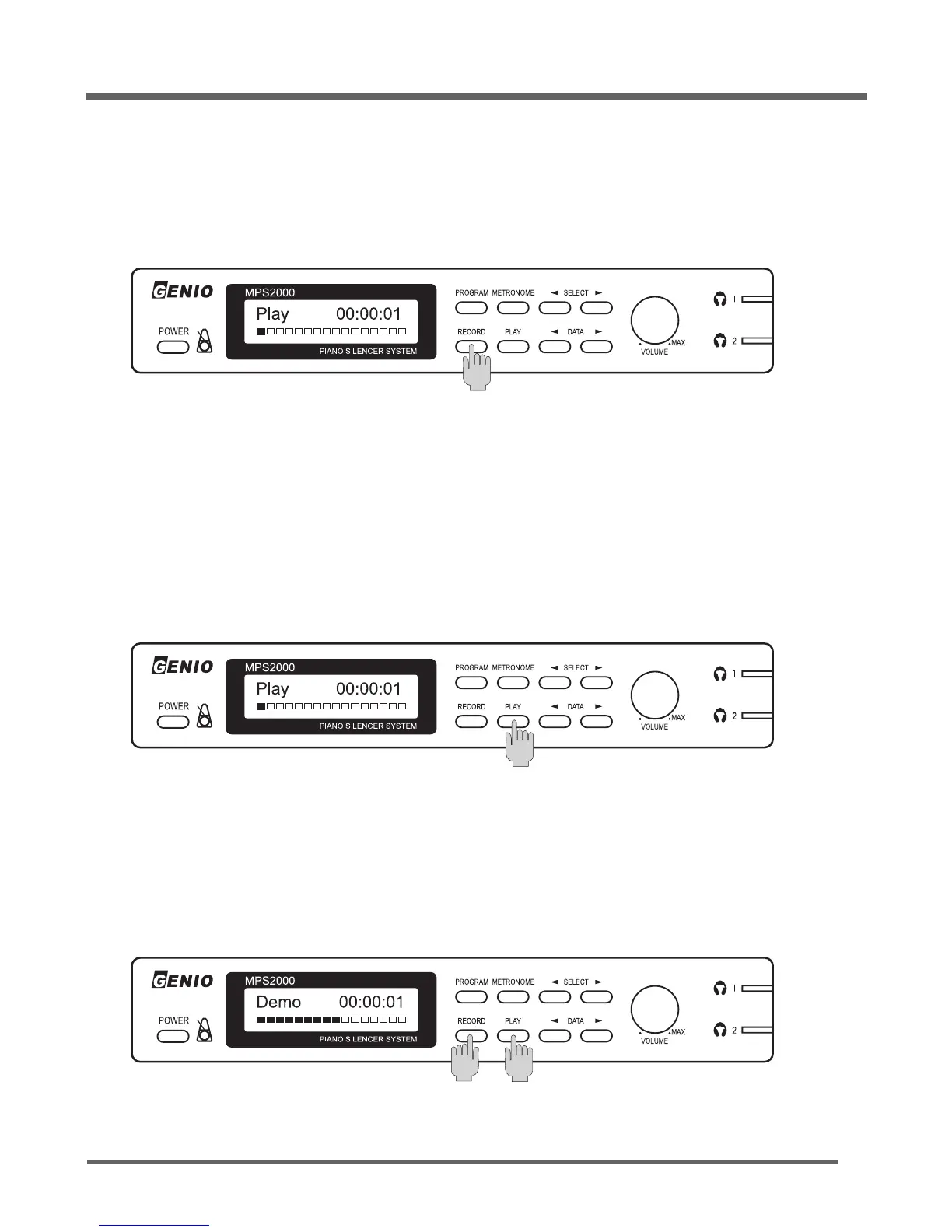
Your MPS2000 has a built-in one-track recorder. With it you can record your performance then later play it
back through the audio and MIDI outputs.
Press the [
RECORD
] button to start recording your performance.
Press the [
RECORD
] button to start recording your performance.
Turning the power off will erase the recording.
The previous recording, if any, will be erased.
The display shows how long you have been recording in units of seconds.
Record
Press the [PLAY] button to start playing your last recorded performance.
Press the [PLAY] button again to stop playing.
PLAY
Press the [
RECORD
] and the [PLAY] buttons together to play the prerecorded demonstration song.
Press either the [
RECORD
] button or the [PLAY] button to stop the demonstration song.
Demonstration Song
The display shows how long you have been playing.


 To Next Page