MPS2000
25
The calibration procedure on the previous page should make all of the keys equally sensitive. If you find
that some keys still play too loudly or softly, use the following procedure to adjust the sensitivity of
individual keys
How to adjust the keyboard sensitivity individually
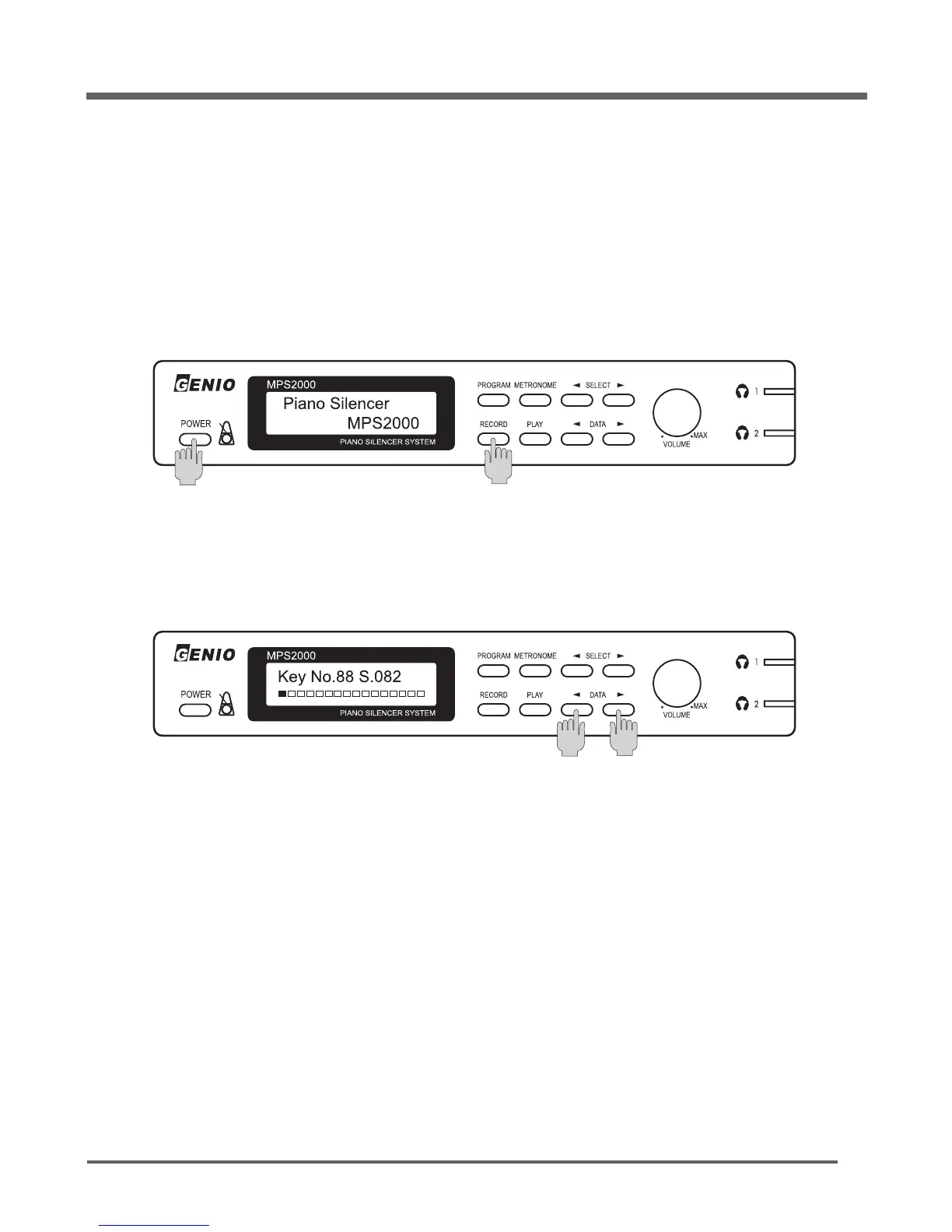
Make sure the MPS2000 is off.
While holding the [
RECORD
] button down, turn MPS2000 the on.
After 3 seconds, release the [
RECORD
] button. The display should be as below.
While wearing headphones to monitor the sound, play each key and listen to the volume of the
sound, If the sensitivity needs to be adjusted, use either [◀]
DATA
or
DATA
[▶] button to adjust the
sound volume for the key last played down or up so that it matches the other keys.
The display shows the current key's sensitivity value from 000 to 255.
When moving to a different key, the last displayed value for the previous key is remembered.



 To Next Page