ⅤⅤ
.
Application
MPS2000
27
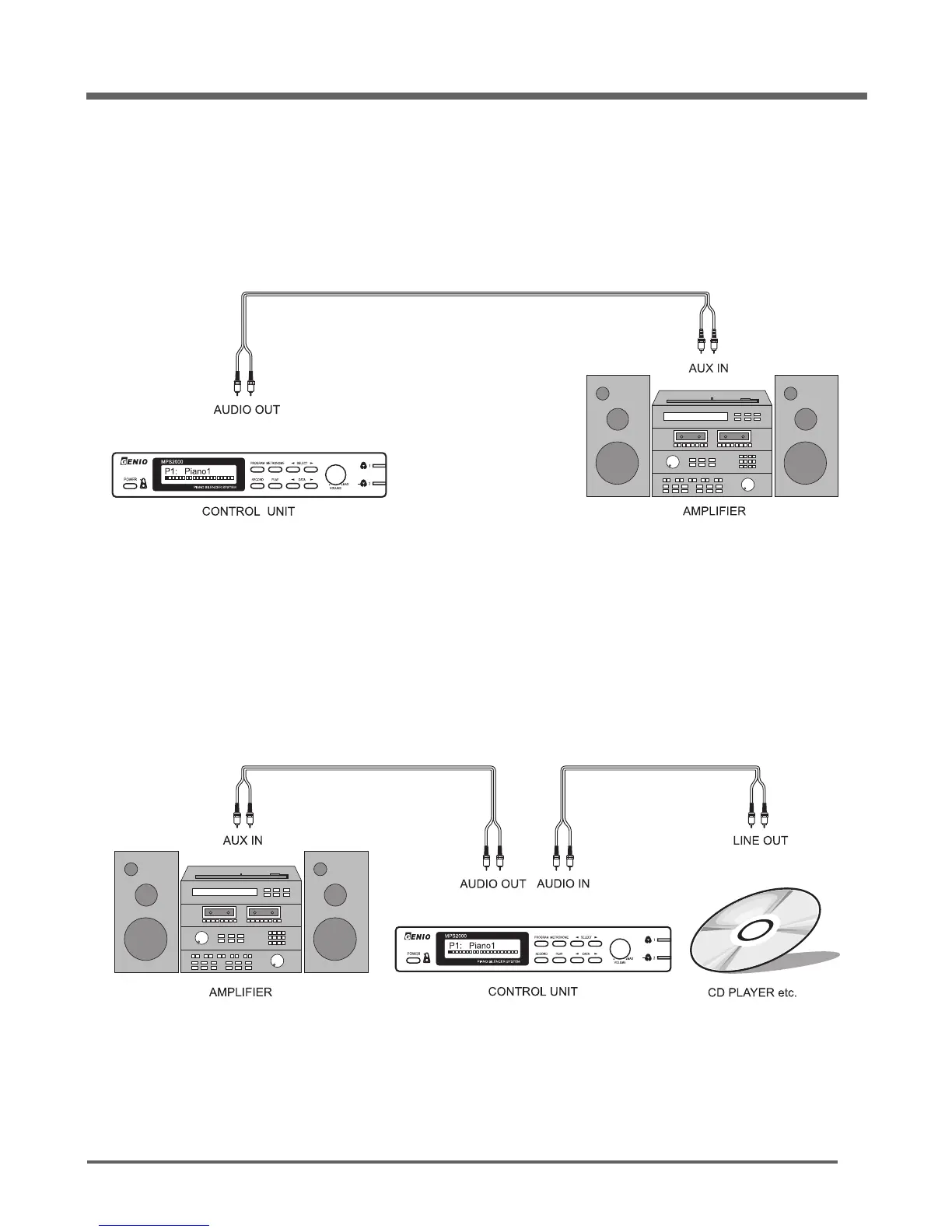
You may also connect an external audio source, such as a CD player, to the audio inputs of the
MPS2000. Using two audio cables, connect the Aux or Line output of your source to the Left and Right
Audio inputs of the MPS2000. The sound in the MPS2000 headphones will now be a mixture of the
piano sound and the external source sound. Use the volume control on the external source to adjust
the external sound volume.
Use two audio cables to connect the Left and Right Audio outputs of the MPS2000 to inputs of your
audio system. The signal is "unbalanced, line level". See the diagram below which is representative of
a club or performance hall audio system.
Connect your MPS2000 to external Audio Equipment


 To Next Page