ⅣⅣ
.
Initializing
MPS2000
24
Occasionally you may want to calibrate the key sensors in your MPS2000 Silencer System Piano for
accurate response when in silent mode. A good time to do this when it is new and after the acoustic
parts (hammers and strings) have been tuned. Use the following procedure to calibrate the sensors.
How to Initialize
The keyboard cable and AC power adapter should be plugged into the MPS2000 control unit and
the power should be OFF.
The mute lever should be in the Mute position.
Make sure that nothing is sitting on the keyboard that might press a key down.
Preparing for Calibration
While holding the [
PROGRAM
] button down, turn the MPS2000 on.
After 3 seconds, release the [
PROGRAM
] button.
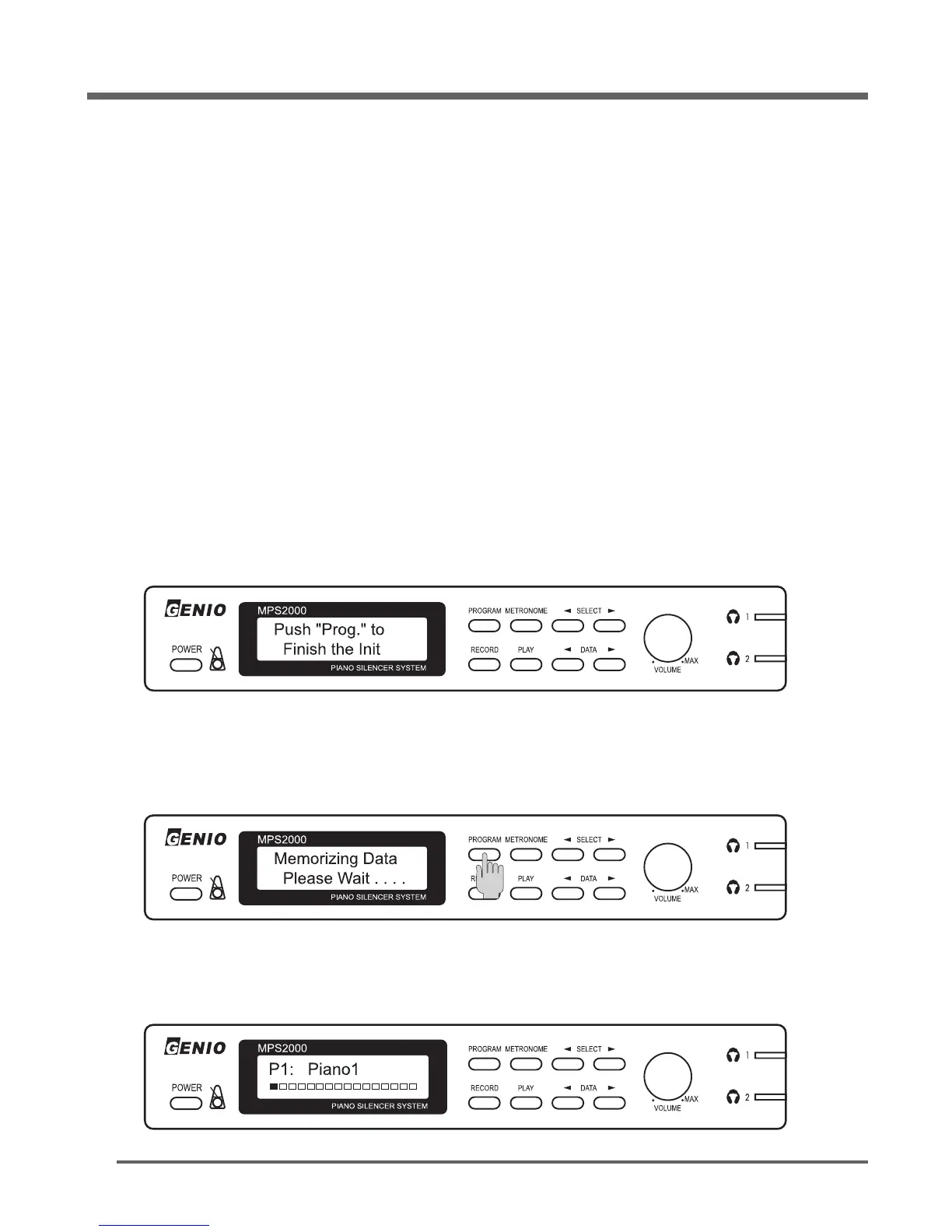
In few seconds, the display should be as below.
Press each of the 88 keys, one at a time, all the way down with medium force and speed. (not too
fast)
After you have finished pressing all of the keys, press the [
PROGRAM
] button again to finish the
calibration.
When the data is successfully stored, the display will change as shown and the piano is ready to play
again.
It will take a few seconds for the data to be stored in permanent memory.
Initializing



 To Next Page