MPS2000
17
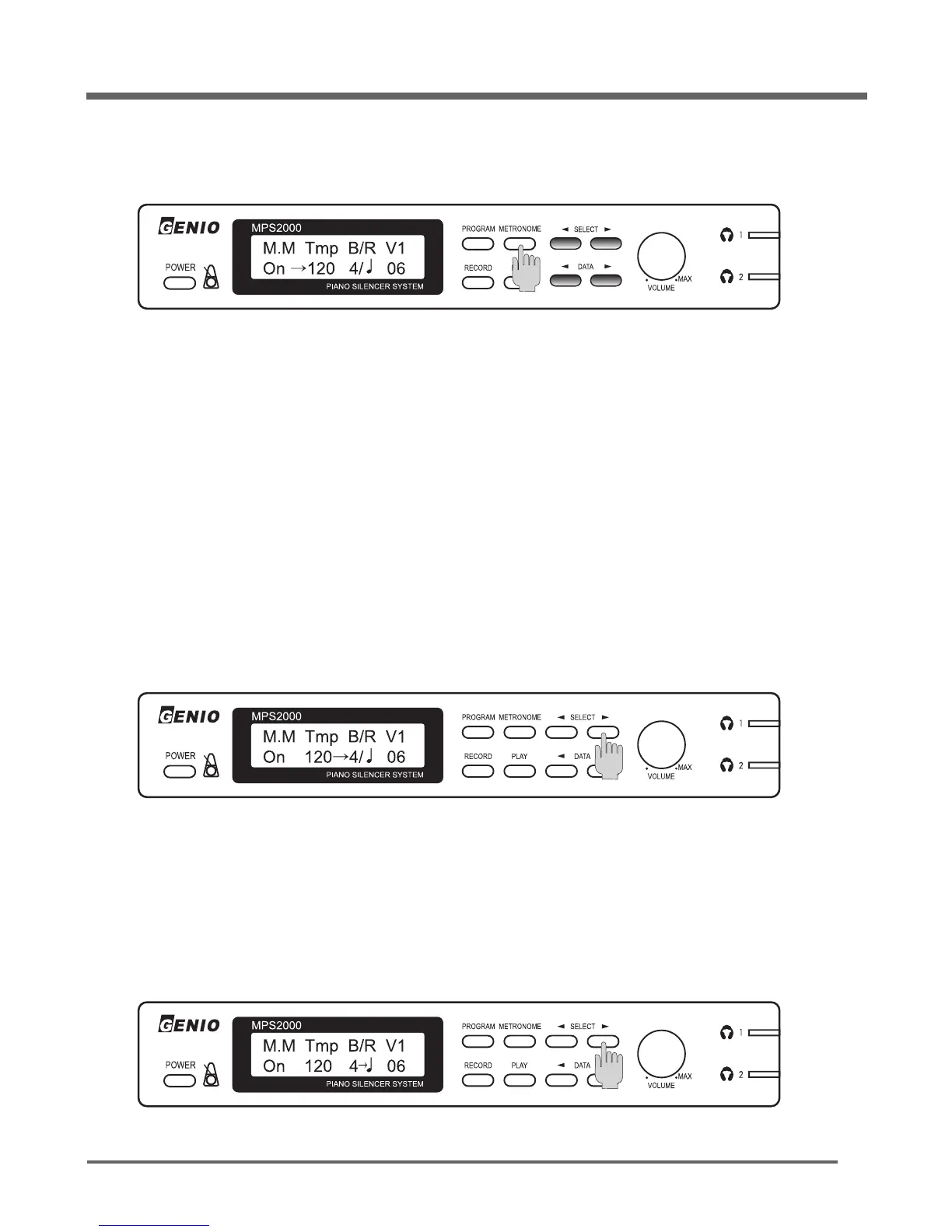
Press the [METRONOME] button.
Press either [◀]
DATA
or
DATA
[▶] button to adjust the tempo up or down.
Press the [METRONOME] button again to start the metronome sound.
Begin playing.
To stop the metronome, press the [METRONOME] button a third time.
Note:
1. Press and hold either [◀]
DATA
or
DATA
[▶] button to quickly increase or decrease the tempo.
With the metronome on and Tempo showing, press the
SELECT
[▶] button once.
Press either [◀]
DATA
or
DATA
[▶] button to adjust the beats/measure value up or down.
The cursor shows the current tempo, which defaults to 120 beats per minute.
The cursor will move to “B” which is the Beat Parameter value.
The cursor will move to “R” which is the Rhythm Parameter value.
Tempo
Beat
Press the
SELECT
[▶] button again.
Rhythm


 To Next Page