English
-20-
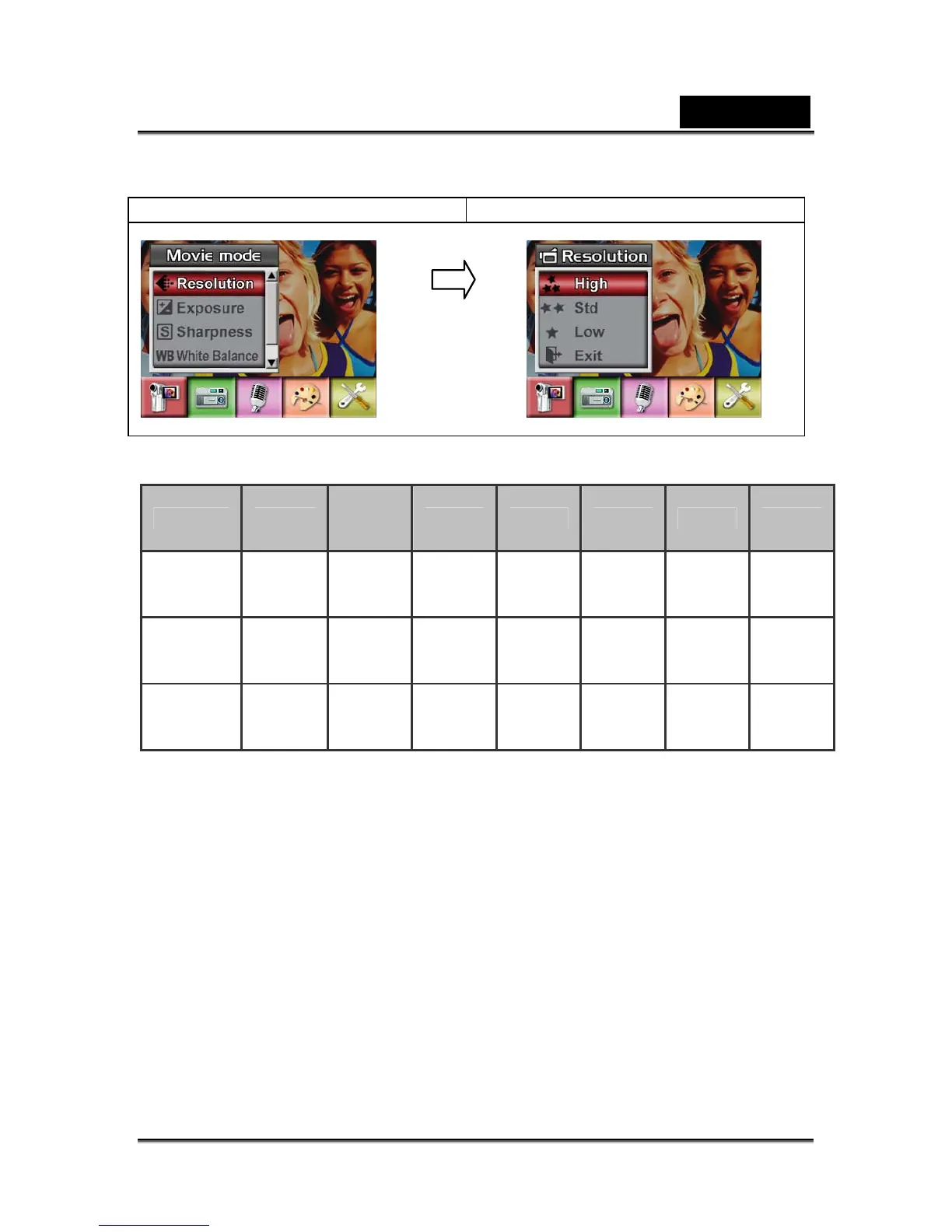
4. Use Up/Down Buttons to move between three settings.
5. Press Enter Button to validate the setting and exit.
Display screen Video Resolution Option
Possible recording time / sec (video clip)
Resolution Quality
64 MB
internal
memory
128MB 256MB 512MB 1GB 2GB
640*480
(1.8Mbps)
/ 30 fps
High
00:01:15 00:04:37 00:09:13 00:18:28 00:36:57 01:10:40
640*480
(1Mbps)
/ 30 fps
Standard
00:02:30 00:09:06 00:18:12 00:36:42 01:13:55 02:15:35
320x240
(500 Kbps)
/ 30 fps
Low
00:09:10 00:33:52 01:07:44 02:15:28 04:31:03 09:00:15
Exposure
The camera adjusts image exposure automatically. In certain circumstances you may
wish to adjust the exposure compensation setting.
To change Exposure setting:
1. In Movie/Picture Record Mode, press Enter Button to switch to record menu
screen.
2. Use Right/Left Buttons to select Movie Mode. Submenu of Movie Mode will pop
out on the screen.
3. Use Up/Down Buttons to move to Exposure Option. Press the Enter Button and
then Exposure Submenu will pop out on the screen.
4. Use Up/Down Buttons to choose preferred EV value. The change can be
previewed immediately.
5. Press Enter Button to validate the setting and exit.
Enter Button



 To Next Page