English
-59-
Burning the Recorded Clip into DVD
The bundled software CD contains ArcSoft Showbiz DVD for burning the movie clip
into a DVD. You can preserve your precious movies on a DVD to share with family
and friends. To create a DVD:
1. Install Arcsoft Showbiz DVD
2. Click StartÆ Select ProgramsÆ Arcsoft Showbiz DVDÆ Showbiz DVD
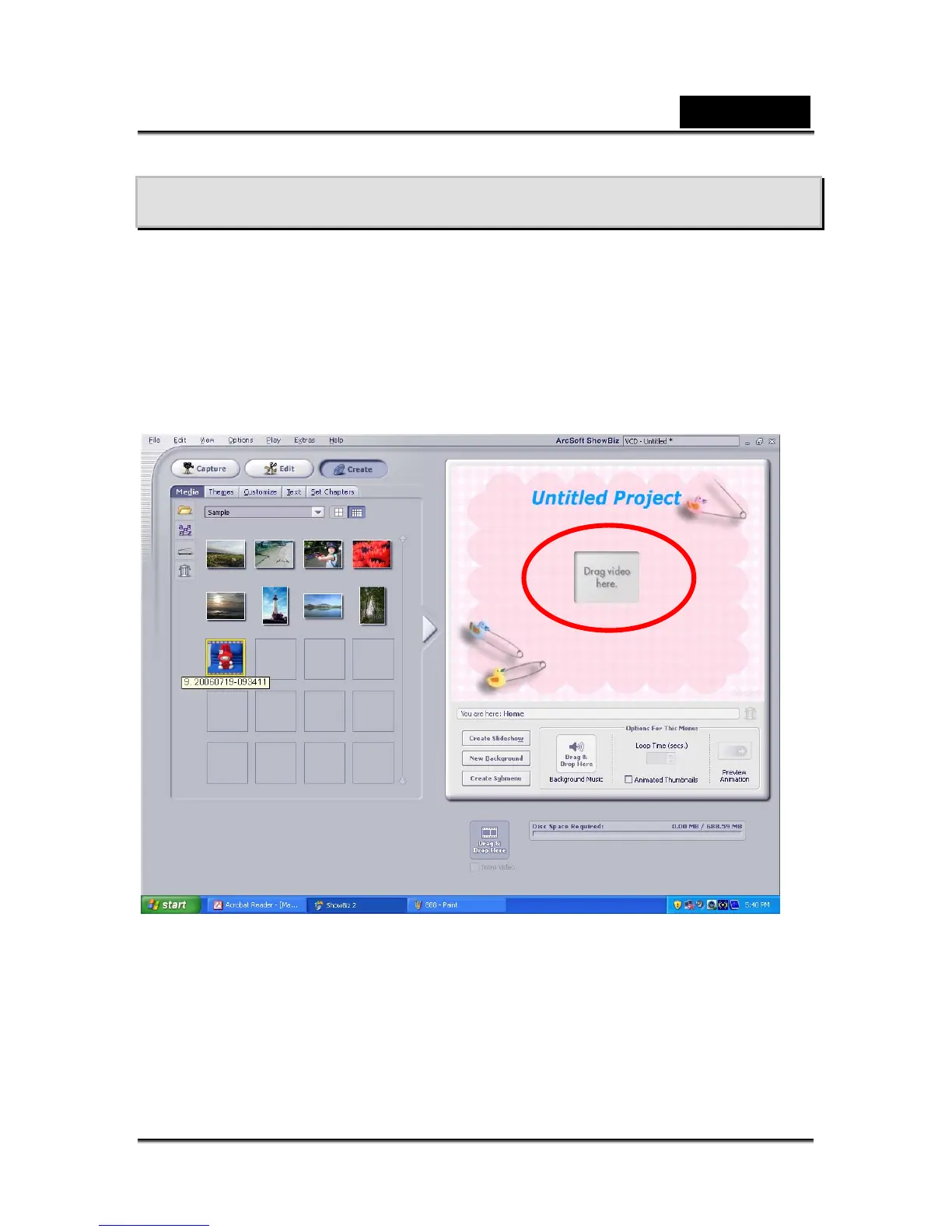
3. Showbiz DVD main Screen will appear on your desktop.
4. Drag Video File to “ Drag Video Here”



 To Next Page