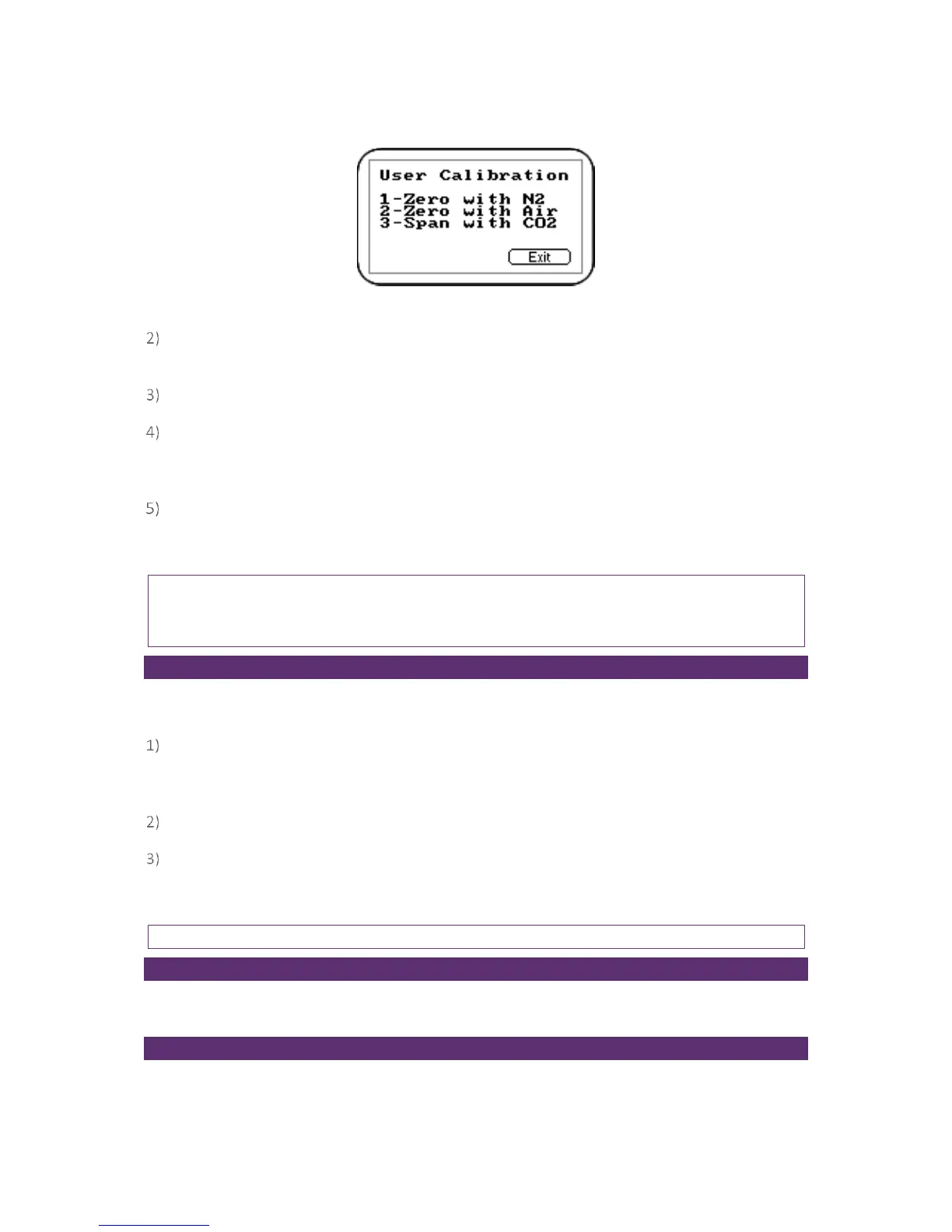
Screen 16 - CO2 channel menu
Press either ‘Key 1 - Zero with N
2
’ (recommended) or ‘Key 2 - Zero with Air’ from the menu.
Then, either attach the 100% N
2
or sample pipe to allow access to fresh air.
Ensure the zero gas has flowed and is stable.
Press the ‘Start’ key. The instrument will now wait (approximately 60 seconds) for the gas
reading to stabilise at the correct level. If zeroing with air press the ‘Pump’ key to draw in fresh
air.
The instrument will then indicate a successful zero has been completed. Press the soft-key
‘Accept’ to confirm the calibration and ‘Store’ the new user offset. Alternatively, soft-key
‘Reject’ to exit without change.
Note: If the calibration failed then purge and try again or select a different air source.
Note: If using G110 – very high concentrations of CO
2
may take up to 30 minutes to purge
completely.
Span CO
2
Channel
It is recommended that the instrument is spanned to target the desired reading range (e.g. 5%);
ideally this should not be a low level close to zero.
If not already preset, enter the span target, i.e. certified concentration of your calibration gas.
Press ‘Key 1’ and enter the new value. Then attach the gas and open regulator valve to allow
the gas to flow.
Press the ‘Start’ key and wait for the reading to stabilise. This can take a couple of minutes.
Once a stable reading is shown press the soft-key ‘Accept’. A successful span calibration
message will then be displayed. Press the soft-key ‘Accept’ again to confirm the calibration and
‘Store’ the new user span. Alternatively, press soft-key ‘Reject’ to exit without change.
Note: If the calibration failed then try again using a longer purge time or different target gas.
Zero O
2
Channel
It is not required to zero the O
2
channel. A span calibration corrects the reading across the whole
range.
Span O
2
Channel
It is recommended that the O
2
channel is spanned in fresh air with a target concentration of 20.9%,
although other gases and target concentrations can be used if required.



 To Next Page