24
GB
3.2 Setting the threaded mandrel length „X“
• Loosen lock nut 3
• Set the threaded mandrel length „X“ to the blind rivet nut length by turning the nosepiece
(Fig. 4).
• Fully utilise the thread depth of closed blind rivet nuts (Fig. 4).
• Lock the nosepiece 2 against being turned with lock nut 3 using double open-ended
spanners (WAF 24/27).
3.3 Adjusting setting force
The FireBird
®
Pro / FireBird
®
Pro GE is adjusted to a setting force suitable for the respective
blind rivet nut size (e.g. M5). This ensures that all blind rivet nuts of certain dimensions (e.g.
M5) but with differing nut lengths (e.g. M5 x 11.5 and M5 x 13.5) can always be set precisely
as intended into materials of varying thicknesses.
The setting force is adjusted as follows:
1. The setting force value is selected using the setting-force chart included.
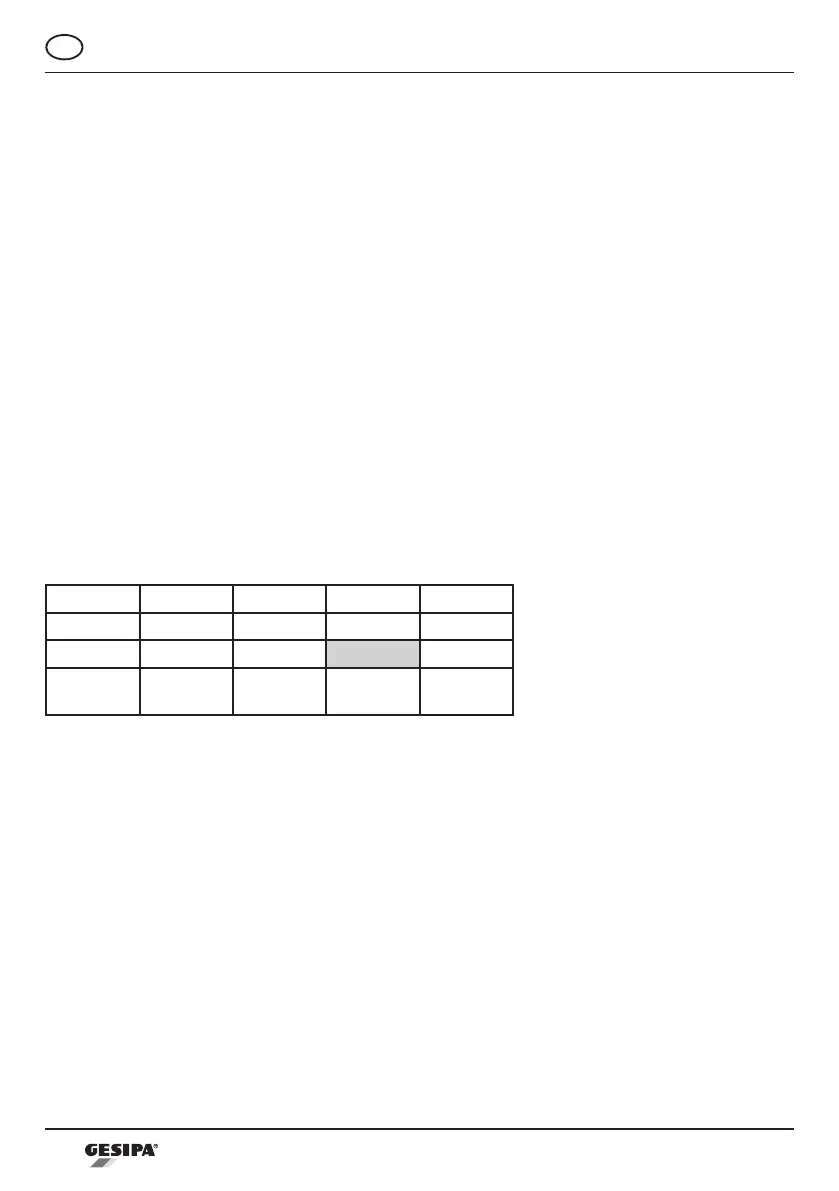
Excerpt from the setting-force chart:
M3 M4 M5 M6
Alu 1 15 25 50
Steel 10 35 55 80
Stainless
steel
15 55 70 85
The right numerical value can be selected on the setting-force chart according to the nut sizes
and the nut materials. (e.g. M5 – steel > value for setting force 55)
2. After loosening locking screw 5 and removing cover 6, the value derived from the setting-
force chart is indicated on the riveting tool display 7 by pressing the plus/minus buttons. Pres-
sing the plus button will increase the numerical value. Pressing the minus button will reduce
the numerical value. If a button is held down for longer than one second, the numerical value
is modied in increments of 10.



 To Next Page