19
GB
6.3 Threading-on and setting of a blind rivet nut
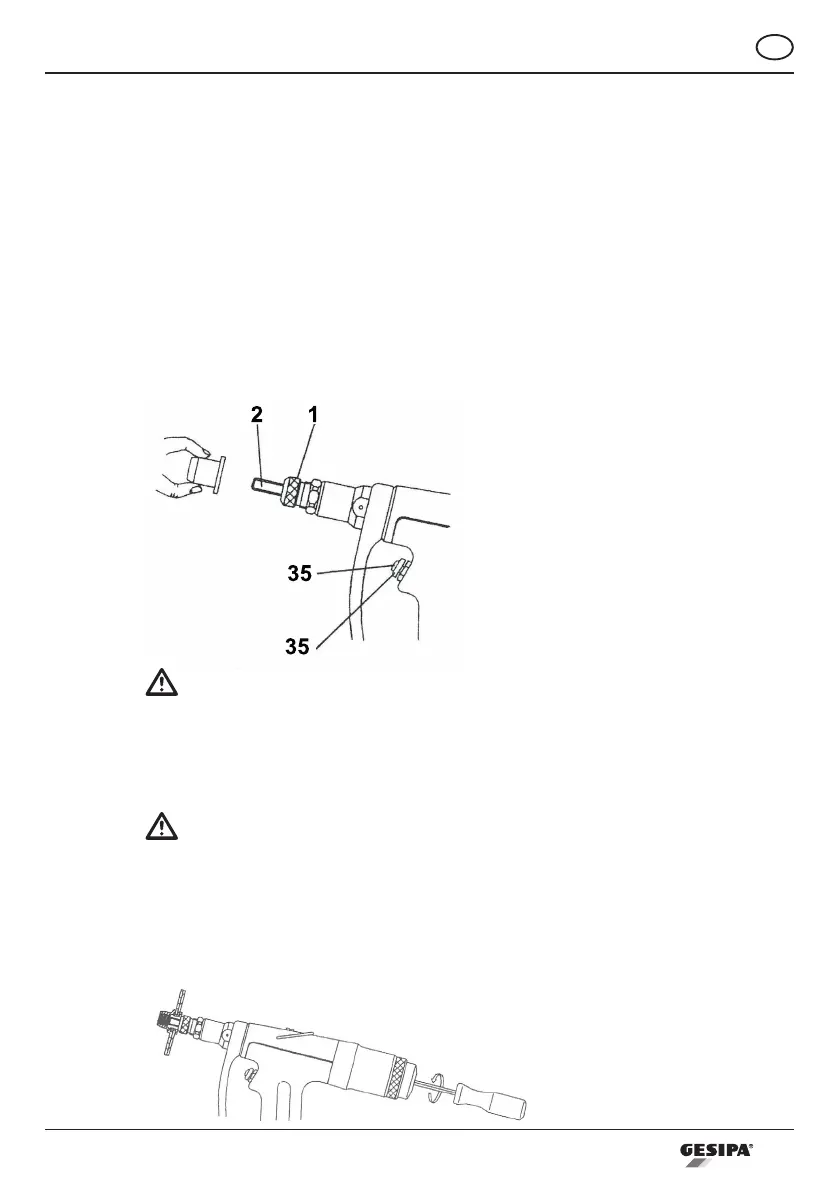
• Place the rivet nut in front of the threaded mandrel (2) (see drawing 3) without tilting and
push the thread-on button (35).
• Holdtheblindrivetnutduringtheentirethreadingprocessuntilittstightlyagainstthe
nosepiece (1).
• Insert the blind rivet nut into the workpiece, ensuring that the fastener´s head is fully sea-
ted. Next set the blind rivet nut by pressing the stroke button (35).
• Hold button (35) until blind rivet nut is set completely.
• Release button (35). The threaded mandrel (2) is threaded off automatically.
Drawing 3
Attention!
In order to avoid upsetting smaller or thin-wall type blind rivet nuts during the threa-
ding process, disconnect tool and increase the threaded mandrel protusion to a length
suchthattherivetnutdoesnotthreadonushagainstthenosepiece.Adjustsetting
stroke (see paragraph 6.2)
Important:
• If the threaded mandrel (2) is not threaded out of the blind rivet nut completely, a short
quick touch of the stroke button (35) will induce threading-out procedure.
• If the threaded mandrel is stuck in the blind rivet nut, it may be loosened by means of the
enclosed hexagon wrench SW4 (see drawing 4).
Drawing 4



 To Next Page