EasyManua.ls Logo

Get Packed EXP-108W - User Manual

Default Icon
61 pages
Print Icon
To Next Page IconTo Next Page
Loading...
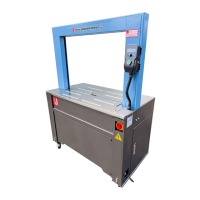
PALLET STRETCH WRAPPING MACHINE
MODEL: EXP-108W
OPERATION MANUAL
980326
www.getpacked.com.au

Questions and Answers

  • A
    Ashley WallaceAug 16, 2025
    Why is my Get Packed EXP-108W Packaging equipment machine not working?
    • R
      Robert RandallAug 16, 2025
      Your Get Packed Packaging equipment may not be working due to several reasons: the power supply for the motor tripped, the screen lamp is not on, foot security is broken, or the motor is overloaded. To resolve this, activate the power switch, check the microprocessor board, release the security software, and check the error message from the inverter, referring to the Inverter manual.
  • D
    danielsthomasAug 19, 2025
    What to do if Get Packed EXP-108W elevator unit cannot move?
    • S
      sharonfullerAug 19, 2025
      If the elevator unit of your Get Packed Packaging equipment is not moving, it might be due to a broken microprocessor board or the motor stopping. You should change the microprocessor board and check the error message from the inverter, referring to the Inverter manual.
  • W
    William WillisAug 22, 2025
    Why does the film on my Get Packed EXP-108W Packaging equipment break easily?
    • S
      Stacey StewartAug 22, 2025
      The film on your Get Packed Packaging equipment might break easily if there's an objective or damage on the pre-stretch roller surface, the pre-stretch percentage isn't proper, or the film quality is defective. Try rubbing the rollers gently, adjusting the pre-stretch ratio, or changing the film.
  • B
    Bruce HarperAug 25, 2025
    What to do if the pre-stretch motor can not work in Get Packed EXP-108W Packaging equipment?
    • P
      Philip PrinceAug 26, 2025
      If the pre-stretch motor isn't working on your Get Packed Packaging equipment, it could be due to voltage overload, unstable power supply, a broken transformer card, or a broken IC card. Try switching off the machine for 10 seconds, then switch it back on. Check if the lamps L4, L5, and L6 on the transformer card are lit. Also, check the message from the Inverter manual.
  • M
    marcus73Aug 28, 2025
    Why can't the turntable stop at the home position on my Get Packed EXP-108W Packaging equipment?
    • A
      Andrew OrtizAug 28, 2025
      If the turntable on your Get Packed Packaging equipment isn't stopping at the home position, the turntable proximity switch might not be working. Check the proximity switch sense. If there's no problem, adjust the sensing plate.
  • E
    Evan LeeAug 31, 2025
    Why does the elevator unit go too high during AUTO RUN on my Get Packed EXP-108W Packaging equipment?
    • R
      romankarenAug 31, 2025
      If, when doing AUTO RUN, the elevator unit of your Get Packed Packaging equipment goes up and over the package height, it's because the photo sensor is sensing another material or light source. Move away other objects and avoid the light source.
  • K
    Krystal BlairSep 3, 2025
    What to do if elevator cannot goes up during AUTO RUN on Get Packed Packaging equipment?
    • V
      Vickie MaddoxSep 3, 2025
      If the elevator cannot go up during AUTO RUN on your Get Packed Packaging equipment, it could be due to a broken photo sensor or the sensor's inability to detect a black color package. You can change the photo sensor or avoid using black color packages, using manual operation instead.
  • M
    Michelle CunninghamSep 6, 2025
    How to fix the turntable if it can not turn in Get Packed EXP-108W Packaging equipment?
    • P
      Paul SmithSep 6, 2025
      If the turntable on your Get Packed Packaging equipment cannot turn, it could be due to a broken microprocessor board or the motor stopping. Change the microprocessor board and check the error message from the inverter, referring to the Inverter manual.
  • M
    Matthew MillsSep 9, 2025
    Why is pre stretch percentage not enough in Get Packed EXP-108W Packaging equipment?
    • S
      silvaangelaSep 9, 2025
      The pre-stretch percentage might not be sufficient on your Get Packed Packaging equipment because the film is too thick. Operators should decide whether to change the film.
  • J
    jonesmicheleSep 12, 2025
    Why does the turntable turn slowly, and the speed cannot be adjusted on my Get Packed EXP-108W?
    • J
      James PerkinsSep 12, 2025
      If the turntable on your Get Packed Packaging equipment turns slowly and the speed cannot be adjusted, the turntable max. speed controller (VR2) might be broken, or the wires are not connected properly. Check the controller and wire connections.

Summary

General Information

Note of Installation

Instructions for safe and correct operation before installing the machine.

Notice of Operation

Safety conditions to ensure good protection for the operator during machine use.

Specification

Specification Table

Details machine specifications including speed, dimensions, height, size, and weight.

Machine Dimension

Visual representation of the machine's physical dimensions with measurement labels.

Machine Description

An isometric view of the machine with its main components labeled.

Operation Description

Installment

Step-by-step instructions for setting up and installing the stretch wrapping machine.

Reminder of Installation

Key points and checks for engineers during tower, control panel, and wiring installation.

Control Panel Operation

Illustration of the control panel with various buttons and indicators.

Operation Description - Screen Reader and Programs

Explanation of screen reader codes and program buttons A, B, and C.

Elevator Unit

Elevator Unit Pre-Stretch Adjustment

Instructions for adjusting the pre-stretch percentage on the elevator unit.

Calibration Setup

Calibration Setup Introduction

Overview of calibration setup with indicator images.

F16 Rest to Zero Procedure

Step-by-step guide for resetting the weighing indicator to zero.

Span Calibration F17 Procedures

Initial steps for Span Calibration F17, including decimal point setting.

Electrical

Electrical Capacity

Table detailing power consumption of various machine components and overall usage.

Electrical Diagram

Diagram showing sensor and limit switch locations on the machine.

Trouble Shooting

General Adjustment

Procedures for adjusting the turntable belt and elevator unit driving chain.

Running and Self Test

Guide for performing self-tests on the machine and understanding alarm codes.

Suggestion for Solving ERO

Solutions for resolving 'ERO' errors, checking safety switches and sensors.

Trouble Shooting: Machine and Turntable Issues

Table listing machine and turntable operational problems, causes, and solutions.

Controller Card Explanation and Operation

Controller Card Dials and LEDs

Explanation of controller card dials, LEDs, and their functions.

Microprocessor Card and Installation

Microprocessor Card Connecting Points

Detailed list of connecting points on the microprocessor card.

Replace of Master Card and Adjustment

Master Card Testing Procedure

Toggle Switch 5 Display Code Explanation

Get Packed EXP-108W Specifications

General IconGeneral
BrandGet Packed
ModelEXP-108W
CategoryPackaging equipment
LanguageEnglish

Related product manuals