21
Using Network and Wireless
Connections
Using the LAN (Optional)
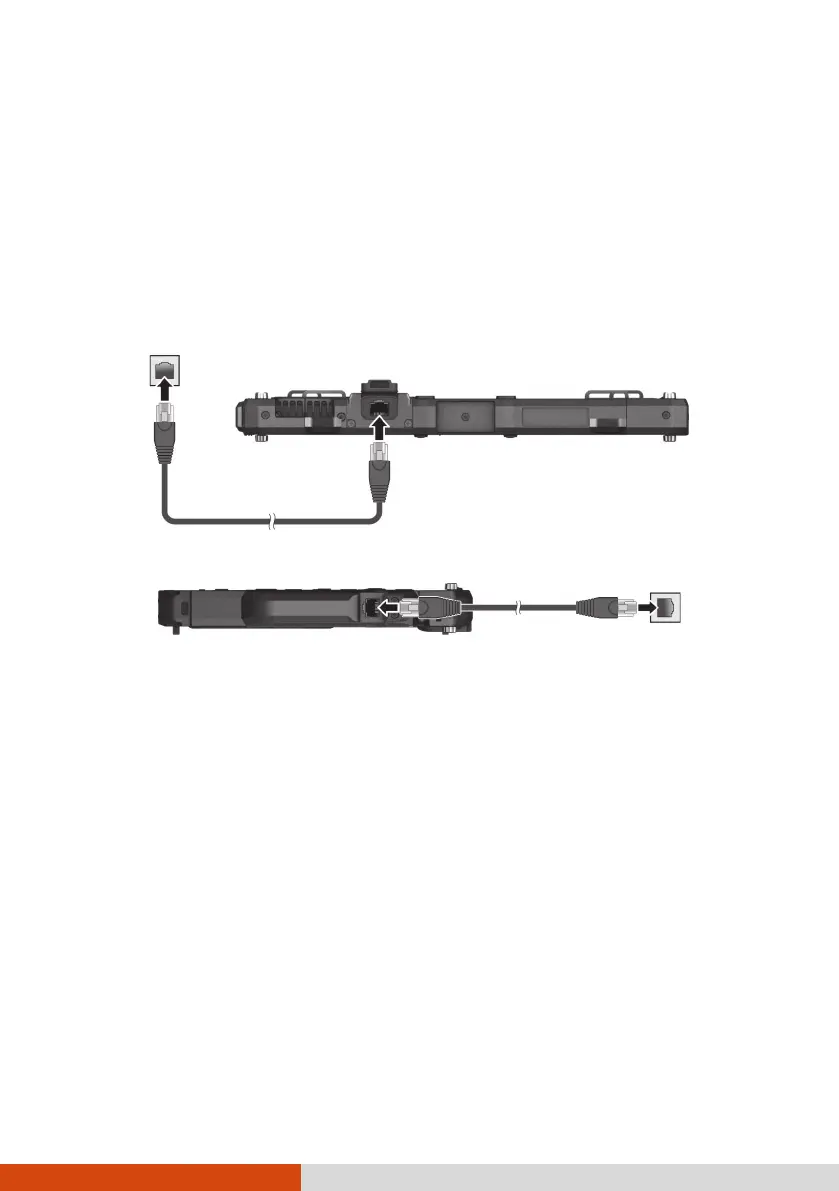
Select models have the LAN module. To connect the network cable to the
LAN module, connect one end of the LAN cable to the RJ45 connector on
the Tablet PC and the other end to the network hub.
-or-
NOTE: The location of the connector depends on your model.
Using the WLAN
The WLAN (Wireless Local Area Network) module of your Tablet PC supports
IEEE 802.11ax.
Turning On/Off the WLAN Radio
To turn on the WLAN radio:
Select the network icon in the lower right of the taskbar. Then, select the
Wi-Fi button.
To turn off the WLAN radio:
You can turn off the WLAN radio the same way you turn it on.



 To Next Page