21
Understanding the operating steps
Gigaset E310/E310A (Panther) / MEA EN / A31008-M2301-A601-1-UZ19 / explanation.fm / 02.05.2012
Version 5, 03.04.2011
Understanding the operating steps
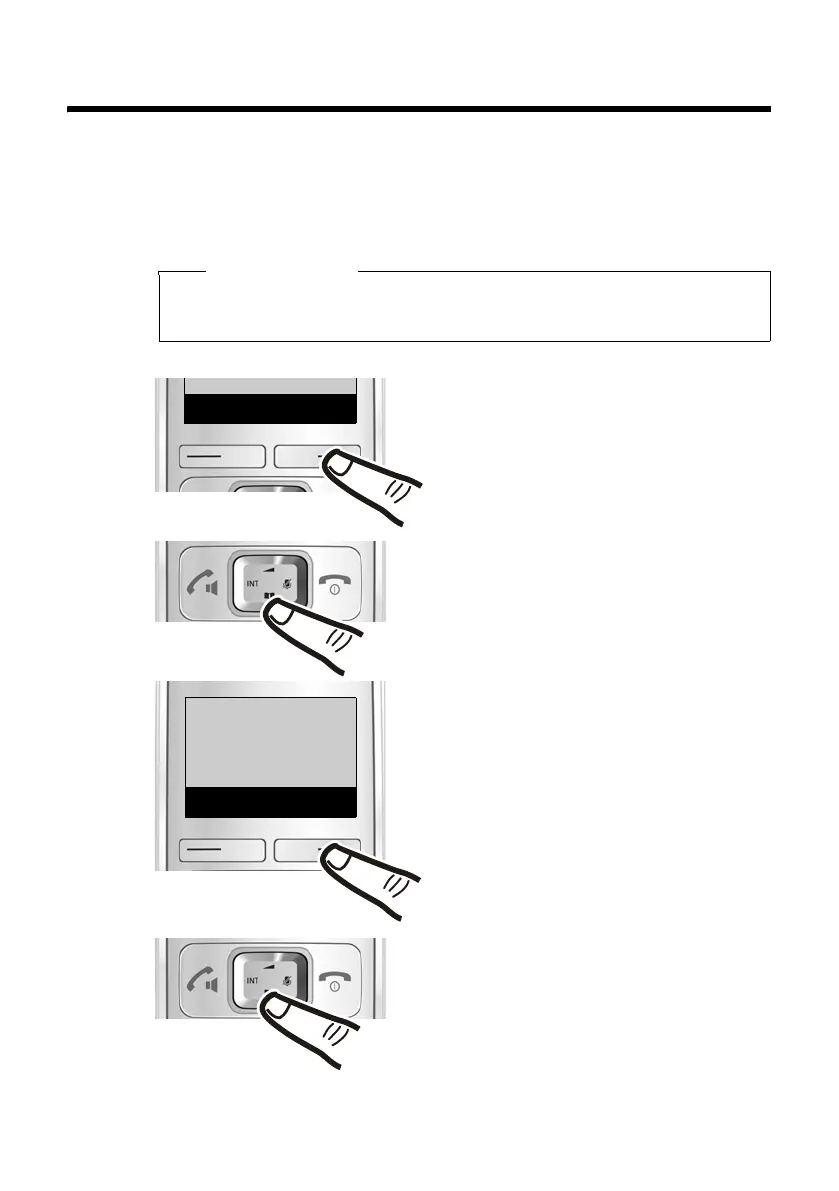
An example of a procedure is as follows:
§Menu§ ¤ q Settings ¤ §OK ¤ q Telephony ¤ §OK
¤ q Auto Answer ¤ §OK (‰ =on)
This means you should proceed as follows:
Please note
Scroll upwards if you wish to select one of the last entries in a
menu level with numerous entries.
ç
Settings
Back
W
OK
§Menu§:
Press the key below
§Menu§ on the
display screen to open the main
menu.
¤ q:
Press up or down on the control key
until ...
¤
§OK :
Press the key below
§OK on the dis-
play screen to open the submenu.
‘
Menu
¤ q:
Press up or down on the control
key until ...
Settings:
... the menu entry Settings appears
on the screen.



 To Next Page