16
Using the phone
Gigaset E490/E495 / AUS / A31008-M2105-C401-2-7619 / starting.fm / 04.01.2011
Version 4, 16.09.2005
Display keys
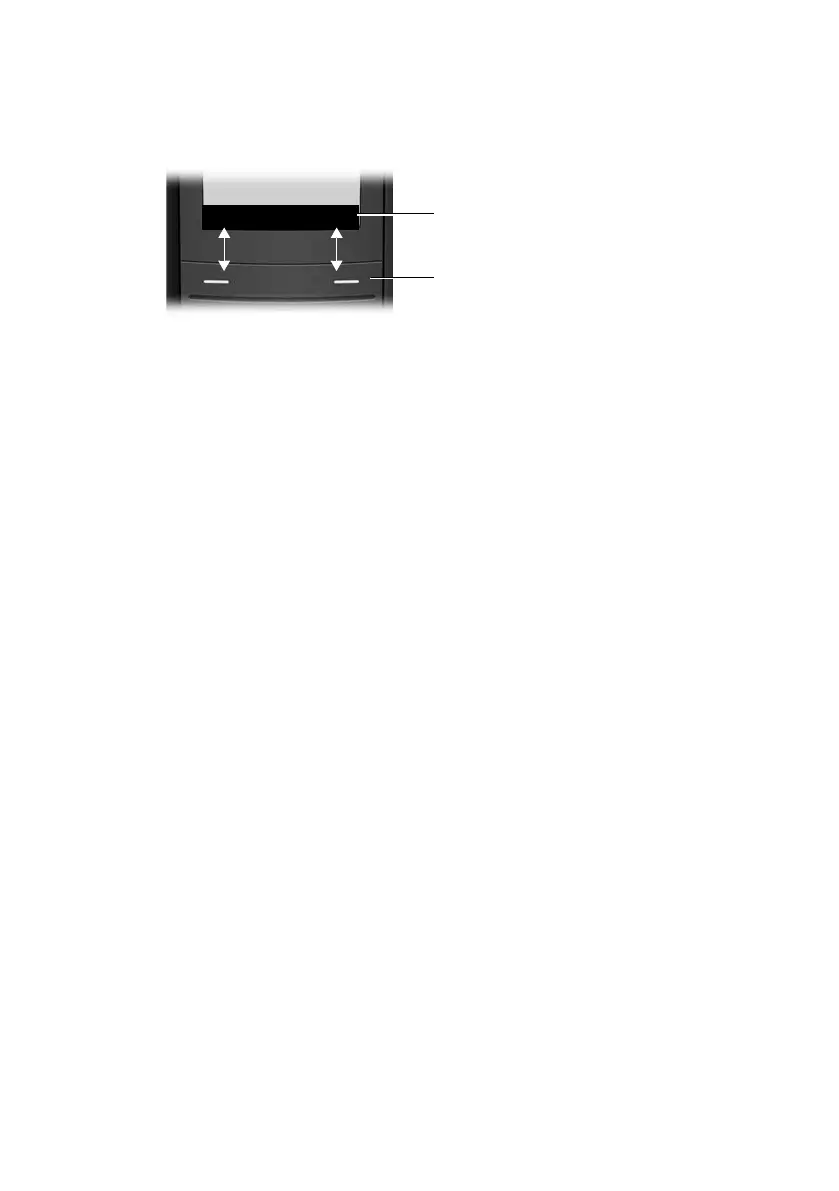
The function of the display keys changes depending on the particular operating sit-
uation. Example:
1 Current display key functions are shown in the bottom display line.
2Display keys
The most important display keys are:
§§§Options§§§ Open a context-dependent menu.
W Delete key: backspace deletes one character at a time.
Î Go back one menu level or cancel operation.
Ó Copy number into directory.
Ÿ Divert external call to answering machine (E495 only).
• Open the last number redial list.
Keys on the keypad
c / Q / * etc.
Press the matching key on the handset.
~ Enter digits or letters.
Correcting incorrect entries
You can correct incorrect characters in the text by navigating to the incorrect entry
using the control key. You can then:
u Press X to delete the character to the left of the cursor
u Insert characters at the cursor position
u Overwrite the (flashing) character when entering the time and date etc.
Menu guidance
Your telephone's functions are accessed using a menu that has a number of levels.



 To Next Page