Gigaset E720-E720A / LUG_Kombi CH en / A31008-M2903-F101-1-2X19 / call_list.fm / 4/21/20
Template Module, Version 2, 20.02.2020
Message lists
37
Activating/deactivating Message key flashing
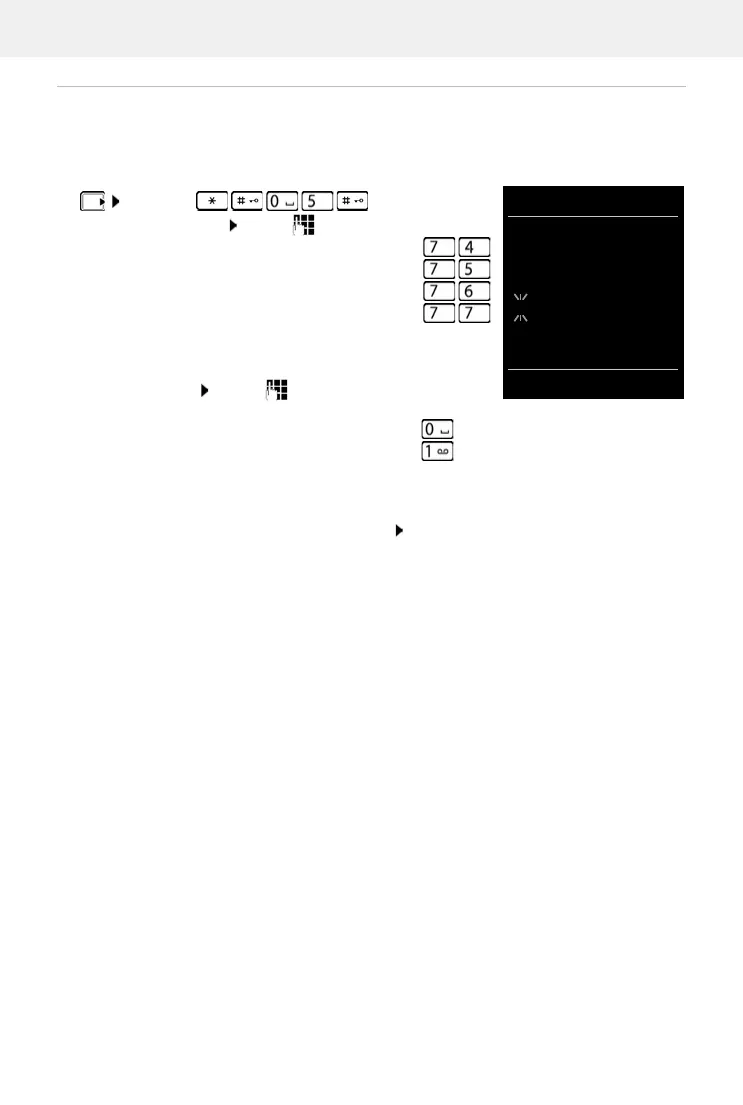
Receipt of new messages is displayed by a flashing message key on the handset. This type of
alert can be activated/deactivated for each message type.
In idle status:
. . . the number 9 followed by the entry (e.g. 975) is displayed,
the current setting for the select message type flashes in the
entry field (e.g. 0) . . . use to set the action for the arrival
of new messages:
¤ . . . confirm selected setting with OK
or
¤ return to idle display without making changes: Back
¤ Press keys . . . the number 9
appears in the display . . . use to select the message type:
Messages on the network mailbox
¤
missed calls
¤
new SMS
¤
Messages on the answer machine (only for a
system with a local answer machine)
¤
The Message key flashes
¤
The Message key does not flash ¤



 To Next Page