Gigaset E720-E720A / LUG_Kombi CH en / A31008-M2903-F101-1-2X19 / call_list.fm / 4/21/20
Template Module, Version 2, 20.02.2020
Call lists
35
Call lists
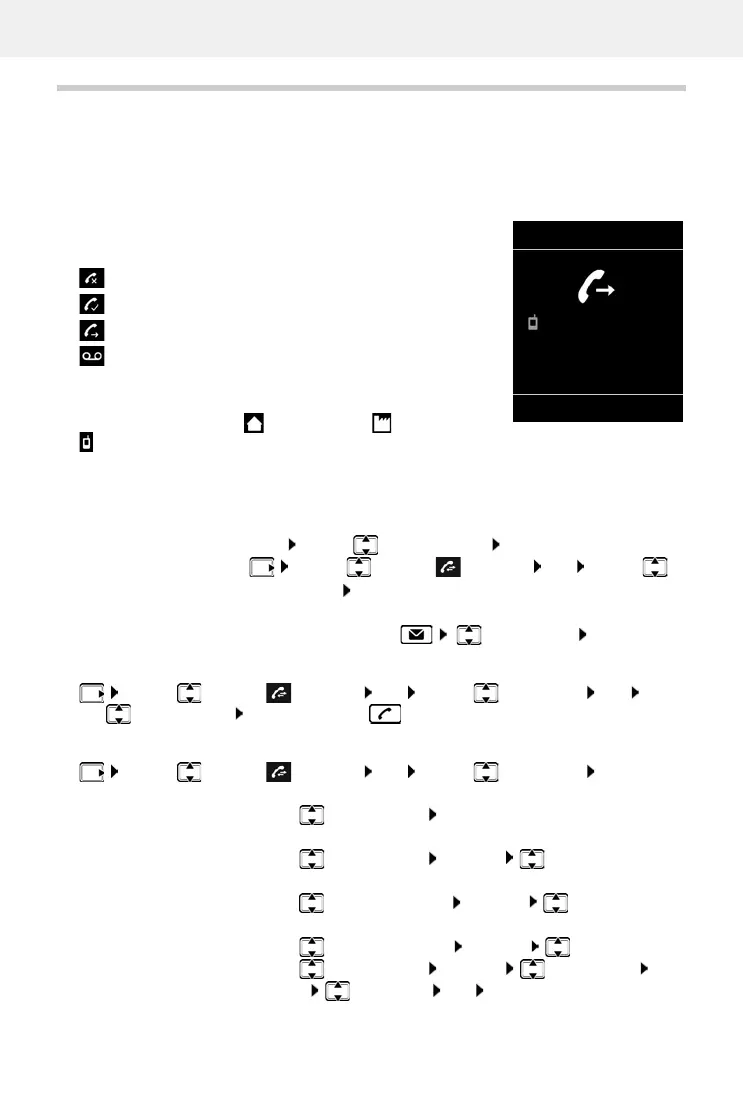
The telephone saves different types of calls (missed, accepted and outgoing calls) in lists.
List entry
The following information is displayed in the list entries:
• The list type (in the header)
• Icon for the type of entry:
• Caller's number. If the number is stored in the directory, the
name and number type ( Phone (Home), Phone (Office),
Phone (Mobile)) are shown instead. In the event of missed
calls, the number of missed calls from this number is also shown in square brackets.
• Date and time of call (if set)
Opening the call list
Calling back a caller from the call list
Additional options
Missed calls,
Accepted calls,
Outgoing calls (redial list),
Call on the answer machine (only for a system with a
local answer machine)
Via the display key:
¤ Calls . . . use to select the list OK
Via the menu:
¤ . . . use to select Call Lists OK . . . use to
select the list OK
Via the Message key (missed calls):
¤ Press the Message key Missed Calls: OK
¤ . . . use to select Call Lists OK . . . use to select list OK . . .
use to select entry Press the Talk key
¤ . . . use to select Call Lists OK . . . use to select list OK . . .
possible options:
View an entry:
¤ . . . use to select entry View
Copy the number to the directory:
¤ . . . use to select entry Options Copy to Directory
Transferring a number to the black list:
¤ . . . use to select the entry Options Copy to Blacklist
Request SMS information about a call number (might require payment):
¤ . . . use to select the entry Options SMS Enquiry
Delete an entry:
¤ . . . use to select entry Options Delete entry OK
Delete list:
¤ Options Delete List OK Ye s
All calls
Black,
Susan
30.01. 10:30
View Options
Example



 To Next Page