Gigaset E720-E720A / LUG_Kombi CH en / A31008-M2903-F101-1-2X19 / answering_m_A.fm / 4/21/20
Template Module, Version 2, 20.02.2020
Network mailbox
43
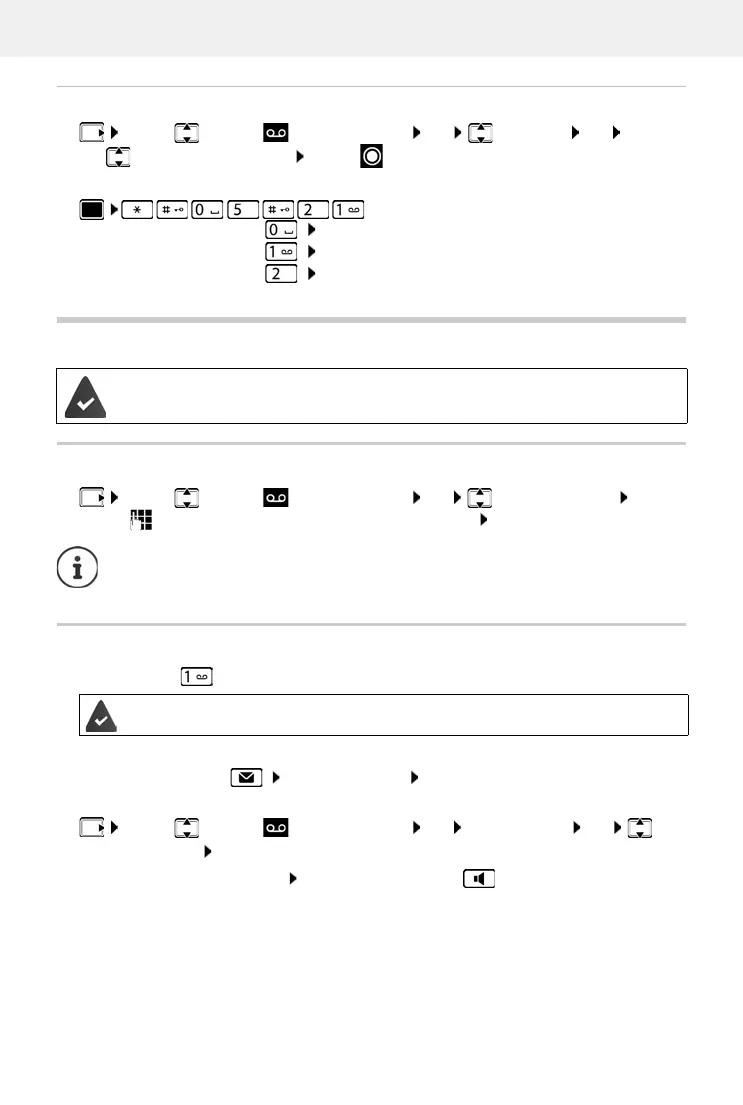
Changing the language for the voice prompt and default announcement
or:
¤ . . . then
Network mailbox
Entering a number
¤ . . . use to enter or amend the network mailbox number Save
Playing back messages
¤ Press and hold
or
¤ Press the Message key Network Mailbox OK
or
Listen to announcement out loud: Press the handsfree key
¤ . . . use to select Answer Machine OK Language OK . . .
use to select your language Select ( = selected)
Set German:
¤ OK
Set French:
¤ OK
Set Italian:
¤ OK
The network mailbox has been requested from the network provider.
¤ . . . use to select Answer Machine OK Network Mailbox OK
To activate/deactivate the network mailbox use the phone number and a function
code of your network provider. Please contact the network provider if you require any
further information.
Key 1 has been assigned to the network mailbox.
¤ . . . use to select Answer Machine OK Play Messages OK
Network Mailbox OK



 To Next Page