Template Module, Version 2, 20.02.2020,
Directory
Gigaset E720-E720A / LUG_Kombi CH en / A31008-M2903-F101-1-2X19 / directory.fm / 4/21/20
30
Directory
The local directory is unique to the handset. However, it is possible to send entries to other
handsets.
Opening the directory
¤ Briefly press in idle status
or
¤ . . . use to select Handset Directory OK
Directory entries
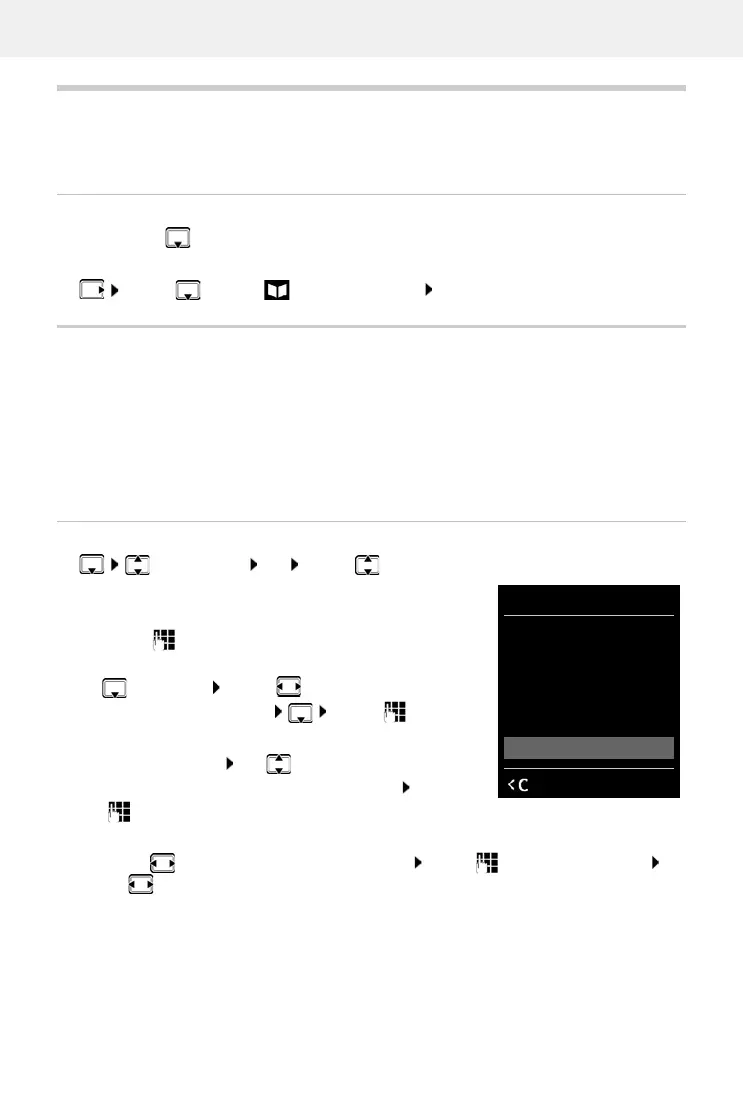
Creating an entry
¤ <New Entry> OK . . . use to switch
between the entry fields
Name:
¤ . . . use to enter the first and/or last name
Numbers:
¤ Tel.1 - Type . . . use to select a number type
(Home, Office or Mobile) . . . Use to enter a
number
Enter more numbers: use to toggle between the
entry fields Tel.1 - Type/Te
l.2 - Type/Tel.3 - Type . . .
Use to enter a number
Anniversary:
¤ . . . use to activate/deactivate Anniversary . . . use to enter date and time . . .
use to select type of alert (Visual only or a ringtone)
Number of entries: up to 200
Information: First name and surname, up to three telephone numbers, anniversary
with alert, VIP ringtone with VIP icon, announcement for reading out
on scrolling through the directory or for incoming calls
Length of the entries: Numbers: max. 32 digits
First name, surname: max. 16 characters
New Entry
First Name:
Robert|
Surname:
Abc
‚
Save
Example



 To Next Page