Gigaset E720-E720A / LUG_Kombi CH en / A31008-M2903-F101-1-2X19 / settings_BS.fm / 4/21/20
Template Module, Version 2, 20.02.2020
System
81
System
Date and time
To ensure you have the correct time for incoming calls and to use the alarm clock and calendar,
for example, the date and time must be set.
If the date and time have not yet been set on the handset, the display key Ti
me appears.
¤ Press the display key Time
or
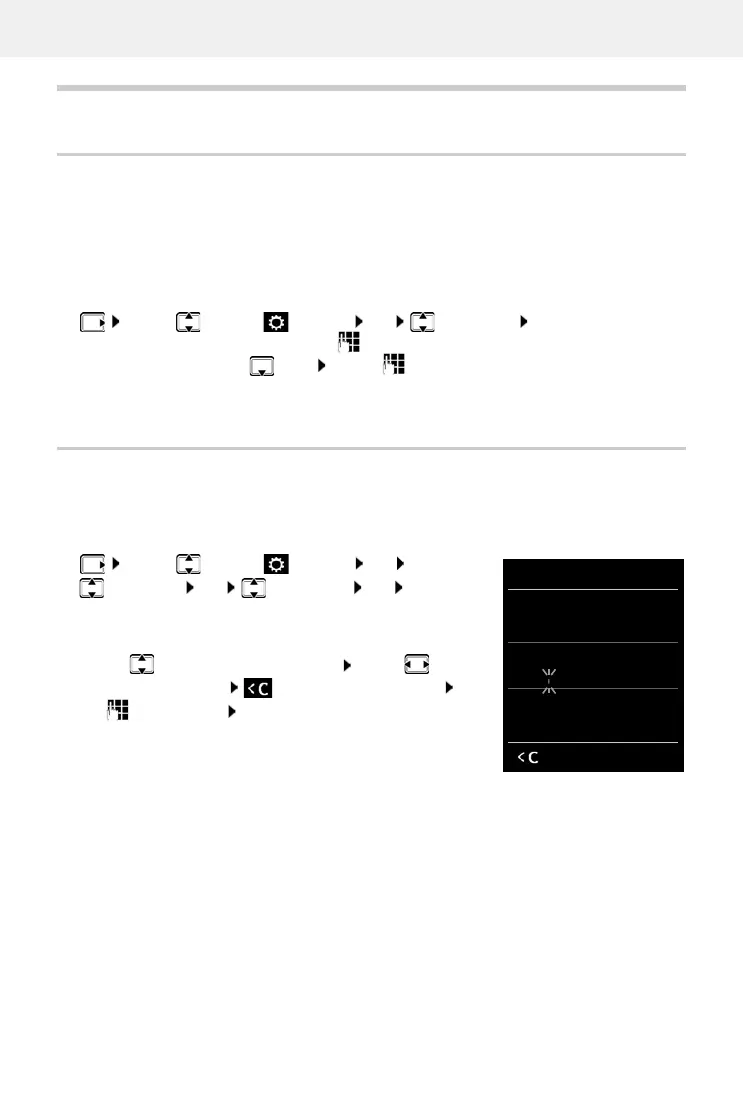
Own area code
Your area code (international and local area code) must be saved on the phone before you can
transfer phone numbers (e.g. in vCards).
Some of these numbers are already preset.
Edit the number:
¤ . . . use to select/switch entry field . . . use to
change entry position . . . delete digit if desired . . .
use to enter digit Save
¤ . . . use to select Settings OK Date/Time OK . . . then
Set the date:
¤ Date: . . . use to enter the day, month and year in 8-digit format
Set the time:
¤ Time . . . use to enter hours and minutes in 4-digit
format
Save settings:
¤ Save
¤ . . . use to select Settings OK
Tel epho ny OK Area Codes OK Check
(pre-)set area code
Area Codes
International code:
00 - 49
Local area code:
0 - [8 ]
Save
Example



 To Next Page