Template Module, Version 2, 20.02.2020,
Display icons
Gigaset E720-E720A / LUG_Kombi CH en / A31008-M2903-F101-1-2X19 / symbols.fm / 4/21/20
94
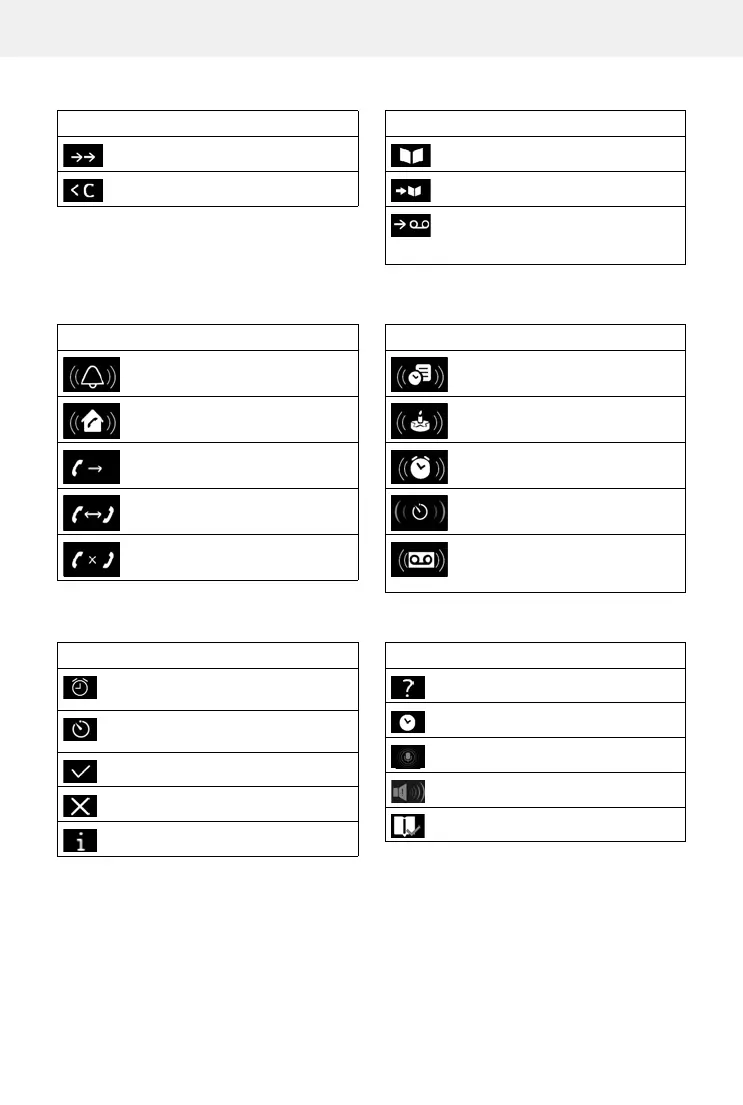
Display key icons
Display icons to indicate . . .
Other display icons
Icon Meaning
Last number redial
Delete text
Open the directory
Copy number to the directory
Divert a call to answer machine (only
for a system with a local answer
machine)
Icon Meaning
Icon Meaning
External call
Internal call
Establishing a call (outgoing call)
Connection established
No connection established/
connection terminated
Reminder for appointment
Reminder for anniversary
Alarm call
Countdown timer
Answer machine is recording
(only for a system with a local answer
machine)
Icon Meaning
Icon Meaning
Alarm clock is activated, display with
alarm time
Timer switched on, display with
countdown
Action complete (green)
Action failed (red)
Information
(Security) prompt
Please wait ...
Direct dial enabled in emergency
Boost enabled
Just Friends function enabled
Icon Meaning



 To Next Page