YES point 12
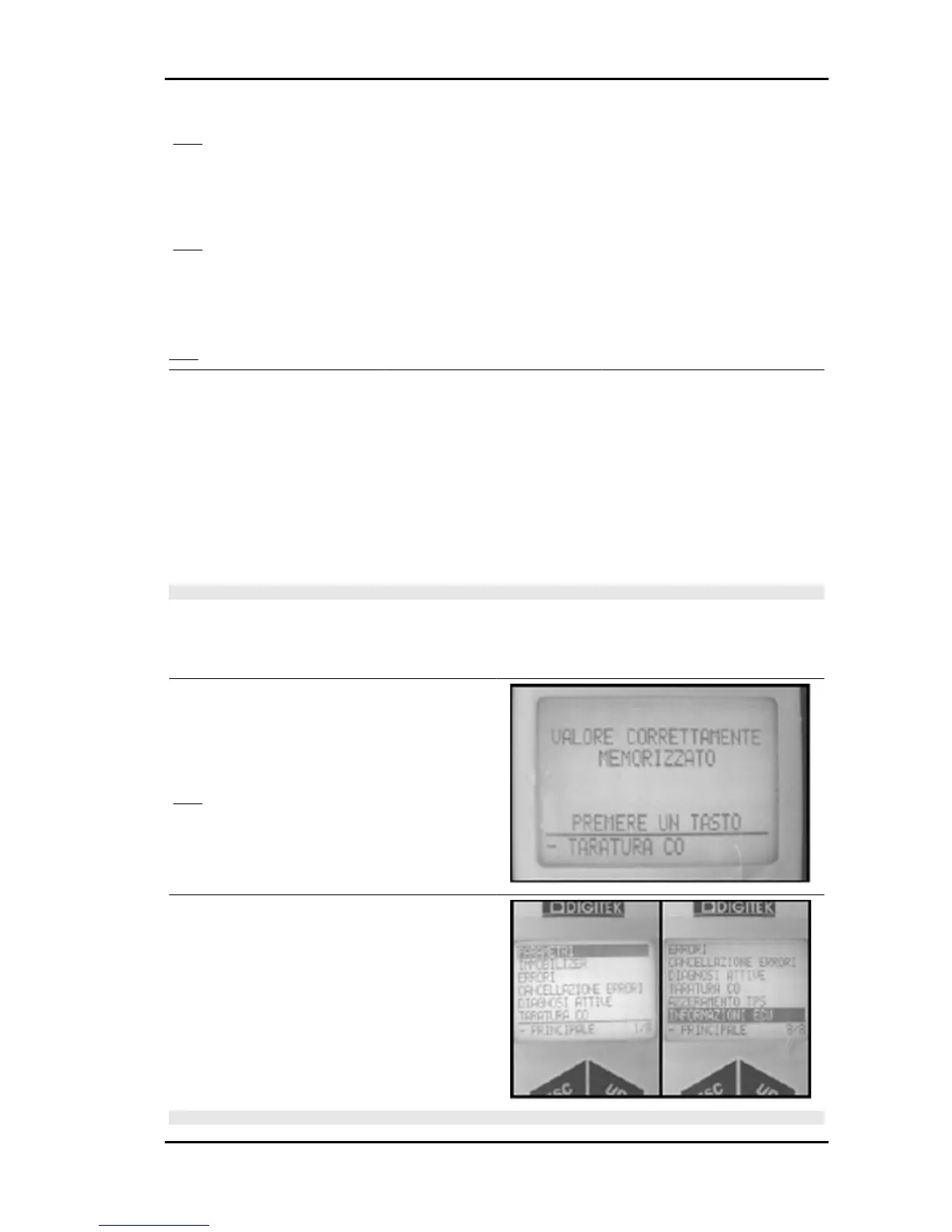
12 - «TRIMMER VALUE» is displayed.
The numbers displayed can be positive or nega-
tive.
YES go to 13
13 â To increase the CO the injection time needs to be increased.
To decrease the CO the injection time needs to be decreased.
Adjust the trimmer value according to the indications in the table:
YES go to 14
TRIMMER VALUE
+100
+ 50
+ 10
0
- 10
- 50
-100
INJECTION TIME
HIGH
Ã
LOW
Ã
MEDIUM
C O
INCREASE
Ã
Ã
DECREASE
N.B.
THE TRIMMER VALUE 0 CORRESPONDS TO THE AVERAGE INJECTION TIMING.
AFTER ADJUSTMENT ENGINES CAN HAVE CARBURETION WITH BOTH POSITIVE AND NEG-
ATIVE TRIMMER VALUES.
THIS IS DUE TO NORMAL PRODUCTION TOLERANCES.
14 - After having modifying a trimmer value, wait
until the CO value becomes steady.
In case of incorrect adjustment, press OK to store
the value in the control unit memory.
YES go to 15
15 - Select «PARAMETERS» and «ECU DATA»
to confirm the new trimmer change has been stor-
ed.
N.B.
Nexus 500 euro 3 Injection
INJEC - 221











 To Next Page