- 10 -
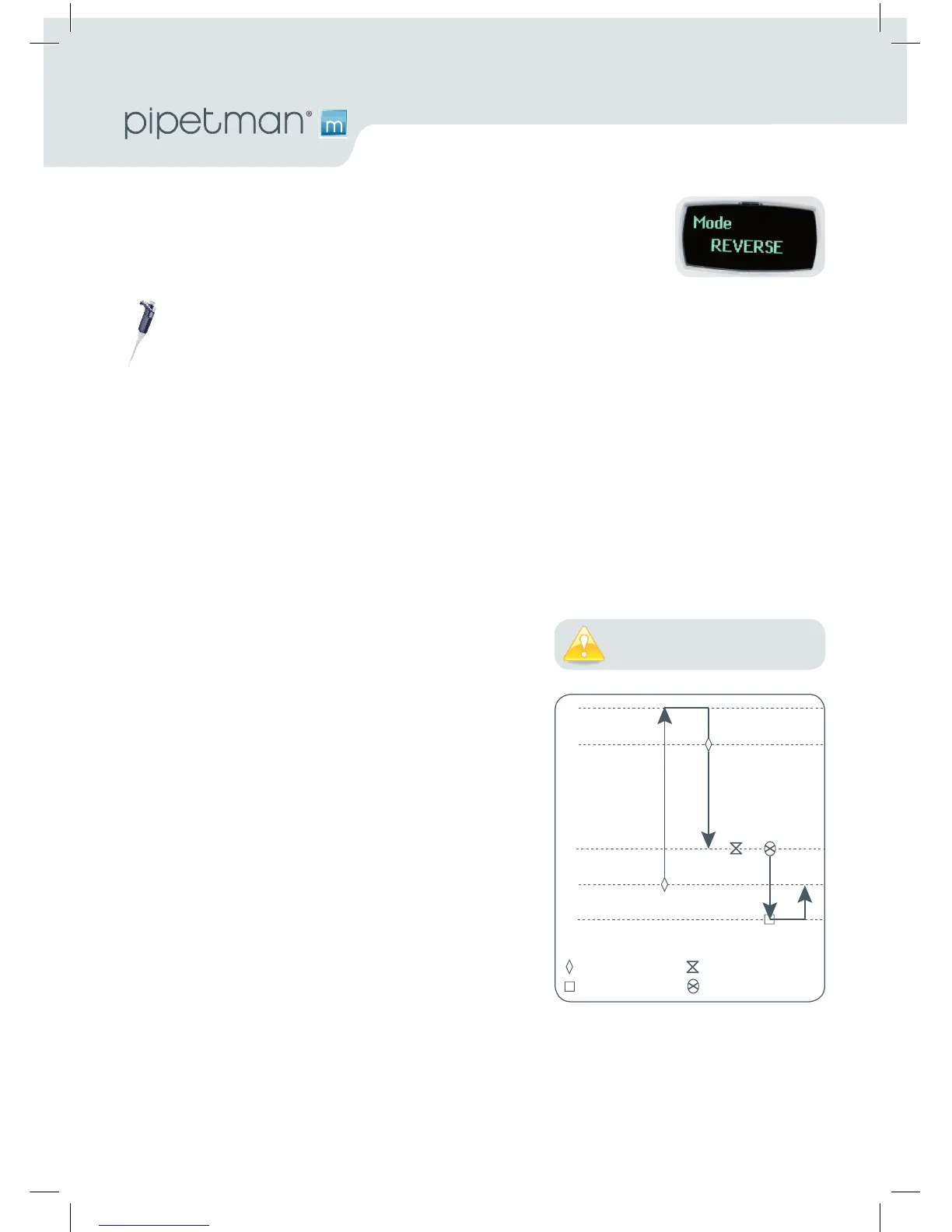
REVERSE Mode
TheREVERSEModeislikereversemodepipettingwithamanualpipette.
During aspiration an amount of liquid is added. After delivery the excess
volume remains in the tip and is discarded.
Application note: The REVERSE Mode is ideal for pipetting viscous liquids; liquids with high vapour pressure or those
which tend to foam. Your PIPETMAN M aspirates a selected volume and an excess. This excess compensates for the liquid
that remains as a film inside the tip during dispensing. For example: protein extraction, cell lysis, plasmid isolation, cell
culture, buffer preparation and many others…
Electrophoresis gels loading protocol: First change the pipetting speed of your pipette (see chapter 7). Aspiration can
be done by using the standard speed (by default speed 6). Dispensing should be done very slowly and carefully, to prevent
swirling and spilling of the samples, so select the lowest speed 1. Your pipette is now ready to load your gel! Please be
aware that if you purge without pulling out the tip air bubbles could get into your gel!
• PressMode-buttontoaccesssystemmenu,whereyoucanchoosebetweendierentpipettemodes.
Select REVERSEModebyturningthepush-button,toconrmyourselectionclickthepush-button.
• Setthevolume:clickthepush-button,setthevolumebyturningthepush-buttonandclickagain
toconrmyoursettings.
Youarereadytodoreversepipetting!
1. Fit a tip suitable for the model of PIPETMAN M that you
are using (preferably use PIPETMAN TIPS for assurance
ofaccurateandpreciseresults;refertoChapter8).
2. Clickpush-buttontoaspiratetheselectedvolume.An
amount of liquid equal to the amount of purged air is
added, the volume aspirated will be a little bit more
than the set volume.
3. Clickpush-buttontodispensethevolume,theaddition-
ally amount of liquid remains in the tip.
4. Topurge:presspush-button,PURGE appears on the
screen, click again to purge and reset the piston. Keep
your thumb pressing the push-button until the end
of the purge: the piston reset takes place after you
release the push-button again. This feature enables you
to remove the tip from the liquid, without aspirating
anything.
5. Eject tip by pressing the ejection button.



 To Next Page