- 17 -
PIPETMAN M battery won’t charge or will not operate even if connected to the charger at least for
10 minutes.
PIPETMAN M battery provides you very short cycle time or permanently needs to be used in con-
nected mode.
13 CONFIGURATION
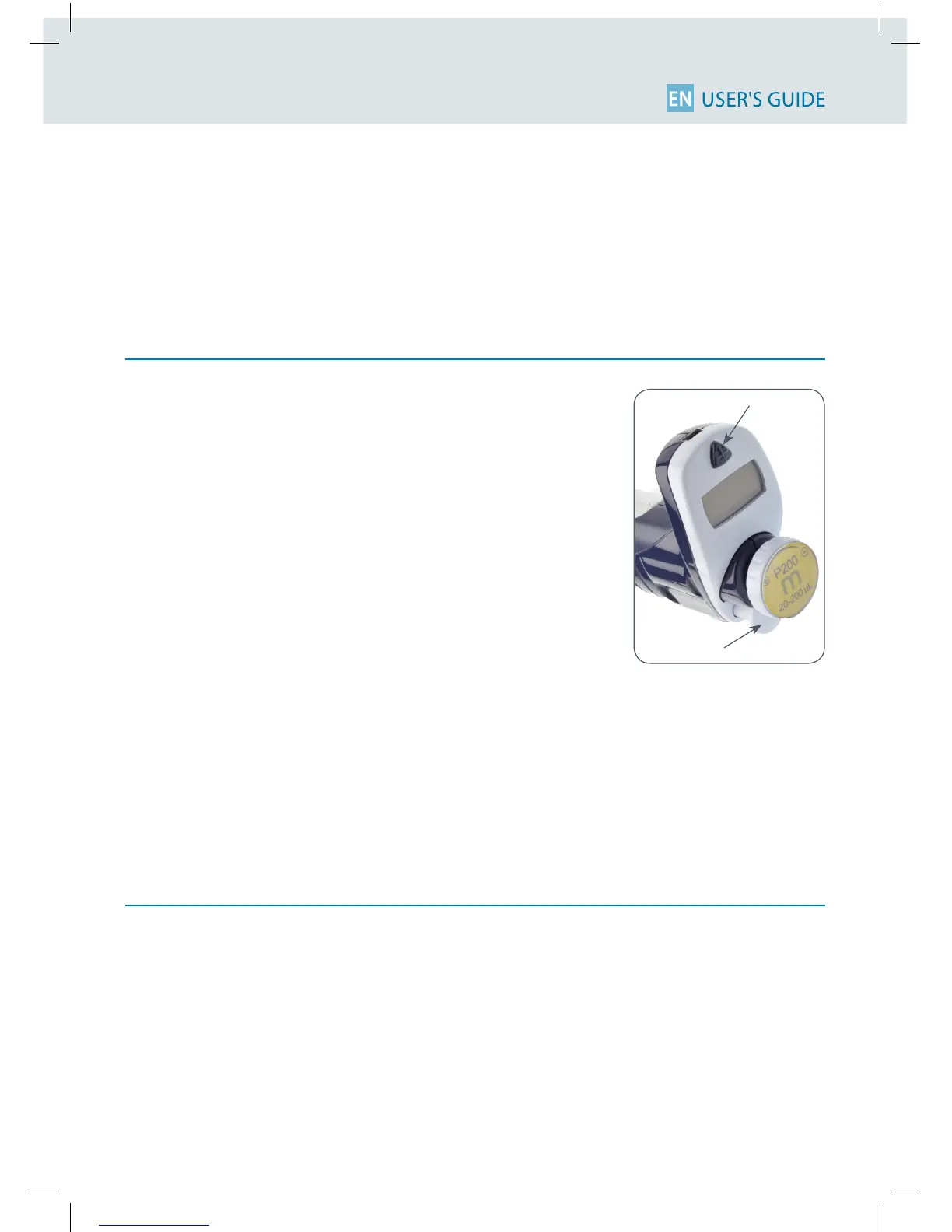
EnterthemenuusingtheMode-button.Youwillndnotonlythepi-
pettingprograms(PIPET,REPETITIVE,MIXandREVERSE)andthespeed
controlbutalsothemenu“CONFIGURATION”,including“SERVICE”and
“ADJUSTMENT”(refertoChapter14).
Thenavigationofthemenusisalwaysdoneinthesameway Make
yourselectionbyrotatingthepush-button,enterandconrmwith
asimpleclick!
The congurationmenu allows you to set up the following items:
1. Volumelimit: Hereyoucanxthemaximalvolumeofthepipette
(by default = nominal volume). For example you
have a P200M pipette, but you would like to use it with
your PIPETMAN DIAMOND Filter tips DF100, you can
set the maximal volume at 100 µL and you won’t risk
contamination of your pipette.
2. Beeper: You can switch the tone of your pipette on or o.
3. Contrast: You can choose between values of 1 to 5 to set up the contrast of the screen.
4. Service seeChapter14.
5. Adjustment seeChapter14.
14 MAINTENANCE OF YOUR PIPETMAN M
PIPETMANMrequiresverylittlemaintenance.However,toensurepipetteaccuracy,precisionand
robustness for timeless use please proceed periodically with a Two-minute Inspection as recom-
mended by Gilson.
Your PIPETMAN M allows you to:
• Getserviceinformation.
• Readjustthepipettetousersettings.
• Returntofactorysettings.
• Replacespareparts(fordetailedinformationseeChapters14and19).
• Preparethepipetteforcleaningorautoclavingby“disassembly”ofthepartsspecied(seeChapter15).
Push-button
Mode-button












 To Next Page