TX6160 INSTRUCTION MANUAL
14
CHARGING THE BATTERY PACK
Connecting the desktop charger
1. Plug the included PS002 plug pack into a standard 240V AC outlet.
2. Connect the plug pack’s DC connector to the socket on the rear of the desktop charger.
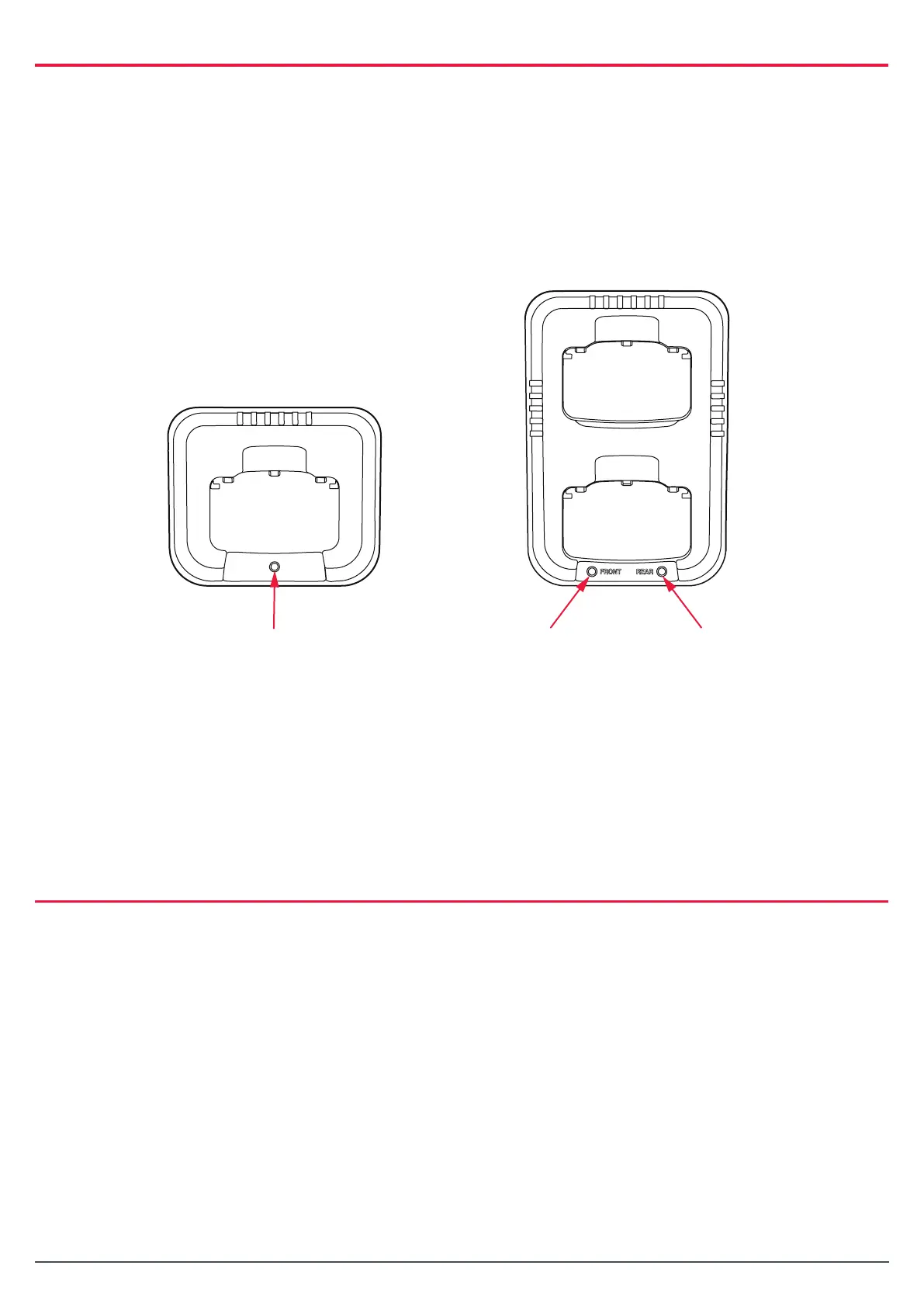
The LED(s) on the front of the charger will quickly ash red, green, amber, and then o.
The charger is now ready for use.
TX6160 Instrucon Manual
14 June 2018
© 2018 Standard Communicaons Pty Ltd trading as GME. All rights reserved.
16
50158
Content
Charging the Baery Pack
Connecng the desktop charger
1. Plug the included PS002 plug pack into a standard 240V AC outlet.
2. Connect the plug pack’s DC connector to the socket on the rear of the desktop charger.
The LED(s) on the front of the charger will quickly ash red, green, amber, and then o.
The charger is now ready for use.
Charge Status LED
Front-Slot Status LEDRear-Slot Status LE
TX6160
TX6160TP
The desktop charger can also be powered from your vehicle via the oponal BCV007 vehicle
accessory charger. Simply plug the BCV007 into your vehicle’s 12V accessory outlet and
connect the DC connector to the socket in the rear of the desktop charger.
Note: The desktop charger can also be powered from your vehicle via the optional BCV007 vehicle accessory
charger. Simply plug the BCV007 into your vehicle’s 12V accessory outlet and connect the DC connector to
the socket in the rear of the desktop charger.
TX6160
The single desktop charger (BCD020) will charge a fully discharged battery pack to full capacity in around
4 hours.
To charge the battery:
1. Place the radio into the cradle with the battery attached. The LED will light red to indicate
the battery is charging.
2. When the battery has charged, the LED will change to green.
The fully charged battery can be left on the charger until it is needed.



 To Next Page