TX6160 INSTRUCTION MANUAL
24
DUPLEX MODE SELECTION
The Duplex option only appears in the Menu if a repeater channel (1 – 8 or 41 – 48) is selected prior to
entering the menu.
To enable duplex on the selected repeater channel:
1. Select a repeater channel 1 – 8 or 41 – 48 using the or keys.
2. Press and hold the Menu key until the radio beeps. The
C H A N N E L
31
C H A N N E L
1
C H A N NE L
1
C H A N N E L
31
VE HIC L E
R E P E AT E R
O P E R AT I O N
VE HIC L E
R E P E AT E R
S T AT IO N
Figure 1 - Simple/Duplex Range Comparison
icon will ash.
3. Press the or keys to toggle ‘on’ (duplex enabled) or ‘oFF’ (duplex disabled) on the
display.
4. Press the PTT switch to store your setting and exit the Menu.
When Duplex is enabled on a repeater channel, the
C H A N N E L
31
C H A N N E L
1
C H A N NE L
1
C H A N N E L
31
VE HIC L E
R E P E AT E R
O P E R AT I O N
VE HIC L E
R E P E AT E R
S T AT IO N
Figure 1 - Simple/Duplex Range Comparison
icon will be displayed on that channel.
CTCSS/DCS GLOBAL OR INDEPENDENT SELECTION
When utilising CTCSS/DCS there are two settings available, Global (Gbl) which enables CTCSS/DCS for all
channels 1-80, and Independent (Ind) which enables CTCSS/DCS for the selected channel only.
To select CTCSS/DCS Global or independent:
1. Select the required channel.
2. Press and hold the Menu key until the radio beeps. CT Gbl/Ind or DT Gbl/Ind will be displayed
with Gbl or Ind ashing.
3. Press the or keys to select ‘Gbl’ (Global) or ‘Ind’ (Independent).
4. Press the PTT switch to conrm your selection and exit the menu, or briey press the Menu
key to continue to CTCSS/DCS code selection.
CTCSS AND DCS CODE SELECTION
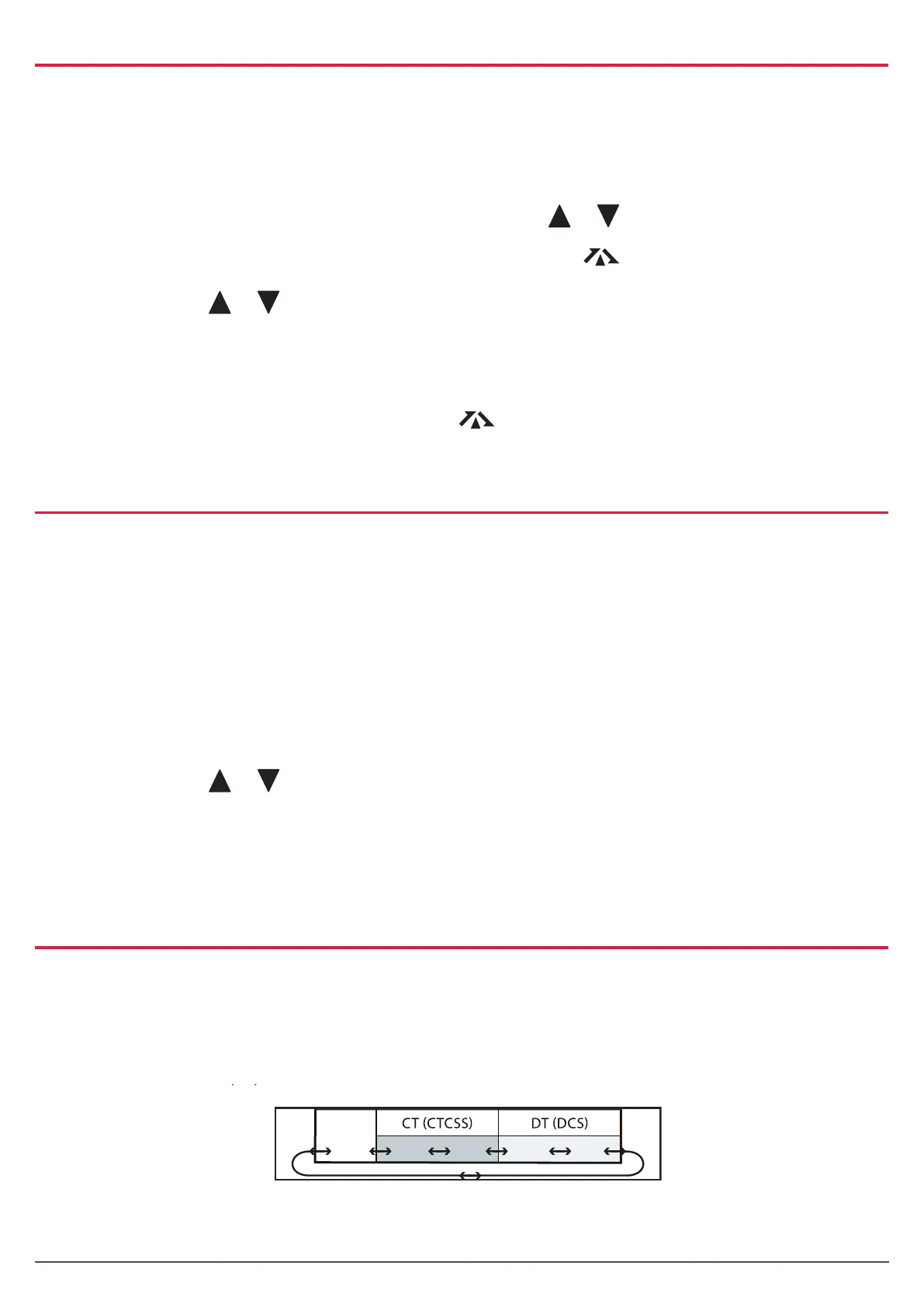
The radio is tted with both CTCSS and DCS systems. There are 50 CTCSS tones and 104 DCS codes. The
DCS codes and the CTCSS tones are accessed through the same menu (refer the following table). When
CTCSS tones are being selected, ‘CT’ is displayed. To access DCS codes, scroll past CTCSS tone 50 until
‘DT’ is displayed.
TX6160 Instrucon Manual
14 June 2018
© 2018 Standard Communicaons Pty Ltd trading as GME. All rights reserved.
25
50158
Content
Using the Menu
• To access the menu, press and hold the Menu key unl the radio beeps. Menu opons
will appear in the order listed above.
• To step to the next menu item, press the Menu key again.
• To change opons in selected menu, press the or keys.
• To store your selecon and exit menu, press the PTT switch.
Duplex Mode Selecon
The Duplex opon only appears in the Menu if a repeater channel (1 – 8 or 41 – 48) is selected prior
to entering the menu.
To enable duplex on the selected repeater channel:
1. Select a repeater channel 1 – 8 or 41 – 48 using the or keys.
2. Press and hold the Menu key unl the radio beeps. The icon will ash.
3. Press the or keys to toggle ‘on’ (duplex enabled) or ‘oFF’ (duplex disabled)
on the display.
4. Press the PTT switch to store your seng and exit the Menu.
When Duplex is enabled on a repeater channel, the icon will be displayed on that channel.
CTCSS/DCS Global or Independent Selecon
When ulising CTCSS/DCS there are two sengs available, Global (Gbl) which enables CTCSS/DCS for
all channels 1-80, and Independent (Ind) which enables CTCSS/DCS for the selected channel only.
To select CTCSS/DCS Global or independent:
1. Select the required channel.
2. Press and hold the Menu key unl the radio beeps. CT Gbl/Ind or DT Gbl/Ind will be
displayed with Gbl or Ind ashing.
3. Press the or keys to select ‘Gbl’ (Global) or ‘Ind’ (Independent).
4. Press the PTT switch to conrm your selecon and exit the menu, or briey press the
Menu key to connue to CTCSS/DCS code selecon.
CTCSS and DCS Code Selecon
The radio is ed with both CTCSS and DCS systems. There are 50 CTCSS tones and 104 DCS codes.
The DCS codes and the CTCSS tones are accessed through the same menu (refer the following table).
When CTCSS tones are being selected, ‘CT’ is displayed. To access DCS codes, scroll past CTCSS tone
50 unl ‘DT’ is displayed.
OFF 01 50 001 104



 To Next Page