TX6160 INSTRUCTION MANUAL
20
DUPLEX OPERATION
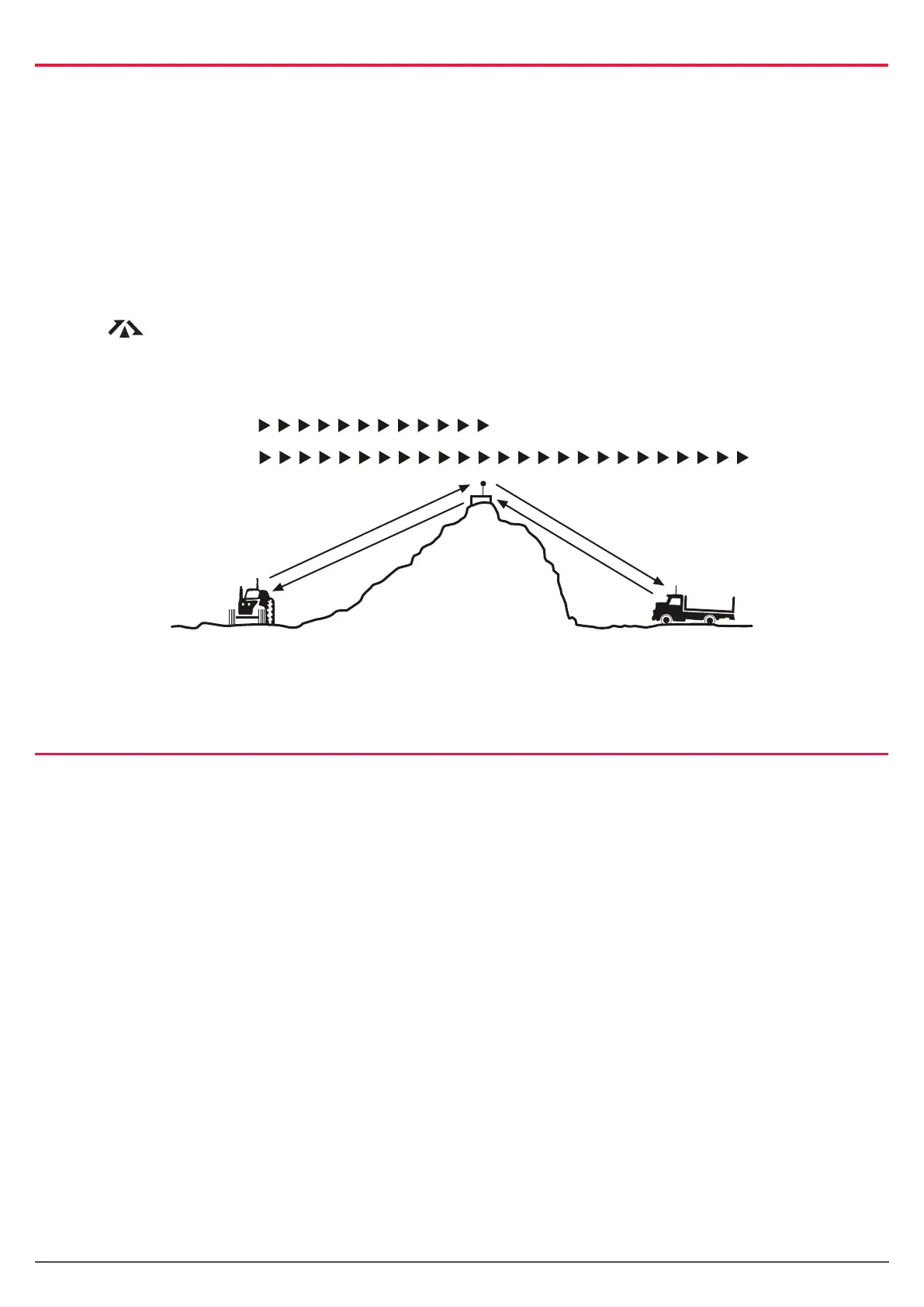
Duplex operation allows the radio to transmit on a dierent frequency to that which it receives. This
allows operation through repeater stations in your area. Repeaters automatically re-transmit your signal
over a much wider area, providing greatly increased range. The Duplex mode only works on designated
repeater channels 1 – 8 and 41 – 48. With Duplex selected on one of these channels, your radio actually
transmits 30 channels higher than it receives. For example, if Duplex is selected on channel 1, your radio
will receive on channel 1 but will transmit on channel 31.
Duplex can be enabled or disabled on individual channels. When Duplex is enabled on the selected
channel,
C H A N N E L
31
C H A N N E L
1
C H A N NE L
1
C H A N N E L
31
VE HIC L E
R E P E AT E R
O P E R AT I O N
VE HIC L E
R E P E AT E R
S T AT IO N
Figure 1 - Simple/Duplex Range Comparison
is displayed. The Duplex mode is set through the Menu. Please refer the menu options in
the Menu section further in this manual.
C HA NN E L
31
C HA NN E L
1
C HA NN E L
1
C HA NN E L
31
VE H IC L E
R E P E AT E R
O P E R AT IO N
VE H IC L E
R E P E AT E R
S T AT IO N
Figure 1 - Simple/Duplex Range Comparison
LED TORCH
The TX6160 incorporates a built- in super bright LED Torch with SOS signaling capability.
To switch the torch on:
Press and hold the red Scan key (located at the top of the radio) until the radio beeps.
To switch the torch o:
Briey press the Scan key.
To activate the SOS Signalling function:
Whilst the torch is on press and hold the Scan key again until the radio beeps. The torch will then ash
SOS repeatedly. To switch o, briey press the Scan key.
Note: The torch is automatically disabled whilst transmitting and resumes operation when the PTT switch is
released. The LED is extremely bright. Do not stare directly at it or direct the beam into other people’s eyes.



 To Next Page