22 23
8.3.2 HowtousePhoneNow
1. Li the telephone to your ear
2. When you hear a short melody, the phone programme is acve
i
NOTE: You may need to move the telephone receiver slightly to
nd the best posion for reliable Phone Now acvaon and good
hearing on the telephone.
NOTE: If your hearing aids have enabled Comfort Phone
funconality, the hearing aid on the non-phone ear automacally
aenuates.
8.4 Direct Audio Input (only Ambio model 62)
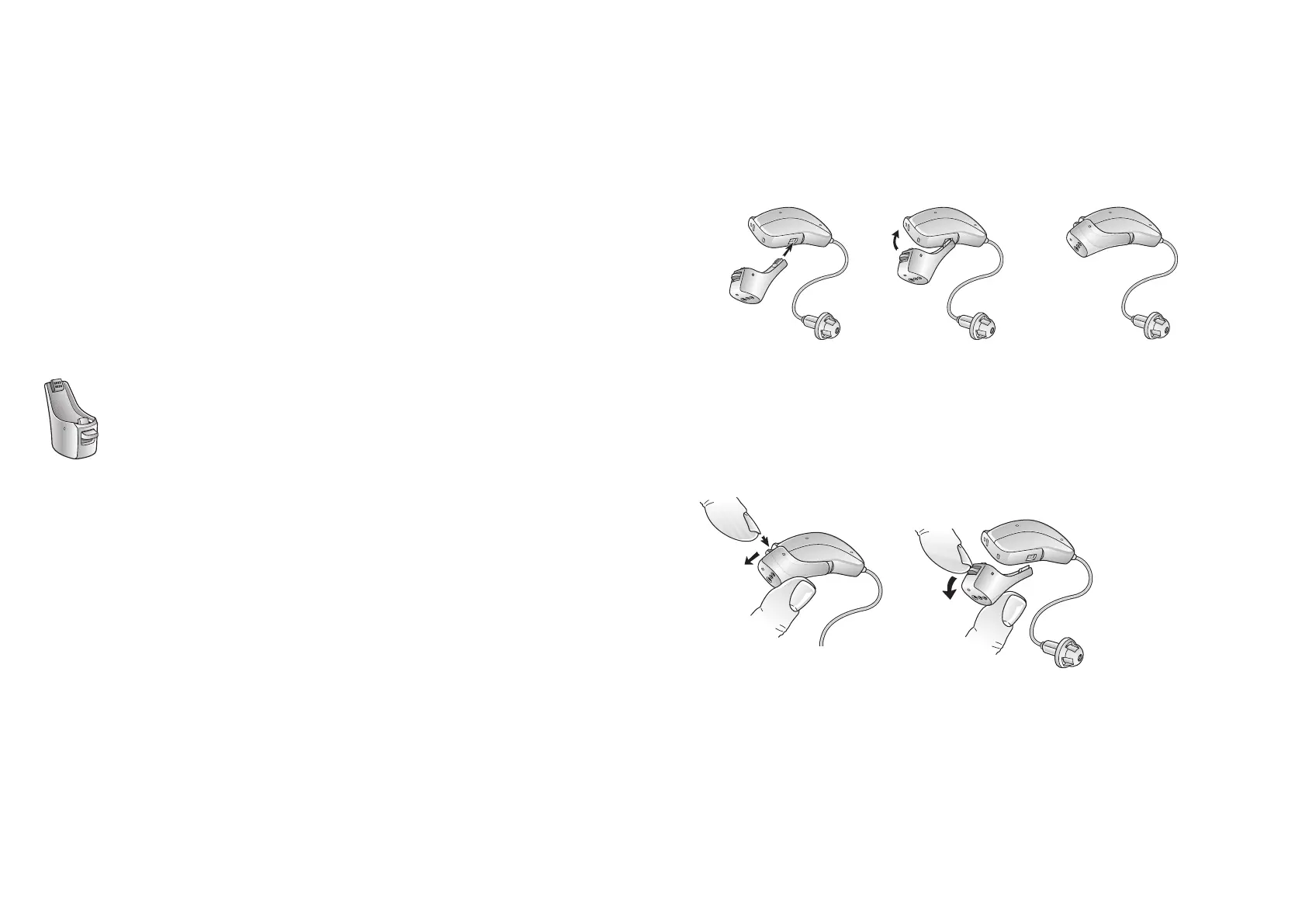
You can connect a DAI boot accessory to the boom of the hearing aids.
Once properly clicked into place, the hearing aids automacally switch to
DAI (Direct Audio Input).
Direct Audio Input adapter
The sound source is connected to the hearing instruments by a cable or a
wireless FM system1 to the audio boot.
To improve spaal sense and being able to hear colleagues, fellow students
etc., the DAI input can be mixed with the microphone input.
i
NOTE: Using the DAI funconality results in increased baery
consumpon.
8.4.1 ConnectDAI
1. Align the p of the DAI click-on adapter with the groove above the
baery door
2. Once in place, move the click-on adapter in the direcon of the
baery door
3. Gently click the DAI click-on adapter onto the hearing aid
Aaching the DAI click-on adapter to Ambio, model 62.
8.4.2 DisconnectDAI
1. Slide the latch downwards with your ngernail
2. Gently remove the click-on adapter from the hearing aid
Remove the DAI click-on adapter from Ambio, model 62



 To Next Page