12 13
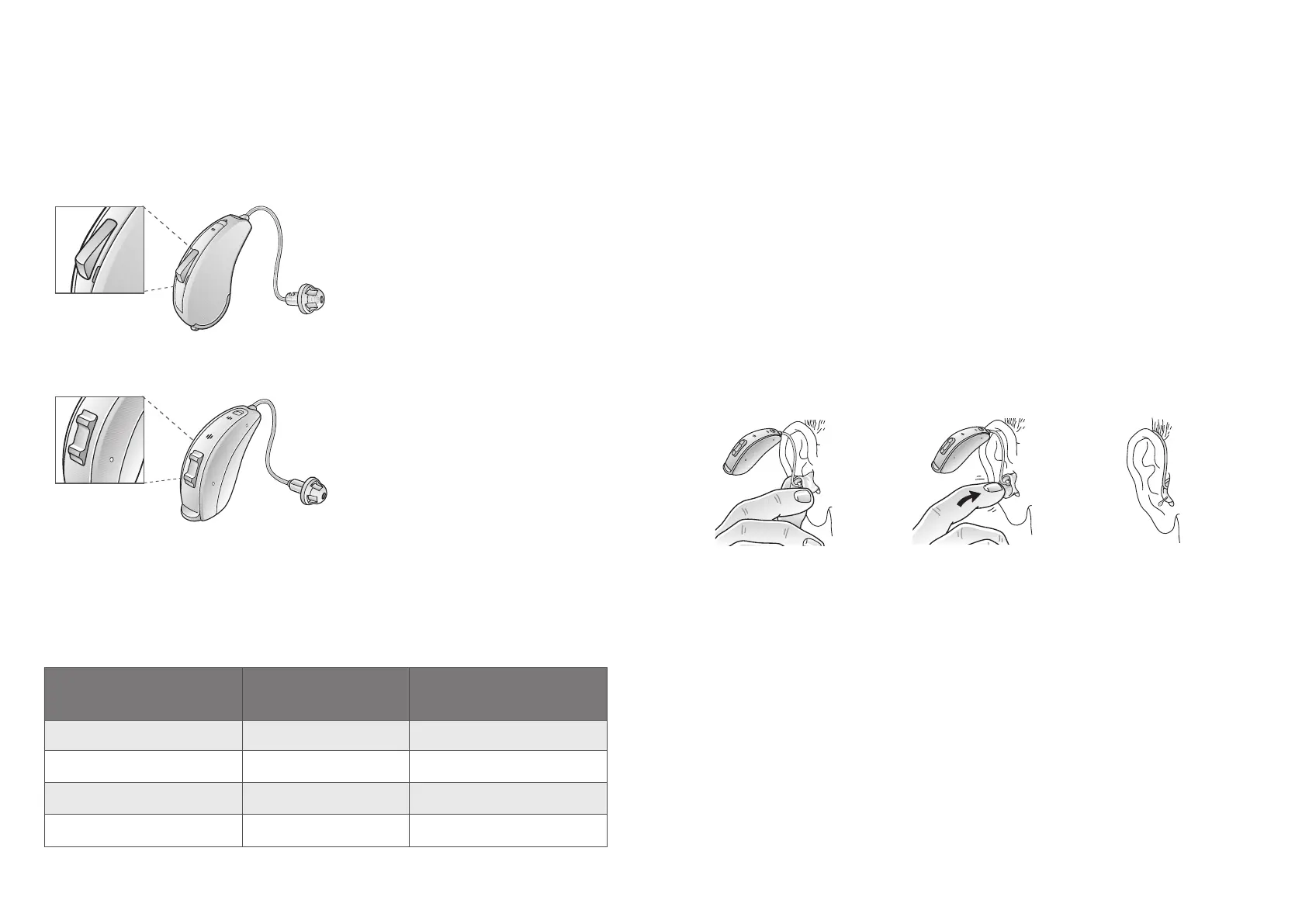
Programme buon (61 models only)
Mul-funcon buon (62 models only)
It should not be necessary to control the volume manually. However, in
addion to controlling listening programmes, the mul-funcon buon
(62-DRW only) provides you with the ability to adjust the amplicaon to
your liking. The mul-funcon buon is designed to change the volume
or listening programmes of the hearing aid, based on dierent ways it is
pressed.
If necessary, your hearing care praconer can change the default sengs
for the mul-funcon buon and ll in the following table to indicate the
new sengs:
Mul-funcon buon
acon
Default seng New seng
Short press up
Increase volume
Short press down Decrease volume
Long press up (3 sec.)
Change programme
Long press down (3 sec.)
Acvate streaming
7.3 Insert/remove hearing aid
For comfort, always turn o your hearing aids before you insert or remove
them.
7.3.1 Insert earmould
1. Hold the earmould between your thumb and index nger and posion
its sound outlet in your ear canal
2. Slide the earmould all the way into your ear with a gentle, twisng
movement
3. Turn the top part of the earmould gently backwards and forwards so
that it tucks behind the fold of skin above your ear canal
4. Move the earmould up and down and gently press it to place it
correctly in the ear
5. Make sure the hearing aid sits rmly behind the ear
Slide and twist the
earmould all the way
into the ear canal.
Tuck the earmould
behind the fold of skin
above the ear canal.
Place the hearing aid
rmly behind the ear.



 To Next Page