1
2
24 25
8.5 Flight Mode (oponal)
i
WARNING: WHEN BOARDING A FLIGH OR ENTERING AN AREA
WHERE RF TRANSMITTERS ARE PROHIBITED, DEACTIVATE WIRELESS
FUNCTIONALITY.
Turn on Flight Mode:
1. For each hearing aid, open and close the baery door three mes
within a 10-second period close (open-close, open-close, open-close)
2. Double-dings for ten seconds ( etc.) indicate that your hearing
aid is in Flight Mode, i.e. you cannot control it remotely
Deacvate Flight Mode:
1. For each hearing aid, open and close the baery door once
2. Single dings for ten seconds ( etc.) indicate that your hearing aid is in
wireless mode
i
NOTE: Both hearing aids must be set in Flight Mode - even with
synchronizaon enabled.
NOTE: It is important to wait an addional 15 seconds aer wireless
funcon resumes before opening and closing the baery door again
for any reason. Flight Mode will resume if you open and close the
baery door during this 15-second window.
8.6 Smartphone apps
The app must only be used with hearing aids for which they are intended,
and manufacturer takes no responsibility if the app is used with other
hearing aids.
Use with smartphone apps:
• Do not disable app nocaons.
• Install updates to keep the app working correctly.
i
NOTE: For assistance with pairing and using these products with
your hearing aids, please contact your hearing care professional.
NOTE: If you have a Bluetooth enabled smartphone, you are able to
answer the telephone if you use Phone Clip+.
9 How to change domes
i
NOTE: It is recommended that your hearing care professional
shows you how to change the domes. Incorrect dome replacement
could result in the dome being le in the ear when you remove the
hearing aid.
9.1 Standard domes
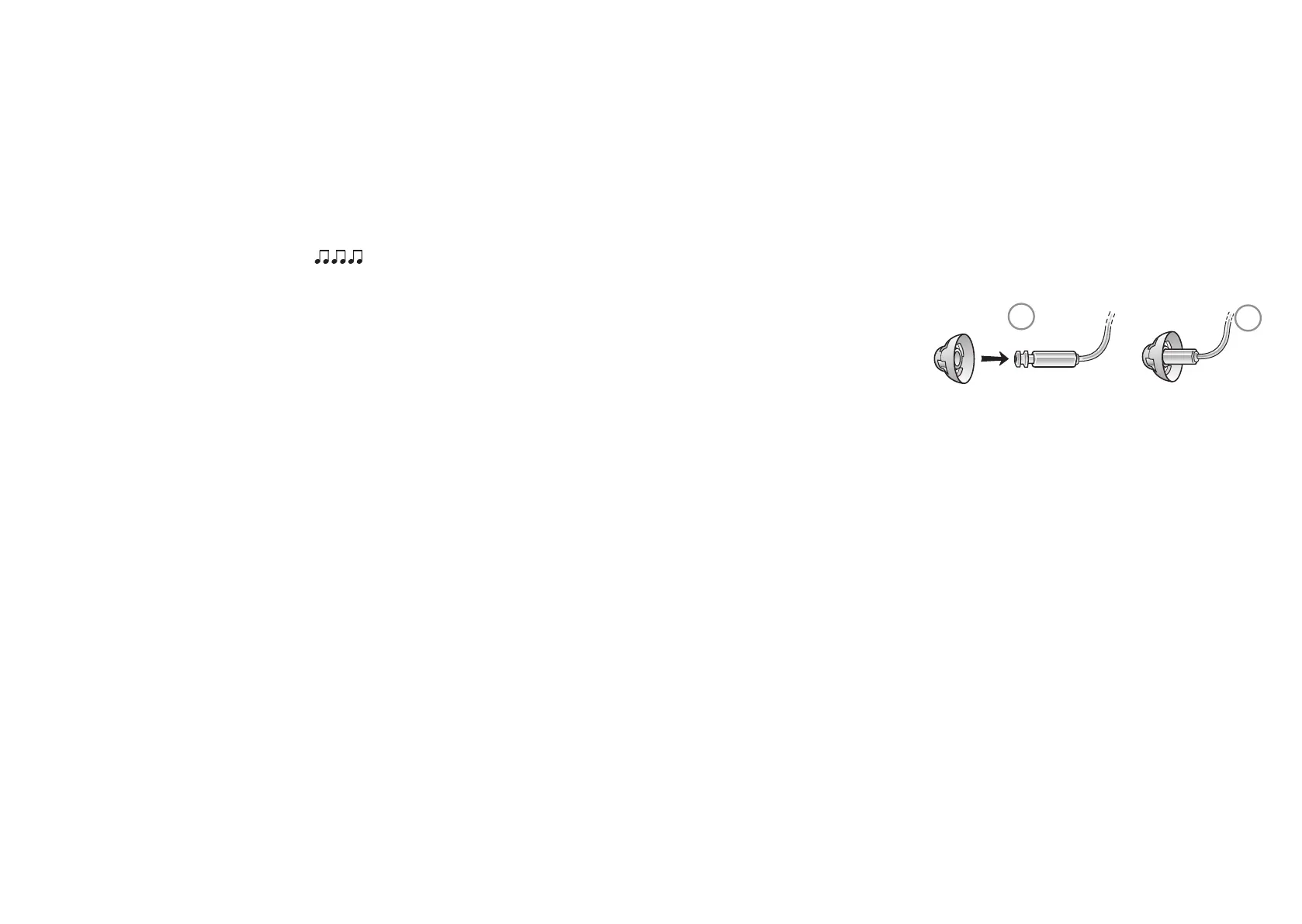
Follow these steps to mount domes:
3. Push the new dome over the anges on the receiver
4. Make sure that the new dome is properly and securely mounted



 To Next Page