10 11
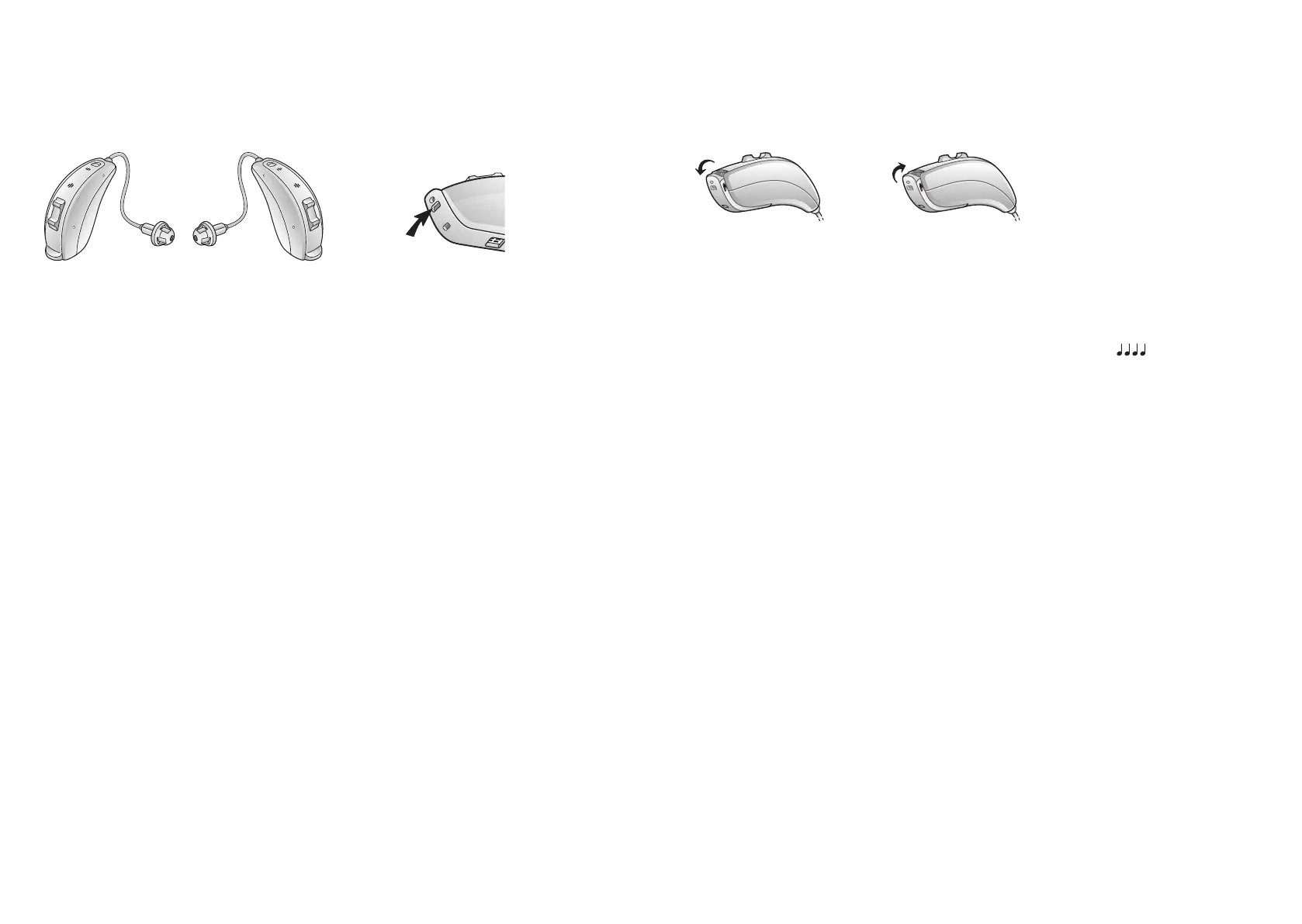
6.2 Recognizing le and right hearing aid
If you have two hearing aids, they may be tuned dierently. One for your
le ear, the other for your right. Do not swap them.
Ambio, model 62.
Le Right
Colored side indicator:
Le is blue and Right is
red.
7 Geng started
The hearing aids always start in programme 1 and with the pre-set volume.
7.1 Turn o / Turn on
Turn your hearing aid o. Turn your hearing aid on.
7.1.1 Smar t Start
Smart Start delays the me before the hearing aid turns on aer you close
the baery door. With Smart Start, you will hear a beep ( etc.) for each
second of the delay period (5 or 10 seconds delay).
i
NOTE: If you want to turn on the hearing aids without delay, ask
your hearing care professional to de-acvate Smart Start.
7.2 Operaon of hearing aid
7.2.1 PushbuonandMul-funconbuon
If you have a hearing aid with a push buon or mul-funcon buon, this
will allow you to use up to four dierent listening programmes, each of
them suitable for certain situaons.
1. Tap the push buon to switch between programmes
2. You will then hear one or more beeps. The number of beeps indicates
which programme you have selected (one beep = programme one,
two beeps = programme two, etc.)
3. When you turn the hearing aids o and then back on, they always
return to the default seng (programme one and pre-set volume).



 To Next Page