Gocycle
®
Owner’s Manual for G3, March 2016
© Karbon Kinetics Limited. All Rights Reserved. 62
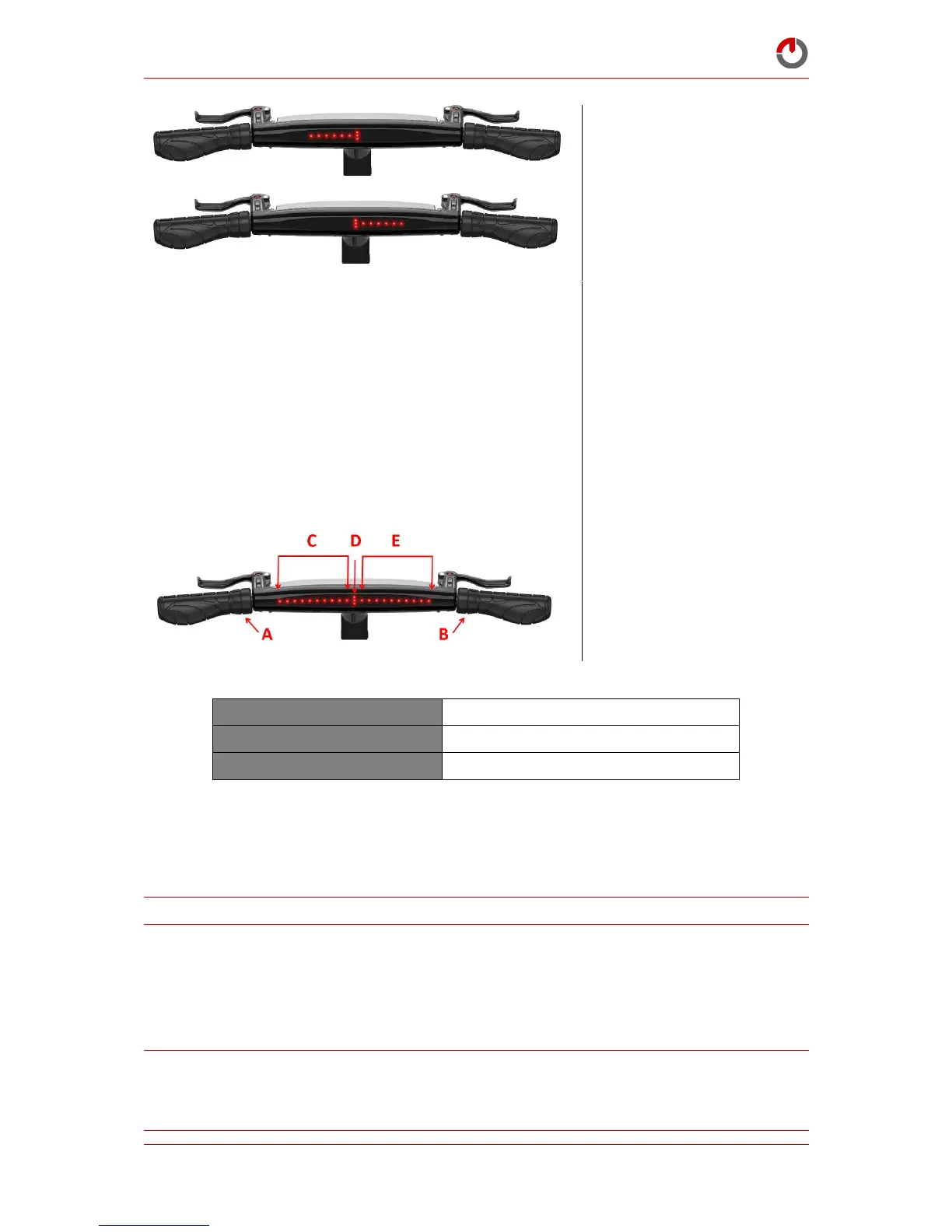
Rotate “wrist down” selector A
to move the servo position
towards the lower gear
Rotate “wrist down” selector B
to move the servo position
towards the higher gear
When a gear is properly
adjusted and you are confident
that you have successfully
calibrated the gear, stop
pedalling
If there is no further calibration
necessary, go to the last step
If it is necessary to recalibrate
other gears, repeat from the
beginning
To save the new calibration,
rotate “wrist down” and hold
both selectors A and B until the
display flashes
Allows calibration of the electronic shifting
7.7
Adjusting the Brakes
For information on how to bleed your Gocycle hydraulic brakes, please read carefully the brake
manufacturer’s instructions, included with your Operation Guide and Assembly Guide.
NOTE: The brakes will increase in power over the first 50 to 100 uses.
7.7.1 Bleeding the Brakes
As with all hydraulic brakes, for the best possible performance, we recommend that the hydraulic
brakes on your Gocycle are bled every 12 months. We advise that your Gocycle brakes are bled by a
skilled bicycle mechanic with experience with bleeding hydraulic cycle brakes.
WARNING! DOT 4 brake fluid can be an irritant when it comes into contact with human tissue. For
skin contact, wash off the brake fluid in flowing clean water. For eye contact, the eye area should be
irrigated with flowing water immediately and continuously for 15 minutes. Consult with medical
personnel.



 To Next Page